 The 360 Guy
The Insta360 Ace Pro has recently been released with some catchy headline features. Insta360’s first full action camera has GoPro firmly in its sights and the company claims that their camera will outclass its competitors.
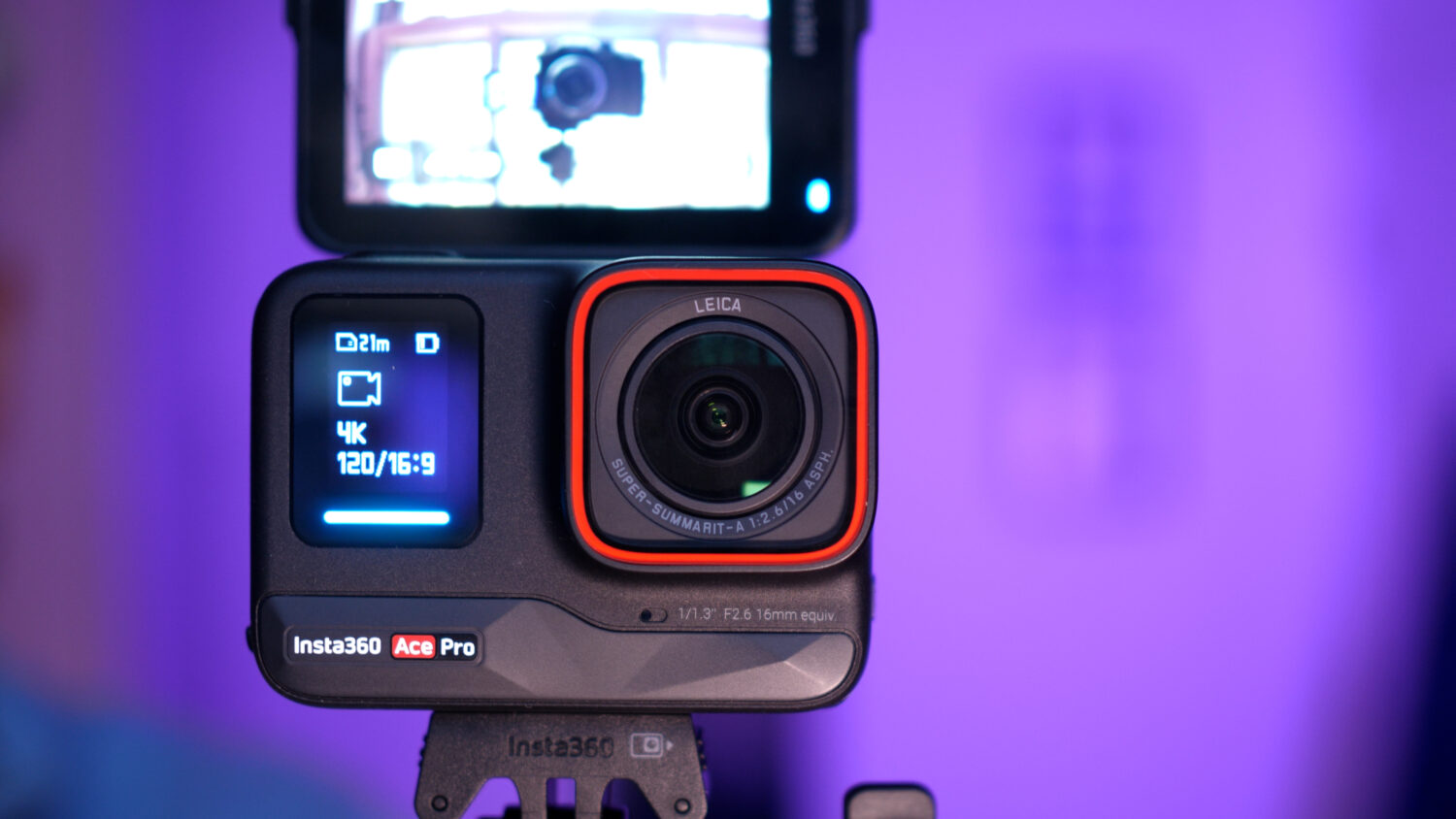
One of the most eye raising features is the ability for the Ace Pro to shoot 8K resolution video, a first for an action camera. The action camera market has been pretty stagnant when it comes to video resolution, with the last few iterations of the GoPro Hero range stuck at 5.3K
I’ve been testing the Ace pro extensively since it was released and I was curious to find out whether the 8K resolution option in the Ace pro was actually 8K (not boosted from a lower resolution with software) and whether it was actually worth using compared to the other options.
Is the Ace Pro 8K Actually 8K?
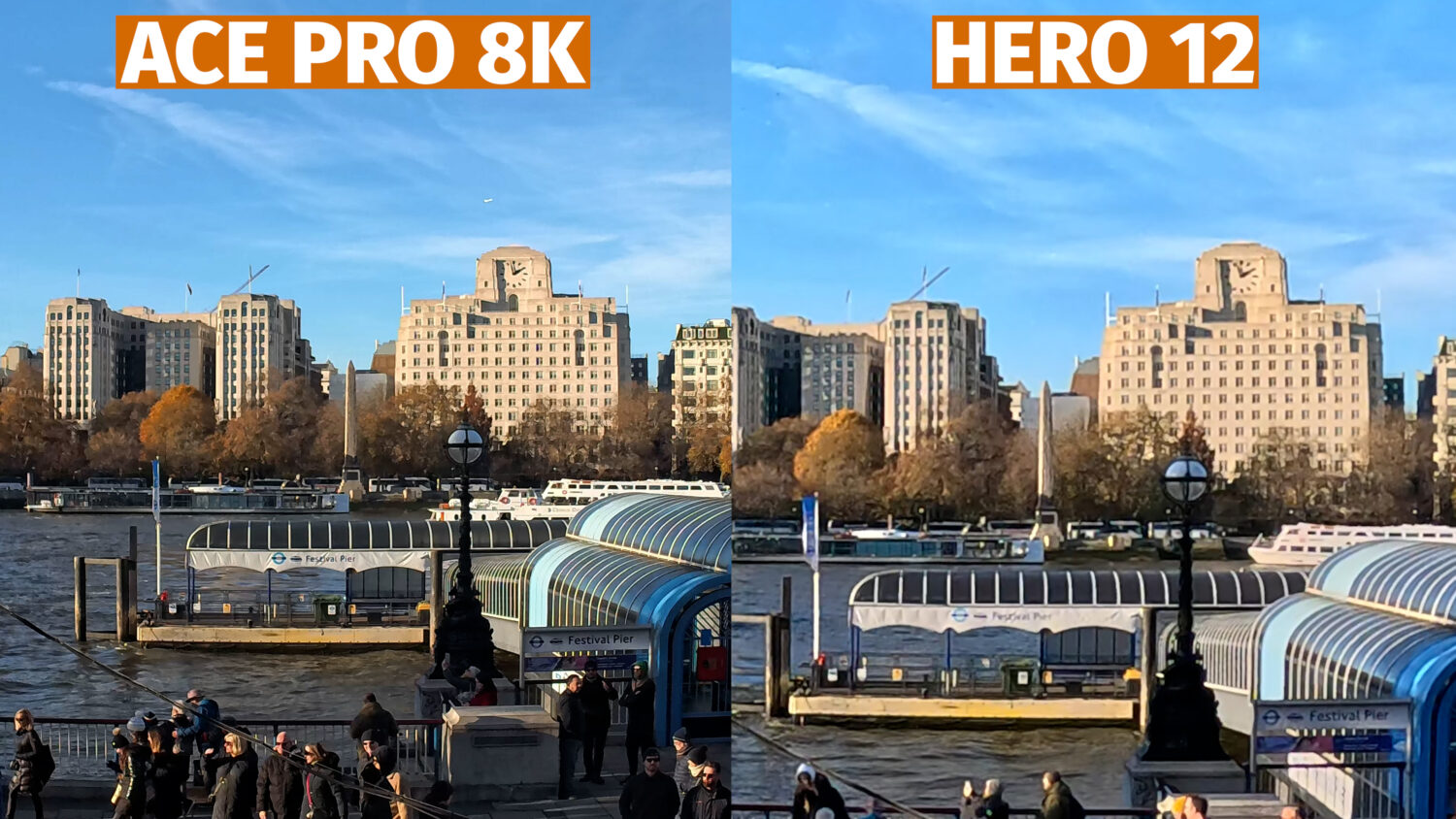
Let’s take a look at some video shot with the Ace Pro with the 8K resolution option selected compared with similar shots shot with a GoPro Hero at 5.3K, which is the highest resolution option in that camera. See my full Ace Pro vs Hero 12 comparison here.
Here are some screenshots so you can see the difference more clearly.
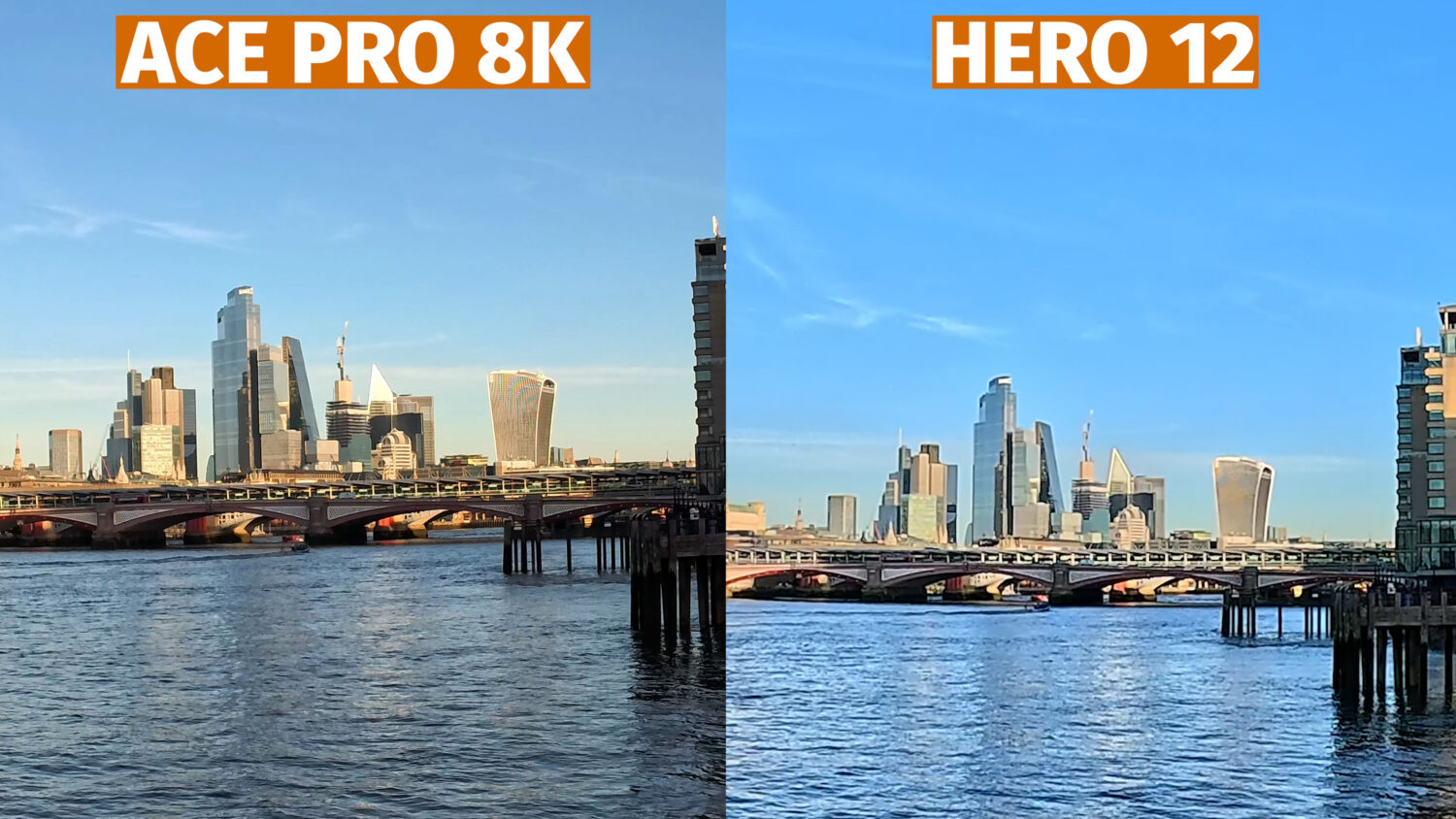
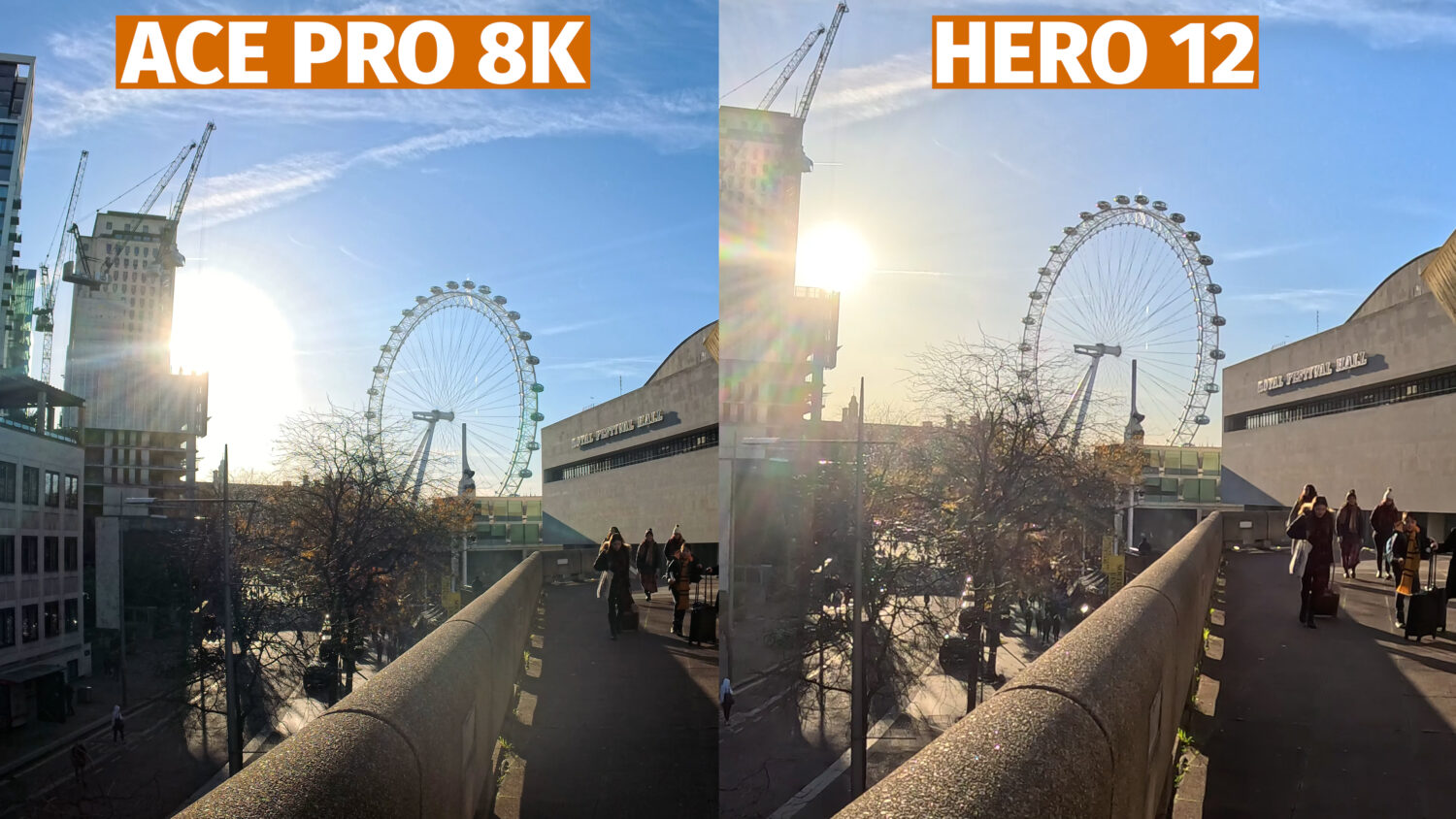
You can clearly see in the comparisons that the 8K shots are definitely sharper and retain more details than the GoPro video. Is the difference twice as good? I wouldn’t say so. Having said that, if you want to do any kind of cropping then you will notice more of a difference.
The below shot has been zoomed in 100% You’ll see that the details in the 5K shot become a lot more blurred whereas the Ace Pro 8K retains more details as there’s more info to work with.
No HDR
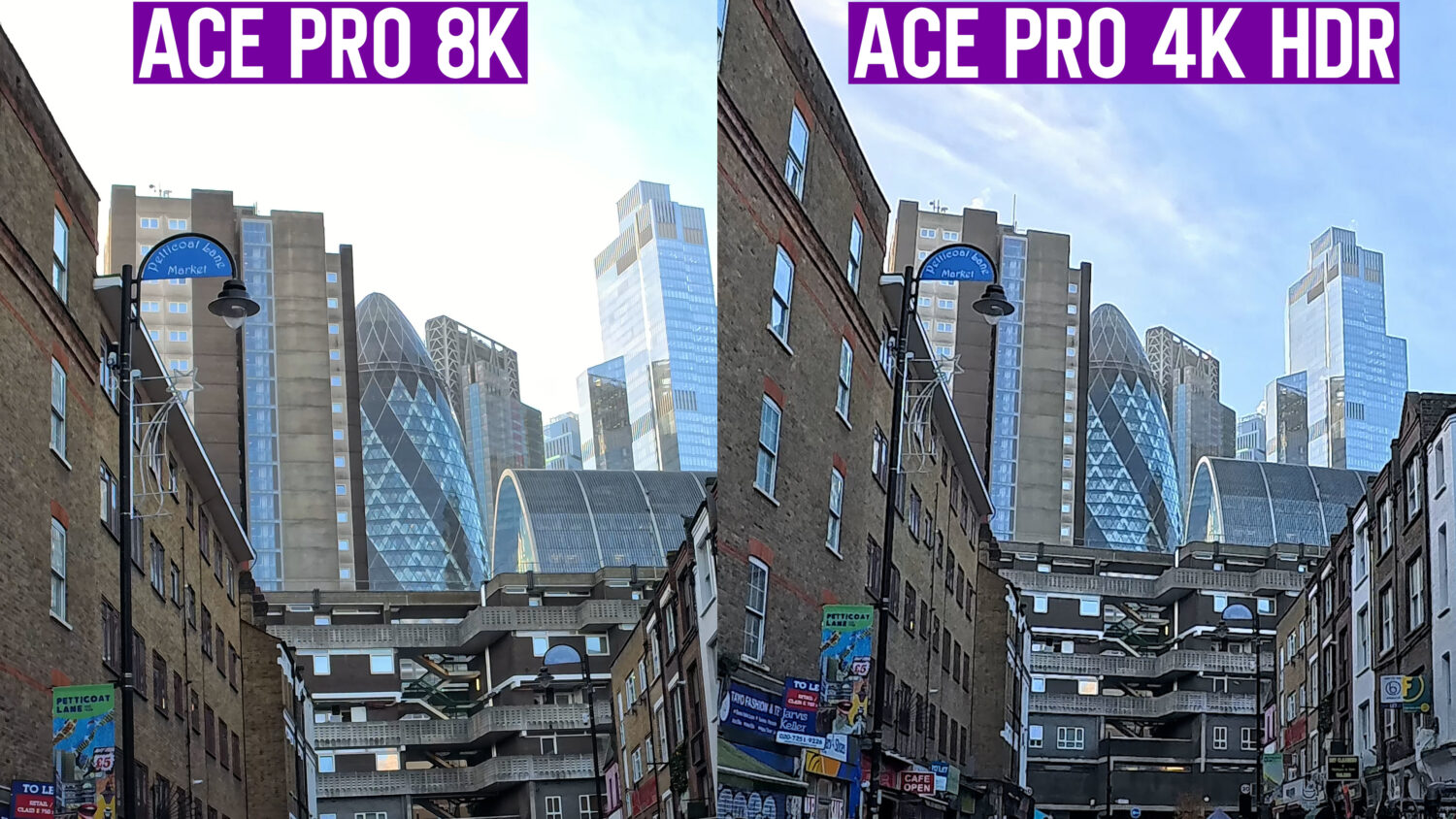
Unfortunately there are some downsides to shooting in the 8K mode with the Ace Pro, primarily the lack of HDR. The Ace Pro automatically applies HDR to all video shot at 4K 30fps or lower and it can make a significant difference to the quality of the video.
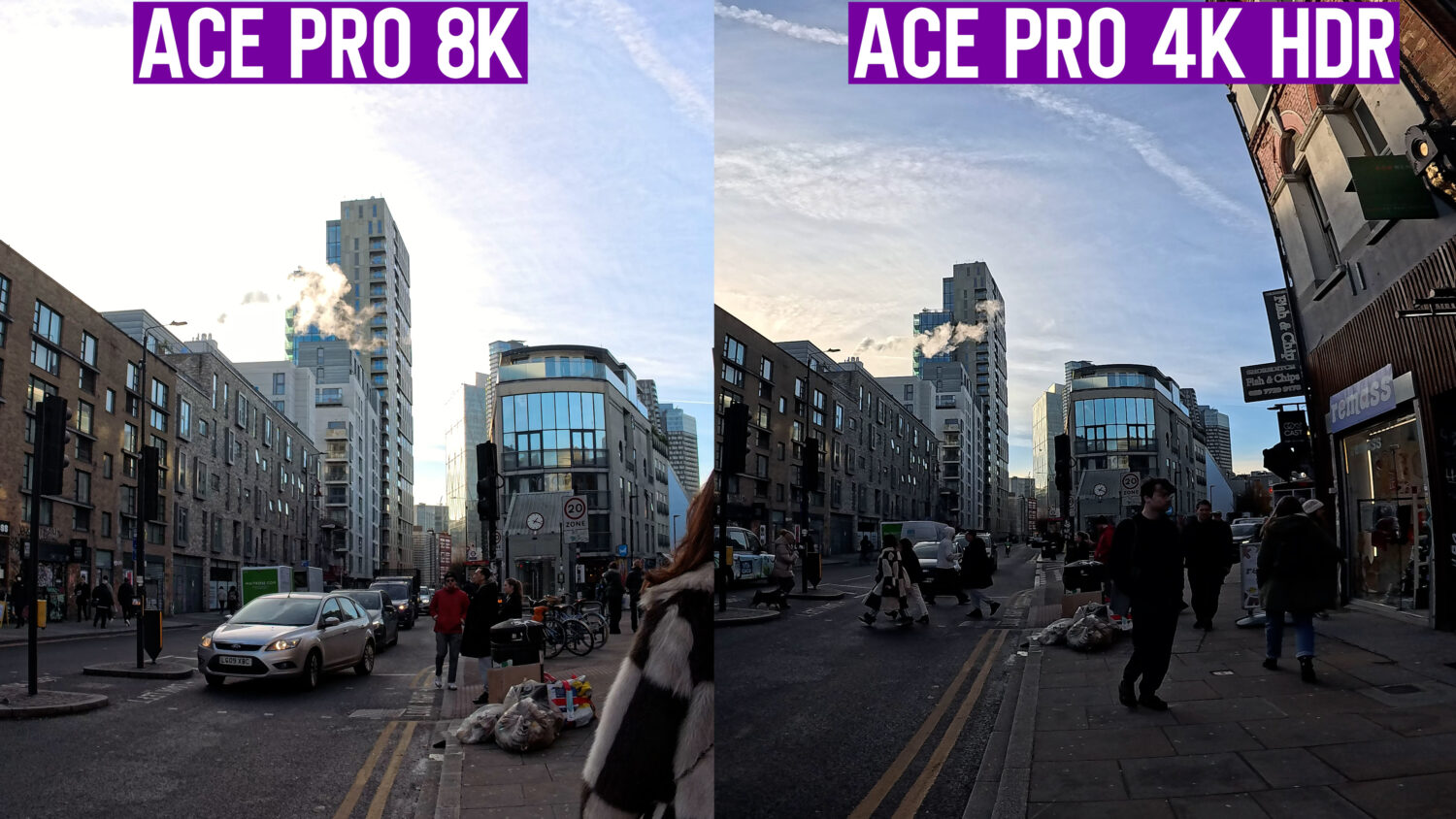
I find that video shot with the HDR on looks more dynamic, colourful and overall higher quality. When shooting in the 8K mode I notice that bright areas, like clouds for example, appear overexposed which is unsurprising considering the small action camera sized sensor. The HDR mode would have helped retain more details in these areas.
You’ll also be limited to a single frame rate, 24fps, when shooting 8K. This may be due to processing limitations or overheating concerns, however it is a bit odd that the resolution option goes from 8K 24fps to 4K @120, fully skipping the usual 5K option.
The Ace Pro also has a video mode called “Purevideo” which is designed to increase the quality of video shot at night. This is one of the unique features that in my opinion puts the Ace Pro ahead of the GoPro Hero 12.
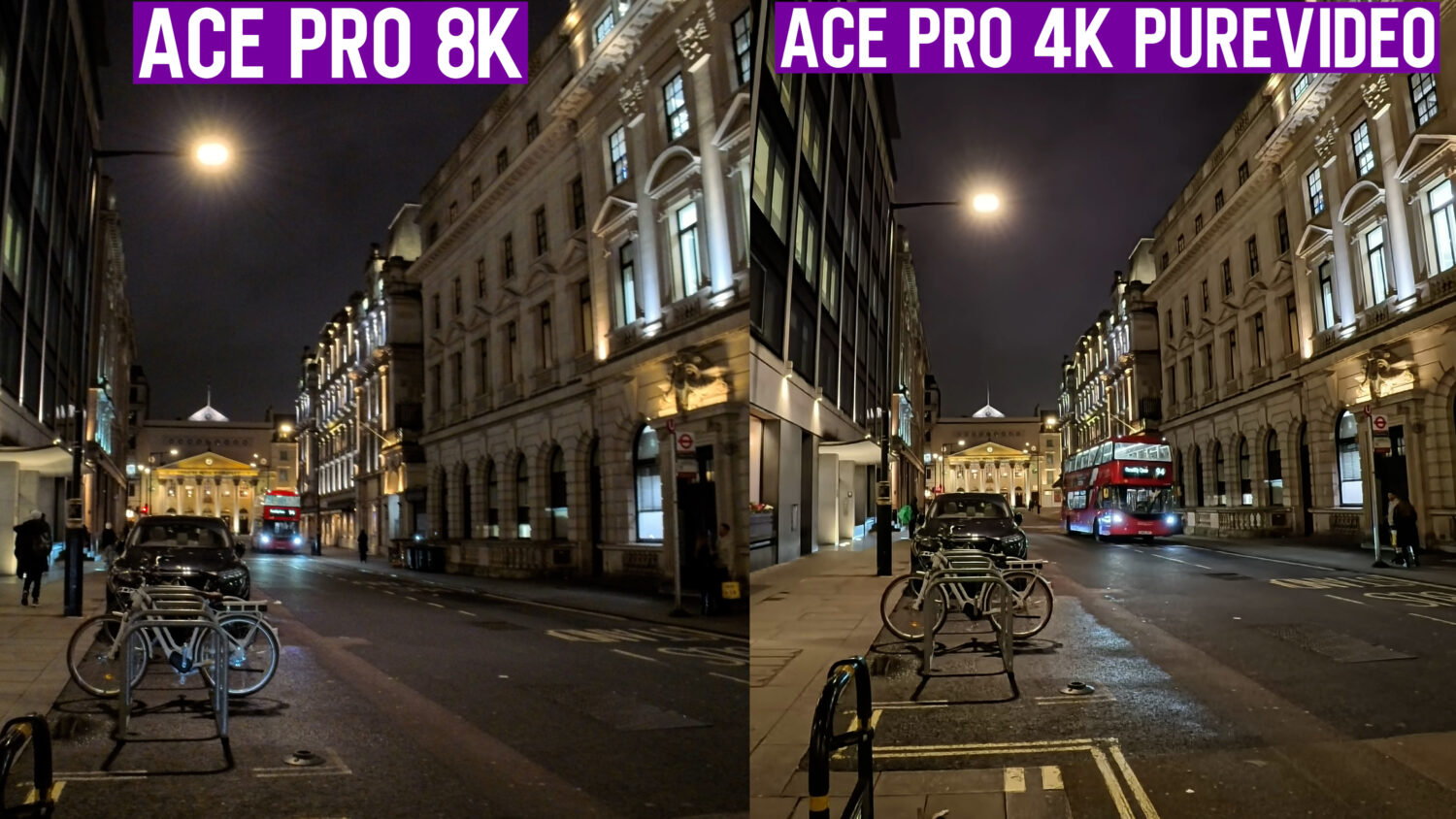
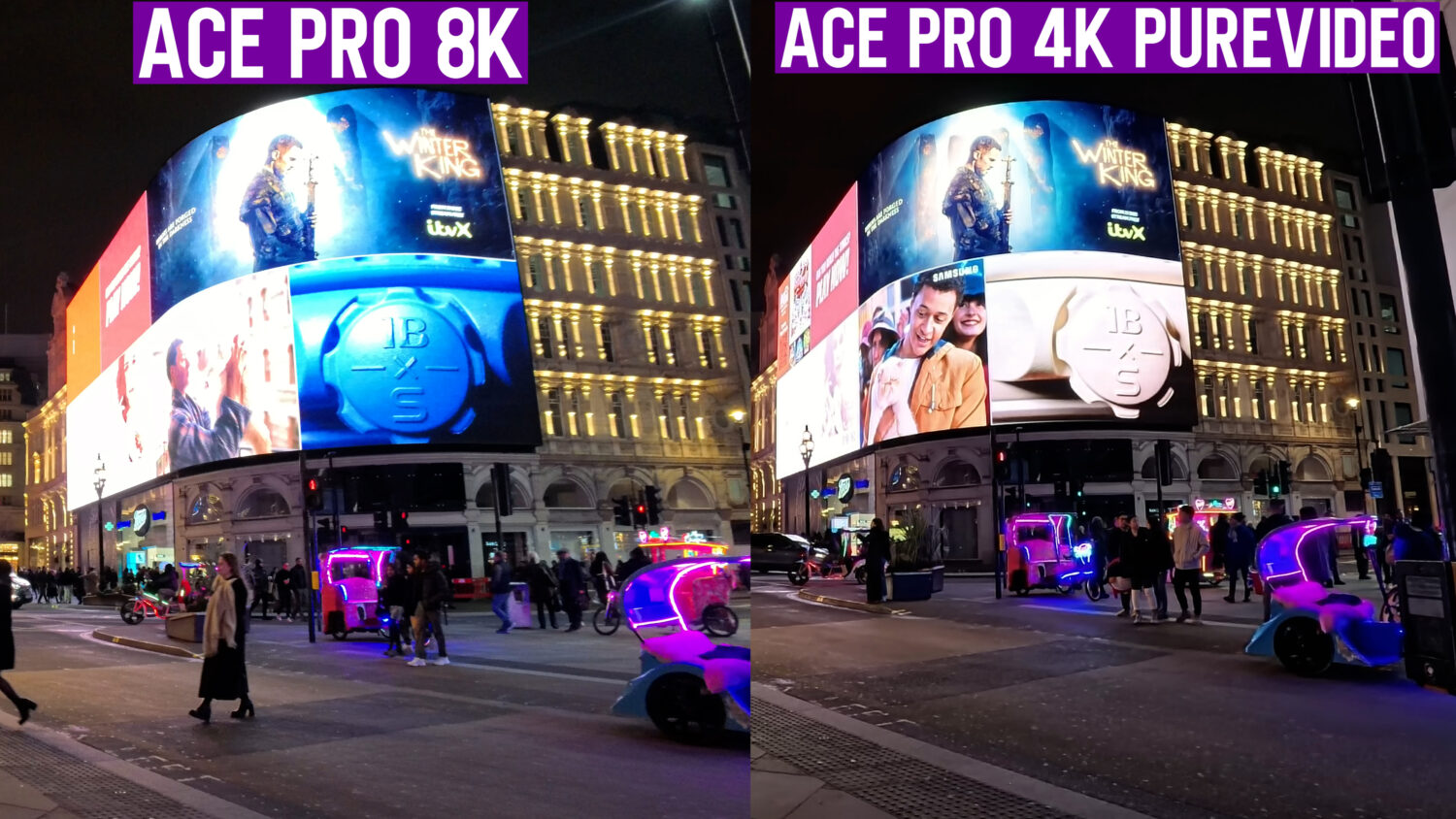
As you can tell from these examples the Purevideo mode does make a significant difference in low light, revealing more details and reducing noise. Purevideo mode is once again limited to 4K but I think the improvement is worth sacrificing a bit of sharpness.
Worse Stabilization
One of the defining features of any action camera is the ability to keep footage as stable as possible, and the Ace Pro doesn’t disappoint in this department.
There’s built in in-camera stabilization, which works pretty well and is ready to go straight away. There’s also a mode called “FreeFrame”, which requires you to process your video through the Insta360 Studio software but the end result is even smoother video. You also have 360 and 180 horizon lock options in some modes.
Unfortunately when selecting the 8K option most of these stabilization options are not available, so if you were hoping to shoot any moving video then the 8K mode probably wouldn’t be worth it.
Processing Required
In order to shoot and use your 8K footage you’ll need to process it through the Insta360 Studio software. Once you process this video it will be in the usable MP4 format. The resolution of this video is 7680 X 4320, which is the standard for 8K.
There doesn’t seem to be any interpolating or software boosting of the resolution, as even the RAW, unprocessed files are much larger than those shot in 4K.
So it does seem that the Insta360 Ace Pro’s 8K video is legit, but in many situations I wouldn’t recommend using it. The 4K HDR mode with the advanced stabilization selected is probably going to be a better option in most scenarios.
It should also be pointed out that video resolution isn’t the most important aspect of video quality. A high resolution may impact how sharp an image appears, particularly on screen, but it’s the size and quality of the sensor that makes the most difference.
Perhaps the only time I would use the 8K mode is if I was shooting B-Roll of larger areas, like a city-scape or mountain range, where I might want to retain as much sharpness and detail as possible.
You can get the Ace Pro with two free gifs using the link below;
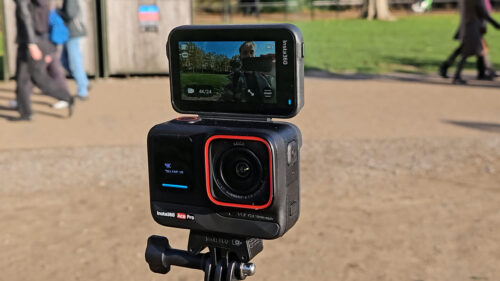
Insta360 Ace Pro
 insta360.com
Insta360's first full action camera. Comes packed with innovative features including AI editors, 8K video and Active HDR
See Also: Insta360 Ace Pro vs Insta360 X3


Owner of threesixtycameras.com. Writer, photographer and videographer. You can see my YouTube channel for guides of how to shoot 360 video. I've written for The Times, Digital Photography School and Sunday Express.