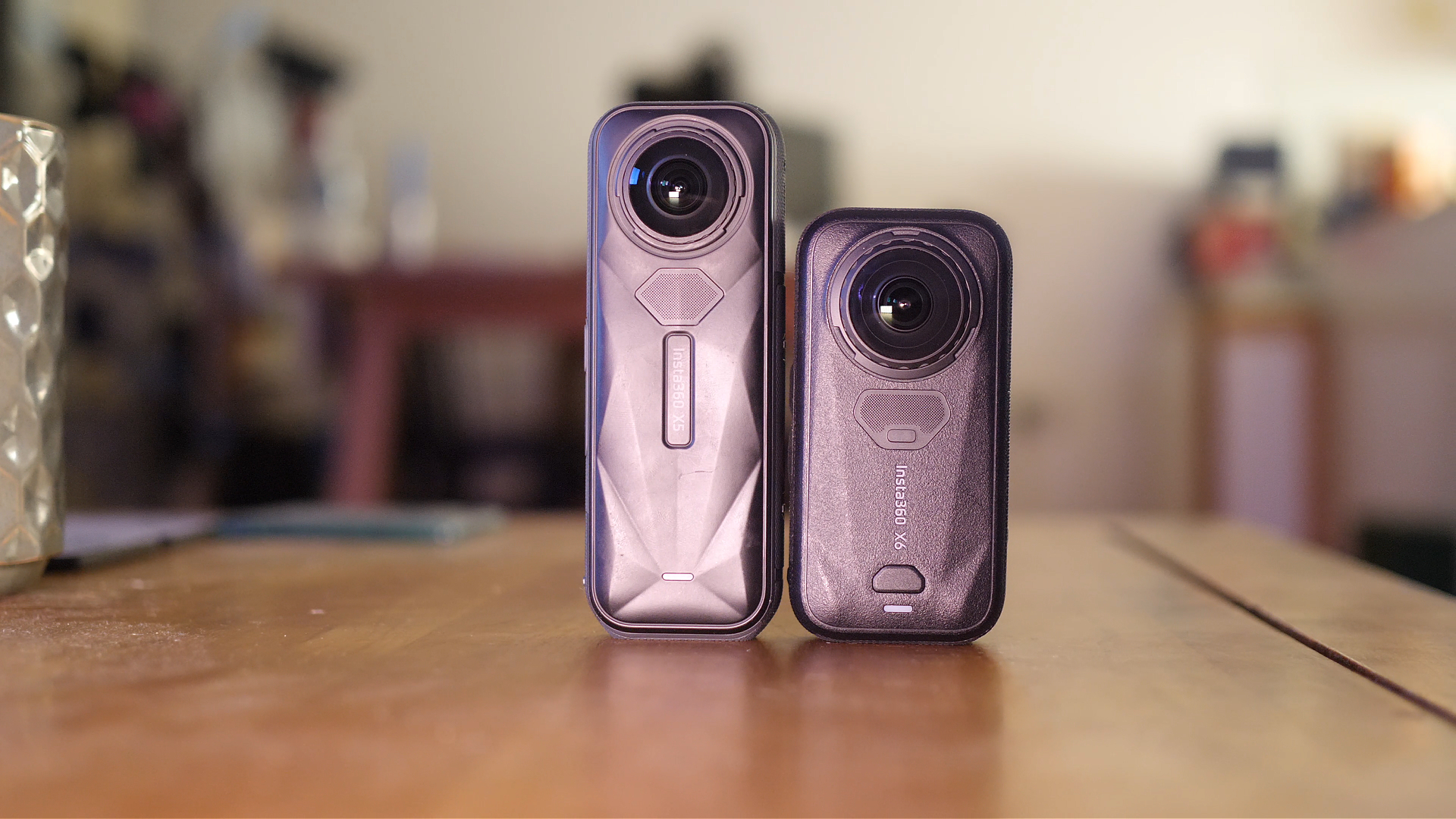


Insta360 cameras can capture some incredible footage, but image quality is only half of the equation. If you are vlogging, cycling, travelling or speaking directly to the camera, poor audio can quickly ruin an otherwise great video.
The built-in microphones on newer Insta360 cameras such as the Insta360 X5 have improved considerably, but an external microphone will usually produce clearer and more consistent voice audio. particularly when the camera is mounted away from you, which is usually the case with these cameras.
In this comparison, I tested three of Insta360’s main external audio options:
- Insta360 Mic Pro
- Insta360 Mic Air
- Insta360 GPS Preview Remote with microphone
I tested all three microphones while cycling, vlogging and recording in a controlled environment. In this article, I will explain how they compare, who each microphone is designed for and which one offers the best value.
Insta360 Mic Pro vs Mic Air vs GPS Mic: Quick Comparison
| Feature | Insta360 Mic Pro | Insta360 Mic Air | GPS Preview Remote Mic |
|---|---|---|---|
| Best for | Professional recording and interviews | Vlogging, travel and everyday content | Cycling, driving, skiing and GPS activities |
| Audio quality | Best overall | Very good | Good when positioned nearby |
| Size | Larger complete microphone system | Very small and lightweight | Larger wearable remote |
| Ease of use | Easy once configured | Very easy after initial pairing | Easy to connect to an Insta360 camera |
| Works with other devices | Yes | Yes | Primarily designed for Insta360 cameras |
| Additional features | Multiple transmitters, receiver and internal recording | Magnetic mounting and compact receiver | GPS data, camera controls, preview screen and remote operation |
| Value for money | Best for professional users | Best overall value | Best if you also need GPS and remote controls |
Why Use an External Microphone With an Insta360 Camera?
For cinematic B-roll, reframed 360 shots or videos with music added afterwards, the internal camera microphones may be perfectly adequate. However, external audio becomes much more important when you are:
- Vlogging while walking or travelling
- Speaking while cycling or riding a motorbike
- Recording interviews
- Creating TikToks, Instagram Reels or YouTube Shorts
- Mounting the camera away from your face
- Recording in windy or noisy environments
A 360 camera is often attached to a long selfie stick, bike handlebar, helmet, car or backpack. In these situations, the camera itself may be too far away to record clear speech. I often mount my camera to the end of a very long selfie stick to acheive that floating camera effect, at that distance the camera is way too far away to pick up my voice.
A wireless microphone keeps the microphone close to your mouth while still allowing you to position the camera wherever you need it.
Insta360 Mic Pro
The Insta360 Mic Pro is the most advanced – and most expensive -option in this comparison. Rather than being a simple accessory for an Insta360 camera, it is a complete wireless audio system that can be used for professional content creation.
The bundle includes two wireless microphone transmitters and a separate receiver. The receiver can collect audio from multiple microphones, making the system suitable for interviews, two-person videos, presentations and other productions involving more than one speaker.
Each transmitter contains multiple microphones and records high-quality audio. The microphones can also be used with devices beyond Insta360 cameras, including:
- Mirrorless and DSLR cameras
- Smartphones
- Laptops
- Other compatible recording equipment
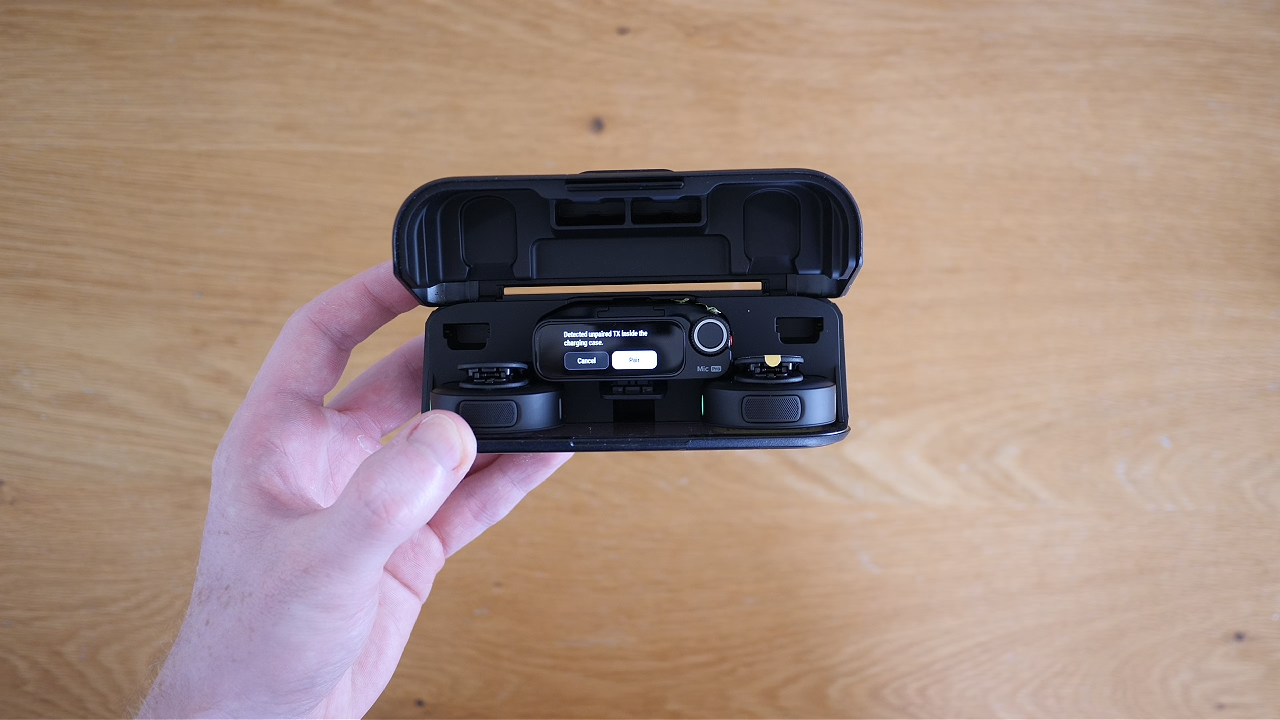
The Mic Pro also has internal storage, meaning audio can be recorded directly onto the microphone itself. This gives you an additional backup recording and makes the system far more flexible than a basic Bluetooth microphone.
Insta360 Mic Pro audio quality
Of the three options, the Mic Pro produced the best overall audio quality in my tests. Voices sounded clear and detailed, and the microphone provides more control over how audio is recorded.
There are several audio settings available, so the final sound can vary depending on how the system is configured. For my comparison, I used relatively standard settings rather than attempting to heavily process or optimise the sound.
The Mic Pro can also be held close to the mouth, clipped to clothing or placed elsewhere depending on the type of content being recorded.
Who should buy the Insta360 Mic Pro?
The Mic Pro is the best option for creators who regularly produce professional videos, conduct interviews or need a microphone system that works with several different cameras and devices.
However, it may be excessive for someone who simply wants clearer audio while travelling or occasionally vlogging with an Insta360 camera.
Insta360 Mic Pro pros and cons
Pros:
- Best audio quality of the three
- Two microphones included in the bundle
- Suitable for interviews and multiple speakers
- Works with cameras, phones and computers
- Internal recording provides additional flexibility
- More advanced audio controls
Cons:
- Most expensive option
- More equipment to carry
- Potentially excessive for casual travel videos
- Requires more setup than the simpler Mic Air
Insta360 Mic Air
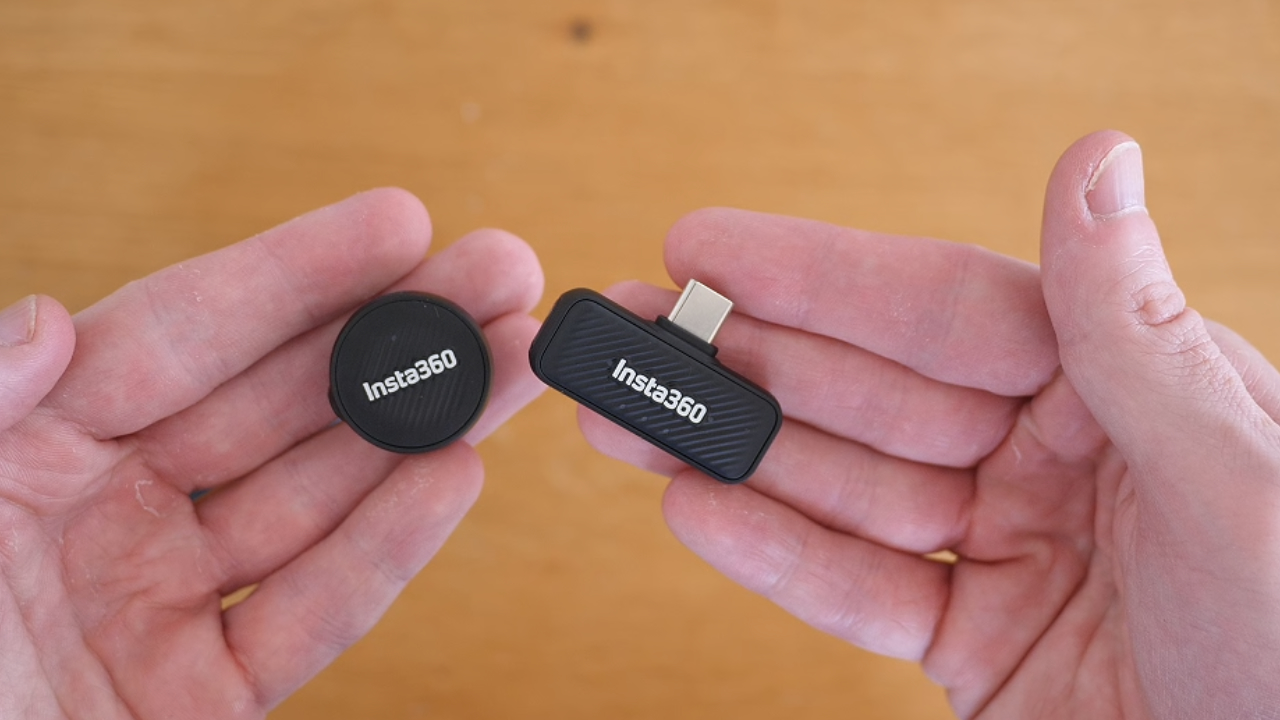
The Insta360 Mic Air is the smallest and most straightforward dedicated microphone in this comparison. It is designed for creators who want noticeably better audio without carrying a full professional microphone system.
The microphone itself is extremely small and can be attached to clothing using a magnetic mount, clip or necklace-style accessory. Its compact size makes it particularly suitable for travel, walking videos, cycling and casual vlogging.
The Mic Air can connect directly to compatible Insta360 cameras over Bluetooth. Once paired, it should automatically reconnect when the camera and microphone are switched on.
It also includes a receiver that can be connected to other devices, such as a smartphone or laptop, making it more versatile than an accessory that only works with an Insta360 camera.
Setting up the Insta360 Mic Air
The initial setup was not quite as smooth as I expected. Because the Mic Air has no screen, it was not immediately obvious whether it was pairing correctly, and it took me around 10 minutes to get everything connected during my first test.
Once the initial pairing process was complete, however, the microphone became extremely easy to use. It automatically reconnected to the camera, and there was very little to configure before recording.
Insta360 Mic Air audio quality
The Mic Air delivered a substantial improvement over recording directly through the camera, particularly when the camera was positioned farther away.
It does not provide the same level of audio control or professional flexibility as the Mic Pro, but the results are more than good enough for most travel videos, vlogs, Reels and YouTube content.
The magnetic mounting system also allows the microphone to sit naturally around chest level, which is generally a good position for recording voice audio.
Who should buy the Insta360 Mic Air?
The Mic Air is the best choice for most Insta360 camera owners. It offers the best balance between audio quality, portability, price and ease of use.
It is especially well suited to solo creators who want to clip on a microphone, start recording and avoid dealing with a larger receiver and multiple transmitters.
Insta360 Mic Air pros and cons
Pros:
- Excellent value for money
- Extremely small and lightweight
- Easy to attach using the magnetic mount
- Automatically reconnects after initial pairing
- Works with compatible cameras, phones and laptops
- Ideal for travelling and solo vlogging
Cons:
- Initial pairing can be confusing
- No built-in screen
- Fewer settings than the Mic Pro
- Less suitable for complex multi-person productions
Insta360 GPS Preview Remote With Microphone
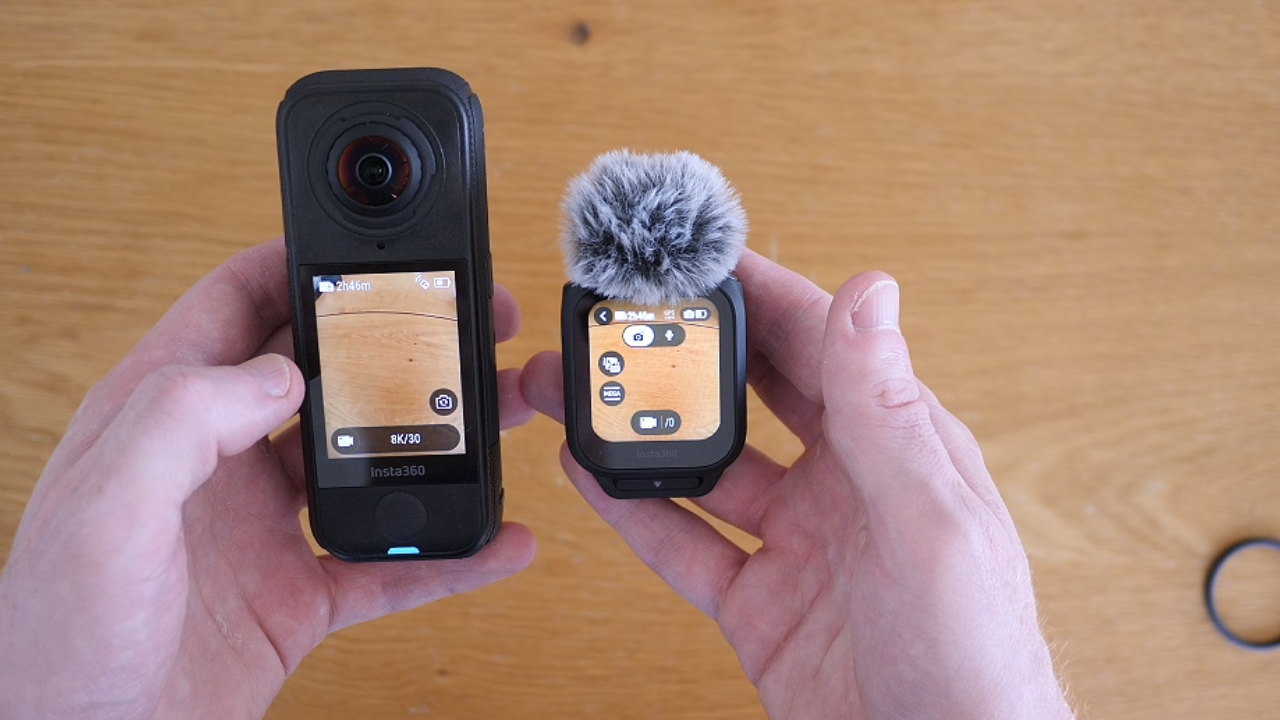
The GPS Preview Remote is very different from the other two products. Its microphone is only one part of a much larger collection of features.
The remote can be used to control compatible Insta360 cameras, preview the camera feed and access many of the camera’s main settings. It can also collect GPS information, allowing you to add data overlays to your footage.
Depending on the camera and editing workflow, these overlays can include information such as:
- Location and route data
- Speed
- Direction
- Other activity information
The remote can be worn like a watch or attached to equipment such as a bicycle. This makes it particularly useful for cycling, motorcycling, skiing, hiking and driving videos.
GPS Preview Remote audio quality
As an audio device, the GPS Preview Remote performed reasonably well. It includes a wind muff, which helps when recording outdoors, and it can transmit audio directly to a compatible Insta360 camera.
The main limitation is microphone placement. When the remote is worn on your wrist or attached to a bike handlebar, it may be significantly farther from your mouth than a microphone clipped to your shirt.
This can make your voice sound more distant and may allow more surrounding noise into the recording. Speaking more loudly helps, but it is still not as consistent as having the Mic Air or Mic Pro positioned on your chest.
You can also hold the remote near your mouth, which produces clearer audio, although this may not be convenient for every type of video.
Who should buy the GPS Preview Remote?
The GPS Preview Remote is a great option for action-focused creators who want GPS tracking, camera controls and a wearable remote. The microphone is a valuable extra feature rather than the main reason to buy it.
If your only goal is to improve audio quality, the Mic Air is likely to be the better and more straightforward purchase.
GPS Preview Remote pros and cons
Pros:
- Combines a microphone, GPS tracker and camera remote
- Useful for cycling, skiing, driving and hiking
- Can display and control camera settings
- Can be worn on the wrist or mounted to equipment
- Supports GPS data overlays
Cons:
- Audio quality depends heavily on placement
- Voice can sound distant when worn on the wrist
- Primarily designed for Insta360 cameras
- Overkill if you only need a microphone
- Bike mounting bands can feel less stable than a dedicated mount
How Does the Insta360 X5 Built-In Microphone Compare?
The Insta360 X5 has better internal microphones than several previous Insta360 cameras. It also provides different recording modes, including voice enhancement, wind reduction, stereo recording and immersive 360 audio.
When the camera is relatively close, the built-in microphone can produce usable results. Voice enhancement is particularly helpful when recording a conventional vlog.
However, the built-in microphone becomes less effective when the camera is mounted farther away. This is common when using a long invisible selfie stick, bike mount or third-person perspective.
An external microphone keeps your voice consistent regardless of where the camera is positioned. It also reduces the need to speak loudly towards the camera while recording.
Which Insta360 Microphone Has the Best Audio Quality?
The Insta360 Mic Pro delivers the best overall audio quality. It provides clearer sound, more recording options and significantly more flexibility than the other two products.
It is the most appropriate choice for professional productions, interviews and creators who want one microphone system that can be used across several cameras and devices.
The Mic Air still sounds very good, however, and the difference may not justify the extra equipment and expense for a casual creator.
Which Insta360 Microphone Is Best for Vlogging?
The Insta360 Mic Air is the best option for most vloggers. It is small enough to leave attached to your clothing, connects wirelessly and produces a clear improvement over the camera’s internal microphone.
It is also less distracting than carrying the full Mic Pro system and more effective for voice recording than wearing the GPS remote on your wrist.
Which Insta360 Microphone Is Best for Cycling?
The answer depends on what you want from the accessory.
For the clearest voice audio while cycling, the Mic Air is likely to be the best option because it can remain clipped close to your mouth while the camera is mounted on the bike.
If you also want GPS information, activity overlays and remote camera controls, the GPS Preview Remote is the more complete cycling accessory.
The remote’s microphone is useful, but you may need to speak more loudly when it is attached to the handlebars or worn on your wrist.
Which Insta360 Microphone Offers the Best Value?
For most people, the Insta360 Mic Air offers the best value for money.
It provides the key benefit most creators are looking for: clearer voice audio from a microphone that is small, wireless and easy to wear.
The Mic Pro is better technically, but its additional features are primarily valuable to professional creators or people recording multiple speakers. The GPS Preview Remote is extremely useful, but you are paying for GPS and camera-control features as well as its microphone.
Final Verdict
All three products have a slightly different purpose, so the best Insta360 microphone will depend on the type of videos you create.
- Buy the Insta360 Mic Pro if you want the best audio quality, professional controls, multi-person recording and compatibility with a wide range of devices.
- Buy the Insta360 Mic Air if you want a compact, affordable and convenient microphone for travel, vlogging and everyday content creation.
- Buy the GPS Preview Remote if you regularly film cycling, driving, skiing or outdoor activities and want GPS tracking and camera controls alongside basic external audio.
My overall recommendation for most Insta360 users is the Insta360 Mic Air. It is small, practical and delivers a meaningful audio upgrade without introducing too much additional equipment.
The Mic Pro remains the winner for pure audio quality, but it is more than many casual creators will need. Meanwhile, the GPS Preview Remote is one of Insta360’s most useful accessories, although its microphone should be viewed as an additional feature rather than its primary selling point.
Frequently Asked Questions
Can the Insta360 Mic Air connect directly to an Insta360 camera?
Yes. The Mic Air can connect directly to compatible Insta360 cameras over Bluetooth. Once the initial pairing has been completed, it should reconnect automatically when the devices are switched on.
Can the Insta360 Mic Pro be used with other cameras?
Yes. The Mic Pro is a complete wireless microphone system that can be used with compatible cameras, smartphones and computers. It is not limited to recording with Insta360 cameras.
Does the Insta360 GPS Preview Remote record audio?
Yes. The GPS Preview Remote includes a microphone and can send audio to compatible Insta360 cameras. However, the quality of the voice recording will depend on how close the remote is to your mouth.
Is the Insta360 Mic Air better than the camera’s built-in microphone?
For voice recording, particularly when the camera is mounted away from you, the Mic Air will generally produce clearer and more consistent results than relying on the camera’s internal microphone.
Is the Insta360 Mic Pro worth it?
The Mic Pro is worth considering if you create professional videos, record interviews, need two microphones or want a system that works with several different devices. For casual vlogging, the less expensive Mic Air is likely to offer better value.
What is the best Insta360 microphone for travel?
The Insta360 Mic Air is the best travel option for most people because it is extremely compact, easy to attach and does not require carrying a large amount of additional equipment.