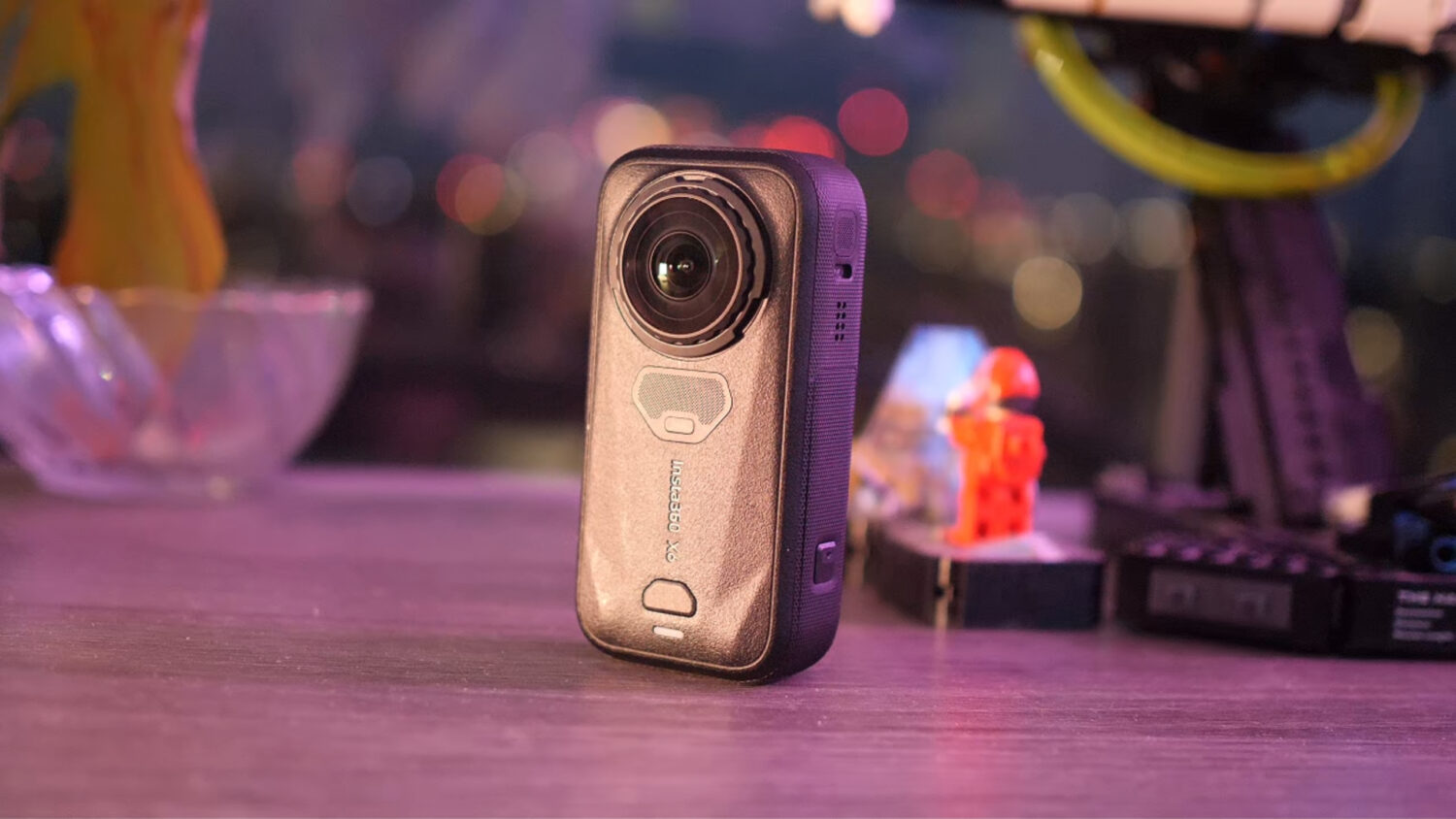
Insta360 have pretty much cornered the 360 camera market with their range of 360 cameras. The X3 is definitely the most popular 360 camera and way ahead of the competition.
Now Insta360 are coming for the Action Camera market, which GoPro has dominated for years. The Insta360 Ace Pro is their attempt to out-innovate GoPro and offer a real alternative for high end action camera lovers.
What does the Ace Pro offer that the GoPro Hero 12 & 11 (which are nearly identical) don’t? Well, a lot it seems. I’ve been using the Ace Pro as well as the Hero 12 & 11 side by side to see how they compare. The results are not looking good for GoPro but there may be hope for them yet.
Insta360 Ace Pro vs GoPro Hero 12 & 11
Specs Comparison Table
[wpsm_comparison_table id=”118″ class=””]
Pros & Cons
Insta360 Ace Pro
- 8K Video
- HDR Video
- AI Highlights
- AI Warp Editor
- Superior Low Light Performance
- 2X Zoom
- Super Slow-Mo @ 4K
- Comprehensive Editing App
- Smaller Max Field of View
- Best Stabilization Requires Desktop Program
- No 5.7K Resolution
- No 10-Bit Video
Hero 12
- 10-Bit Video
- HDR Video
- Wider Max Field of View
- Smaller File Sizes
- No Software Required for Best Stabilization
- No AI Features
- Noisy Low Light Video
- Limited Editing App (some features require subscription)
Video Comparison
Design Comparison
Action cameras tend to look pretty similar no matter who makes them, and these two are no exception. The Ace Pro and Hero 12 pictures below and a similar square shape with a slightly bulging lens.

The Ace Pro is slightly thicker and heavier than the Hero 12, but this could be explained by the larger sensor inside the body. This is well worth the increase in bulkiness as the larger the lens the better quality video.
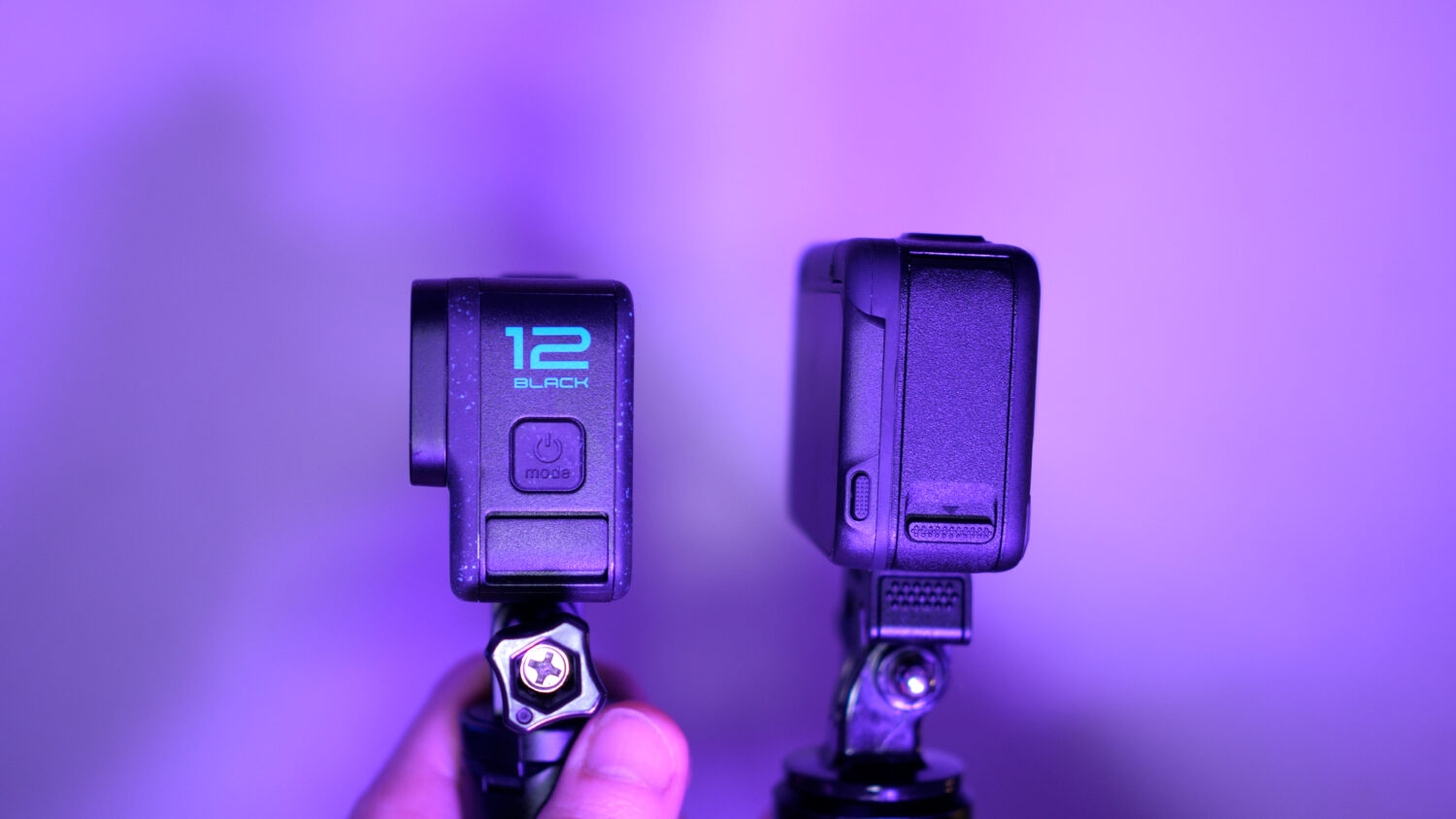
The Hero 12 features two screens; a large rear touch screen and a smaller front facing LCD screen that allows you to preview your selfie shots. The Ace Pro features a flippable touch screen which can be moved around 50 degrees until it faces forward. This allows for more flexibility depending on how you mount your camera.
Both cameras are waterproof without a case, just make sure all of the doors and compartments are closed. I’ve found the Insta360 Ace Pro USB C cover is a bit flimsy and it’s easy to accidently fall off, so I’m not sure whether I would trust it fully underwater.
The Ace Pro features a mount that magnetically attaches to the body, which I think is a strange decision as there’s no alternative mount underneath this. Why not have it built in? The Hero 12 and 11 do have the mount built into the body which does feel safer and less likely to lead to an accident.
Video Comparison
Let’s get straight into the video comparisons between these two flagship action cameras. For these videos comparisons I shot with both the Hero 12 and 11. The two are pretty much identical apart from a few small differences. The Hero 12 features HDR video which is the main upgrade, otherwise the 12 dropped GPS but gained some battery power.
The Ace Pro can shoot a maximum 8K resolution video at 24fps; which is the first action camera to shoot at this very large resolution. The 8K is limited to a single frame rate but does look more sharp and allows for some cropping with minimal loss of quality.
See Also: The Top 10 Insta360 Ace Pro Features
Another advantage the Ace Pro has is it’s larger sensor, 1/1.3″ vs the 1/1.9″ sensor in the Hero 12, around 20% larger. This is a big advantage as the larger sensors allows for more light, better low light performance and dynamic range in general.
Ace Pro Vs Hero 11
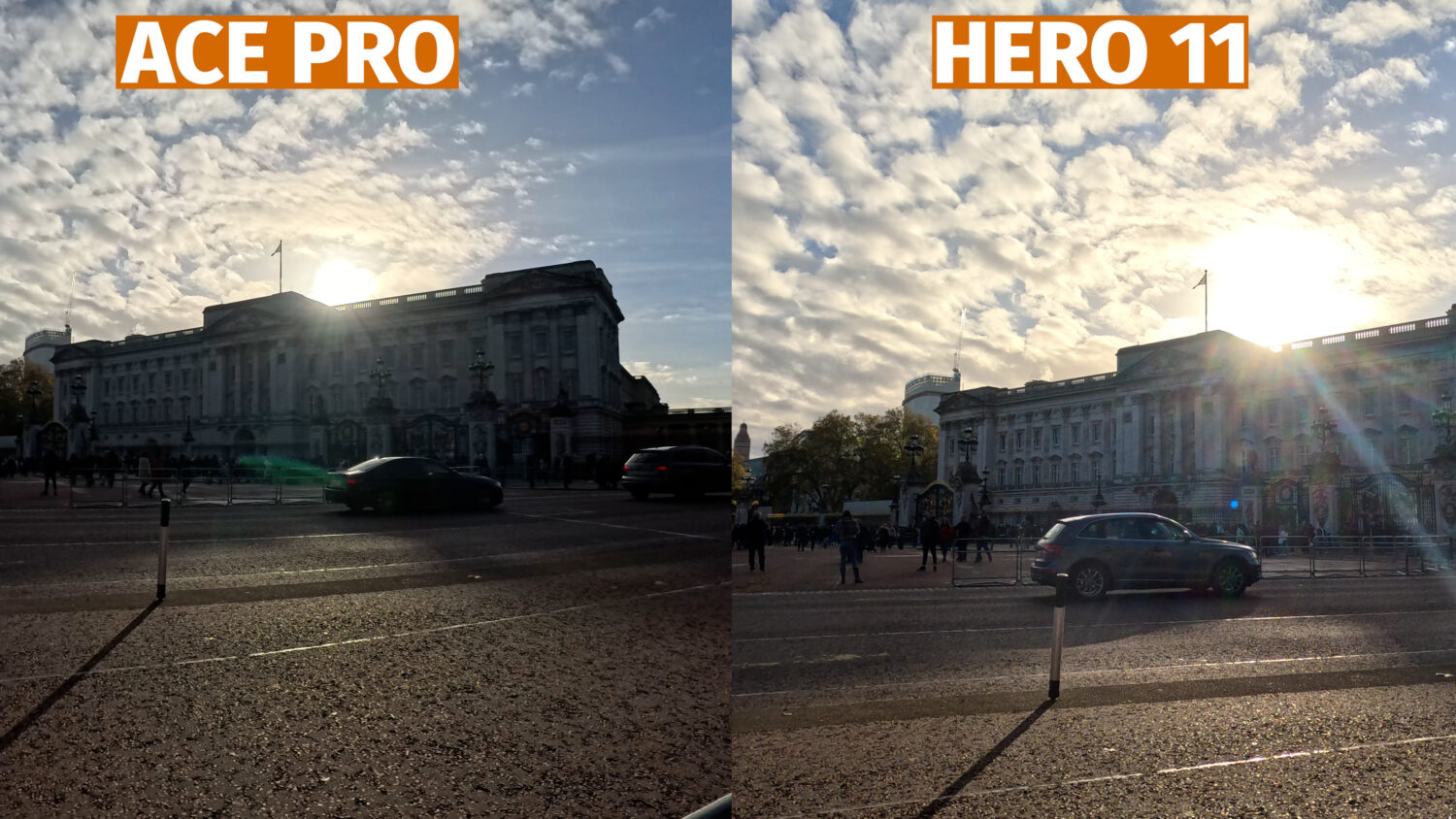
When first comparing the Ace Pro vs the Hero 11 is daylight conditions there are some significant differences in both colour and dynamic range. The Ace Pro automatically shoots HDR video when shooting at 4K 30fps or lower, while the Hero 11 has no HDR video mode.
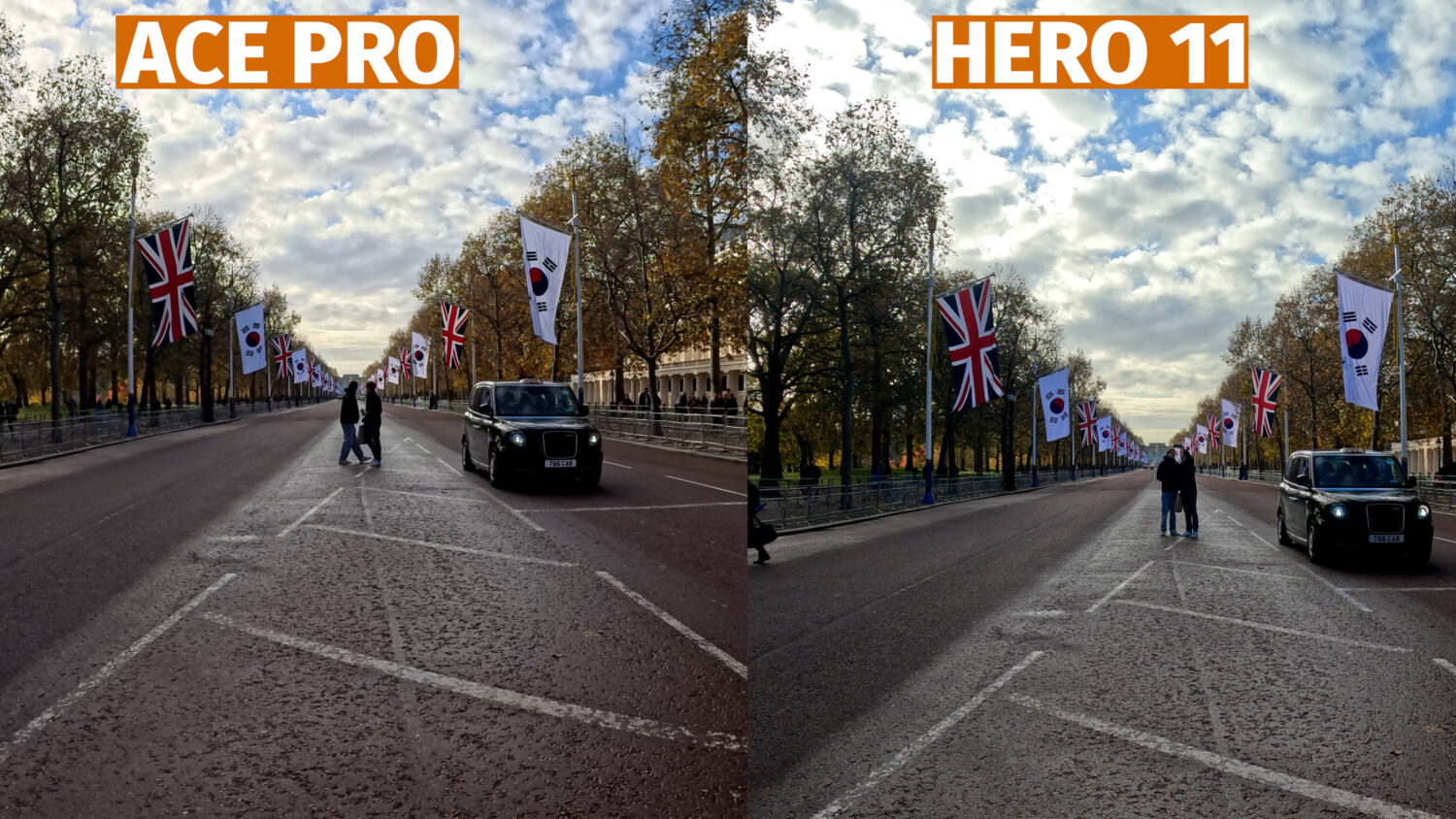
The Ace Pro footage was shot mostly in the 4K resolution (unless otherwise stated) as this offers the most frame rate and stabilization options. The Hero 11 footage was shot at the max 5.3K resolution
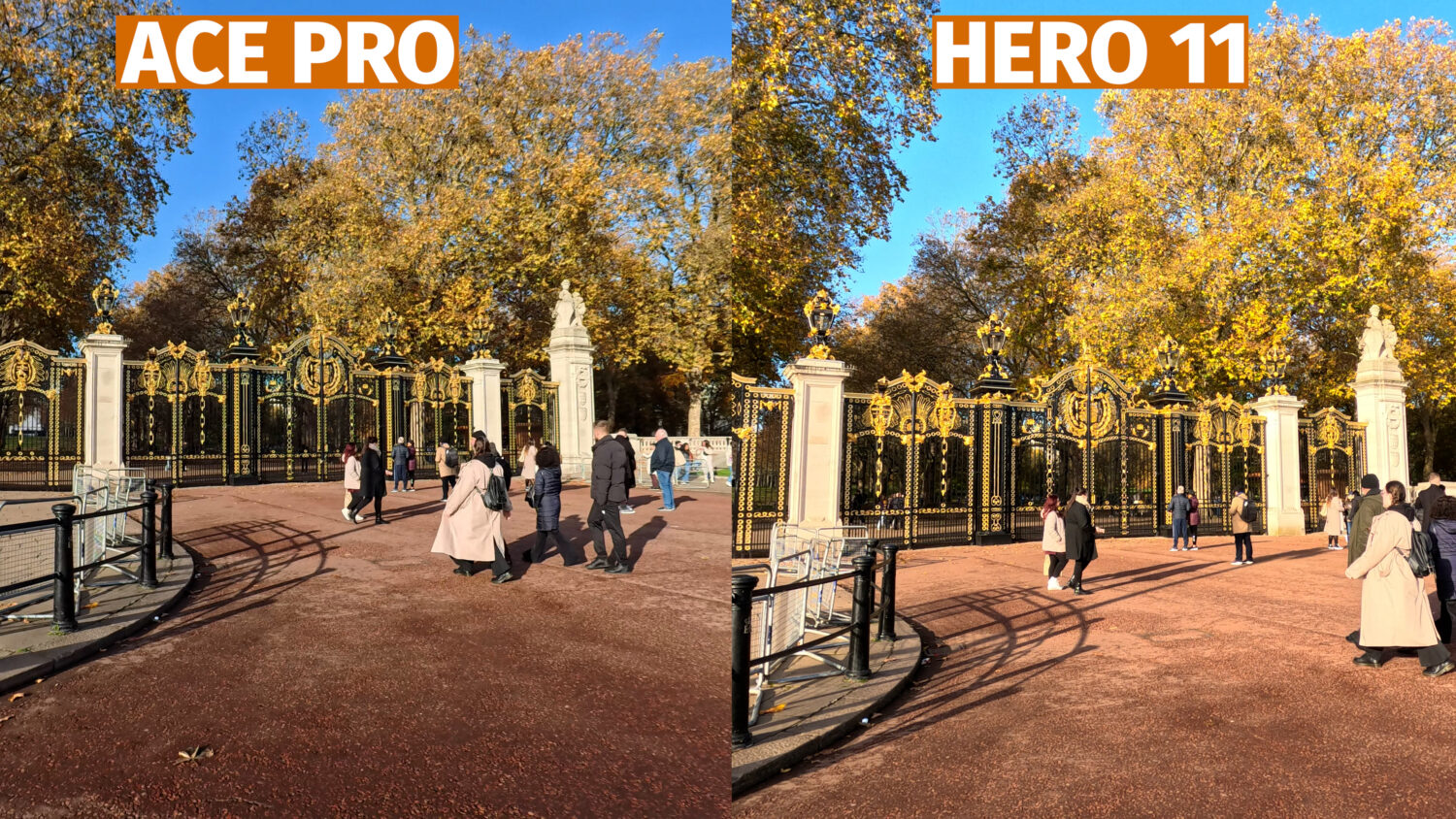
The HDR video of the Ace Pro brings out more color in the sky, reduces overexposed areas and reveals more details in darker areas. GoPro uses different colour technology which can be seen in the slightly different blues in the sky.
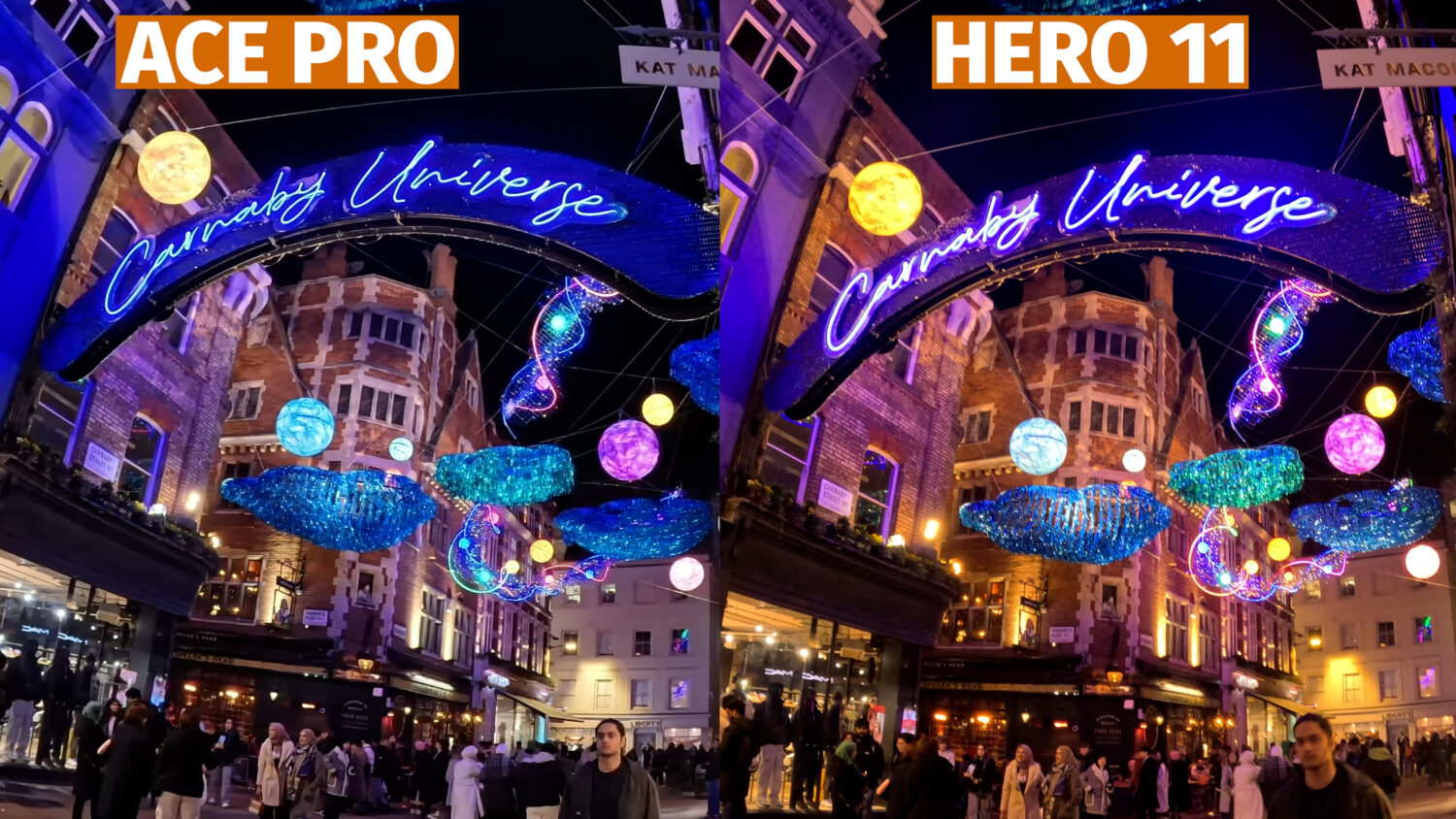
Let’s take a look at some indoor and low light footage show with the Ace Pro and the Hero 11. For these videos I used the Ace Pro’s “Purevideo” mode, which is designed to be used in low light environments.
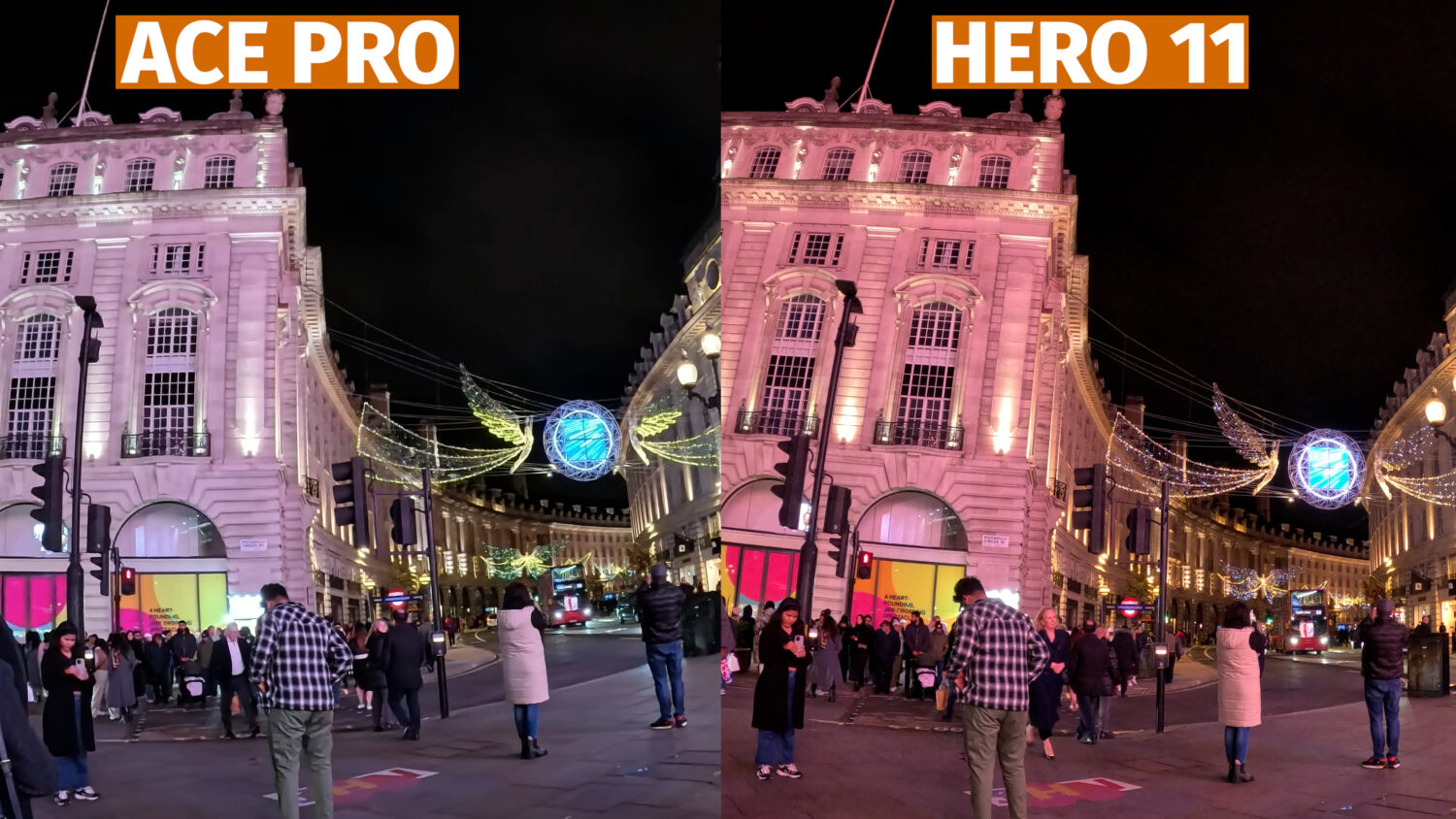
The Purevideo mode is showing its power here, significantly reducing noise in dark areas and increasing brightness and clarify. Shooting in low light has always been a struggle for action cameras due to their small sensors; but the Ace Pro is performing well here, certainly better than the Hero 11 which doesn’t have a specific low light shooting mode.
Ace Pro vs Hero 12
Let’s move on to look at the Ace Pro vs the newer Hero 12. As I mentioned the main upgrade the Hero 12 brings is a HDR video mode, so let’s see if that can make a significant difference.
In these comparisons I used the HDR mode in both cameras. The HDR mode in the Hero 12 doesn’t make a huge difference as far as I can tell, however I do find that both GoPro’s capture bolder and more realistic colours than the Ace Pro. The fact that both cameras can capture 10 Bit colour is a big advantage.

The difference between 10 bit colour and 8 bit, which is what the Ace Pro is limited to, is 16 million vs 1 billion colours. 10 Bit colour mostly comes into play when colour editing your videos in post production, but even without any editing you can still see a difference.
I also find that the Ace Pro captures slightly warmer looking video with a slight yellow hue, where as the GoPro has a more blue hue.
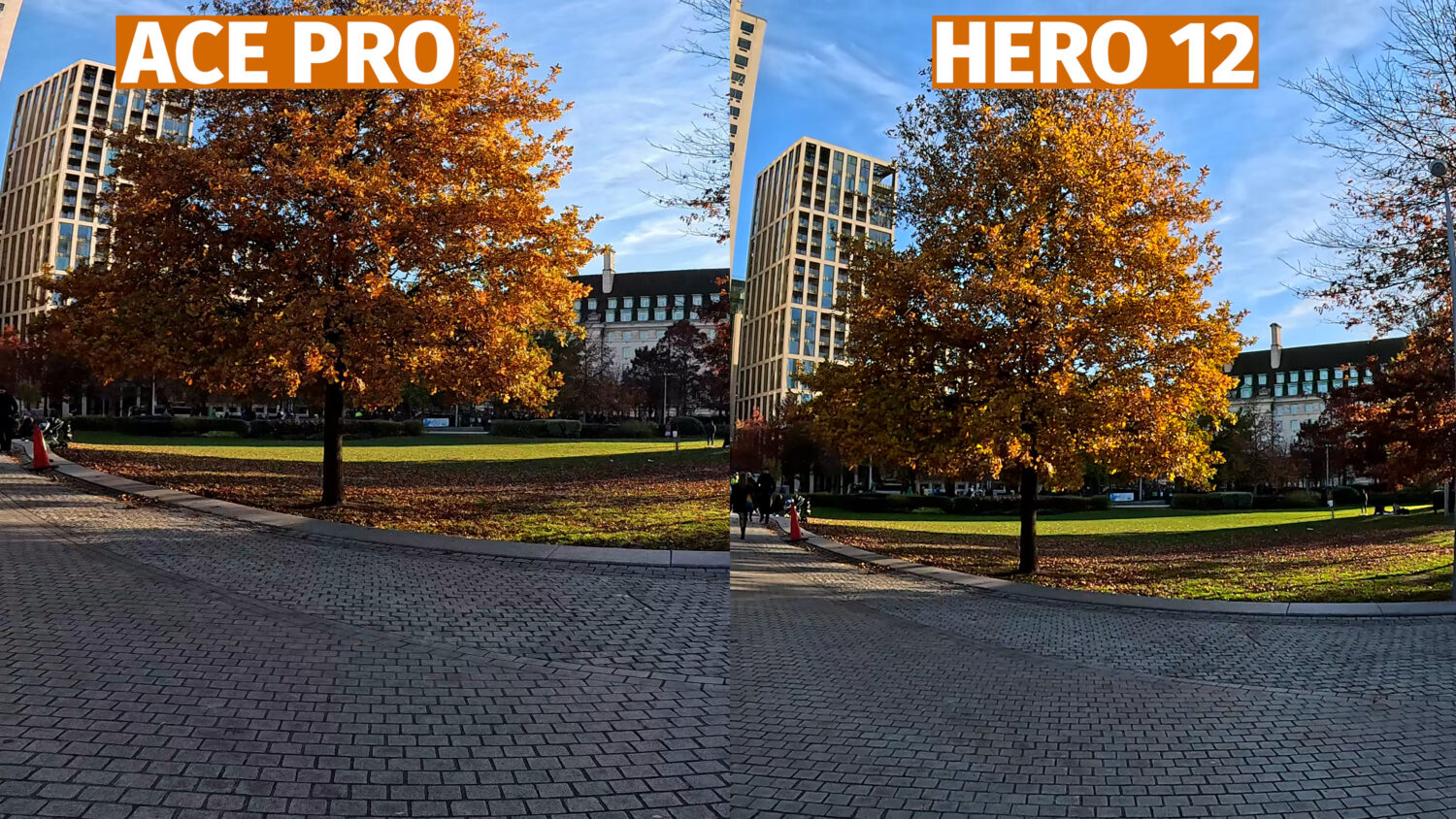
When looking at these daylight comparisons I find myself preferring the Hero 12 shots due to the more vibrant colours and slightly higher resolution. Let’s take a look at some low light shots and see if the Hero 12 can maintain this excellent quality.

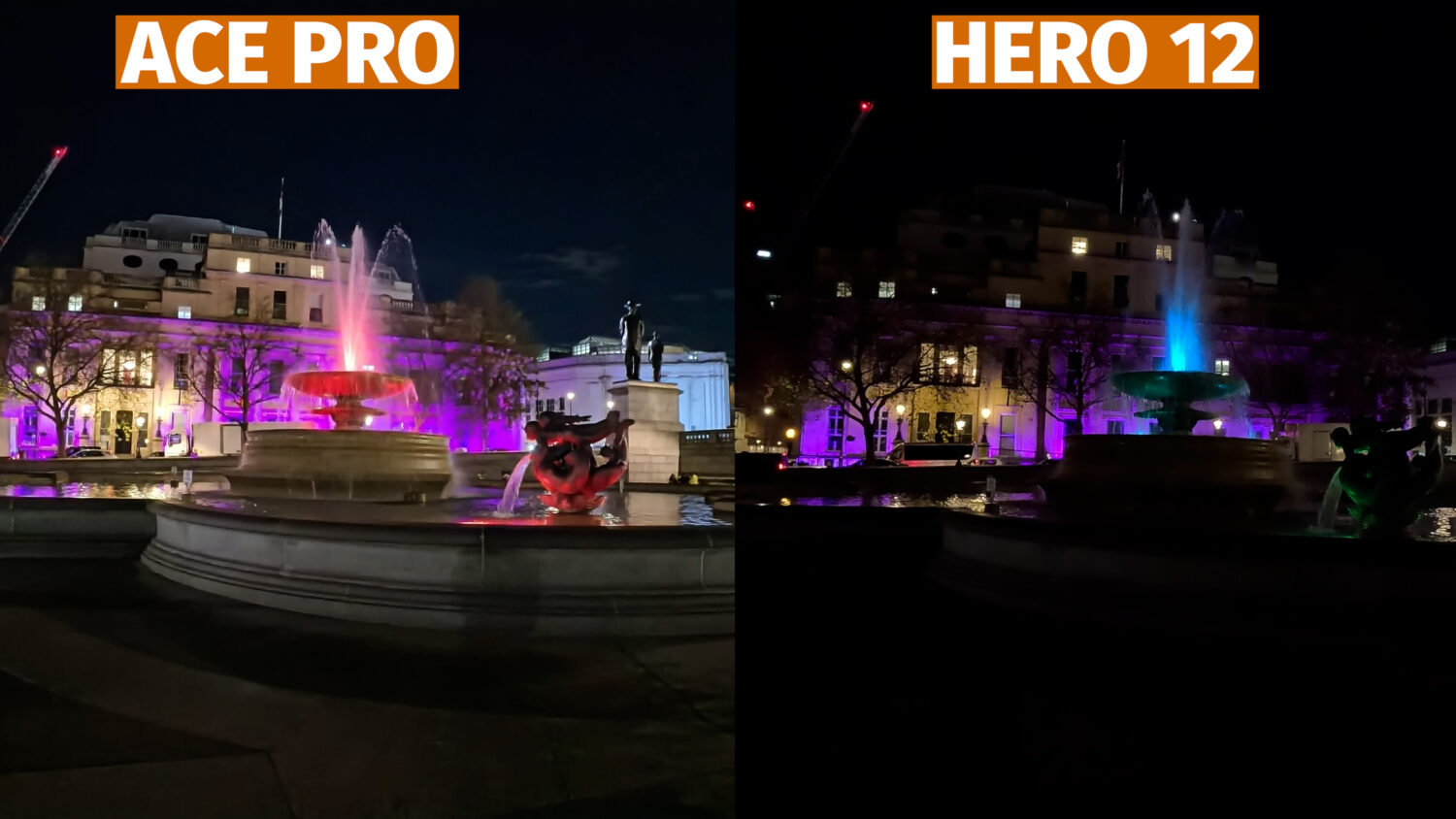
Oh dear. Here is where the GoPro Hero 12 fails to keep up with the larger sensor in the Ace pro. Using the Purevideo mode the Ace Pro beats the Hero 12 every time when shooting at night.

To me it seems like the Ace Pro outclasses both the Hero 11 and 12 when shooting any low light video. The Purevideo mode and larger sensor just blows the GoPro’s away when filming at night.
Daytime shooting is another story. While the Ace Pro’s HDR video certainly produces superior dynamic range compared to the Hero 11, the colours just don’t look as good. The same can be said for the Hero 12, but in this case both cameras have a HDR mode.
8K video shot with the Ace Pro allows for cropping without a loss in quality, but 10-bit video would have been a more useful addition.

Stabilization & Field of View
Both cameras feature various stabilization options, including full 360 horizon lock which keeps the video level even if you spin it the full 360 degrees. As action cameras it’s vitally important that these cameras keep your video as steady as possible when moving.
Let’s first take a look at the Ace Pro stabilization options, which are a bit more complicated. Firstly You have two video modes, the first being “Video” where stabilization is applied directly in camera.
There is also a mode called “FreeFrame Video” where stabilization is applied using the Insta360 Studio desktop program. This requires another step to get your footage ready but does result in the best overall stabilization.
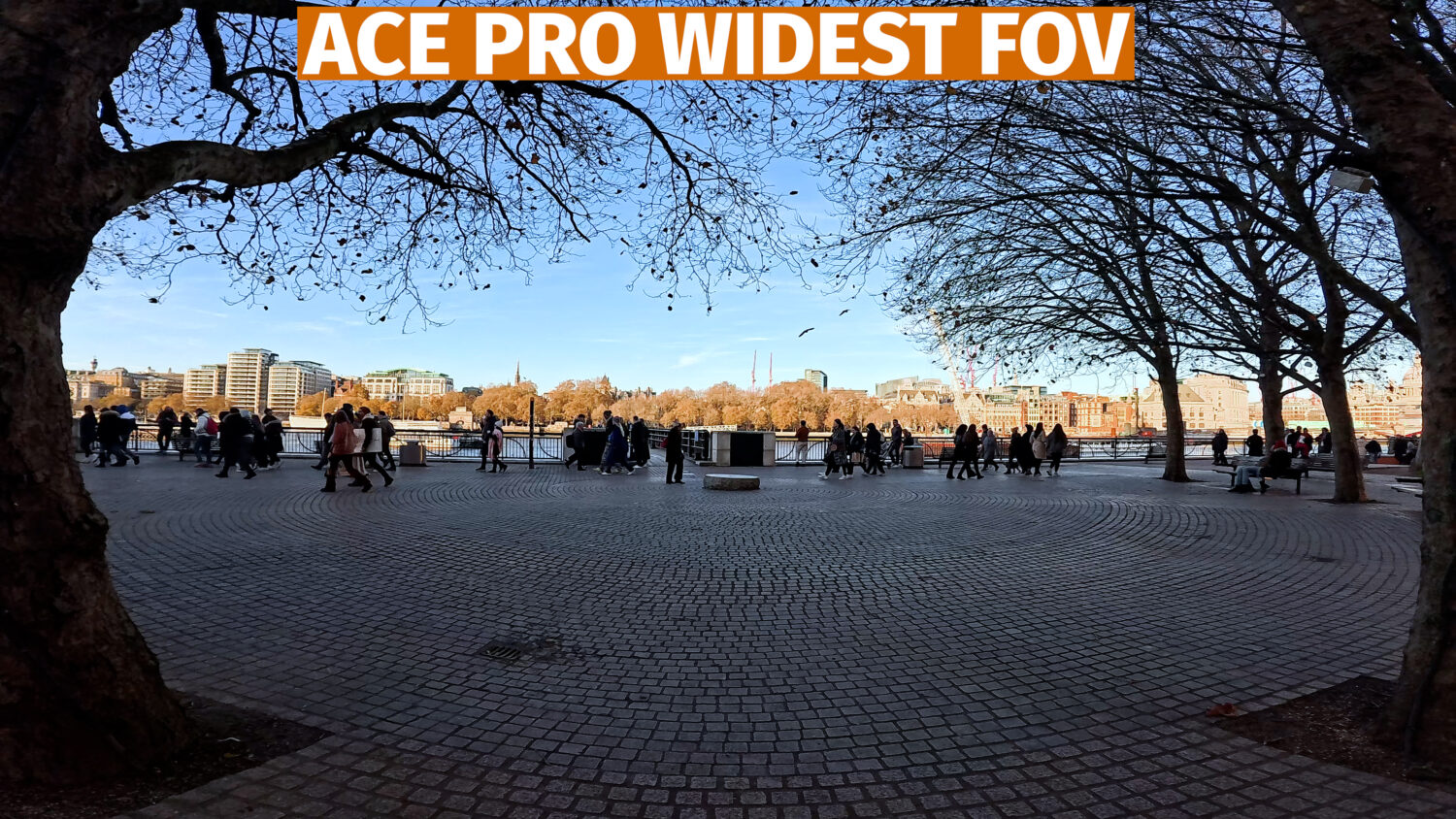
The Ace Pro offers 4 field of view options called Action, Ultra, De-Warp & Horizon Lock. The Action option offers the widest field of view and Horizon lock the most zoomed in. De-Warp offers a distortion free field of view which is best for vlogging.
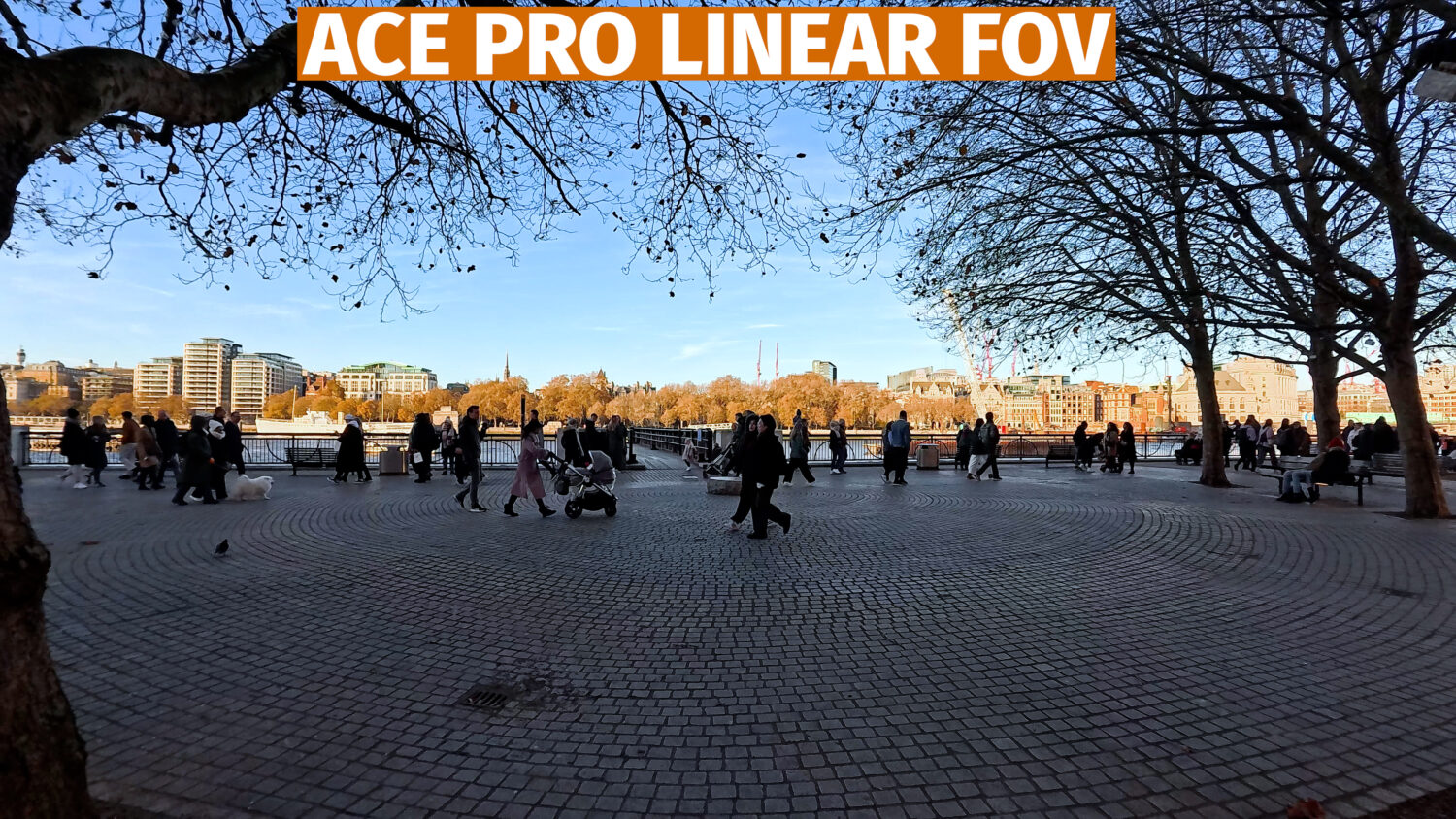

If you use the “Purevideo” mode you can also change the field of view in the Insta360 Studio, regardless of which option you choose.
The GoPro Hero 12 offers more simplified stabilization options with On, Off or Autoboost. Autoboost offers the best stabilization but results in lower quality video as it requires the camera to zoom in slightly. All of the stabilization is applied within the camera.
The Hero 12 offers more field of view options and a wider max field of view than the Ace Pro, which may result in better POV shots.

When activating the best stabilization options in both cameras the Ace Pro performs better with overall steadier video, however this does require you to process this video though a desktop program. When using the Ace Pro’s in-camera stabilization there isn’t much difference between the two.
I don’t recommend using the 360 horizon lock unless you are doing some really insane stunts, as this mode severely reduces the quality of your video in either camera.
AI Features
The Insta360 Ace Pro features several “AI” features, which feature heavily in the marketing of the camera. Insta360 literally calls it the first “AI” camera, so what does that actually mean?
One of the AI features includes AI Highlights, which when activated instructs the camera to automatically select the best parts of your longer shots, allowing you to discard the rest. The camera will automatically create videos from these highlights when connected to the Insta360 App.
You can also select your own highlights and discard parts of your videos that you don’t want, reducing the file sizes on your camera.
The Hero 12 also has a highlights feature, but this is entirely manual and doesn’t allow for the in-camera editing that the Ace Pro has.
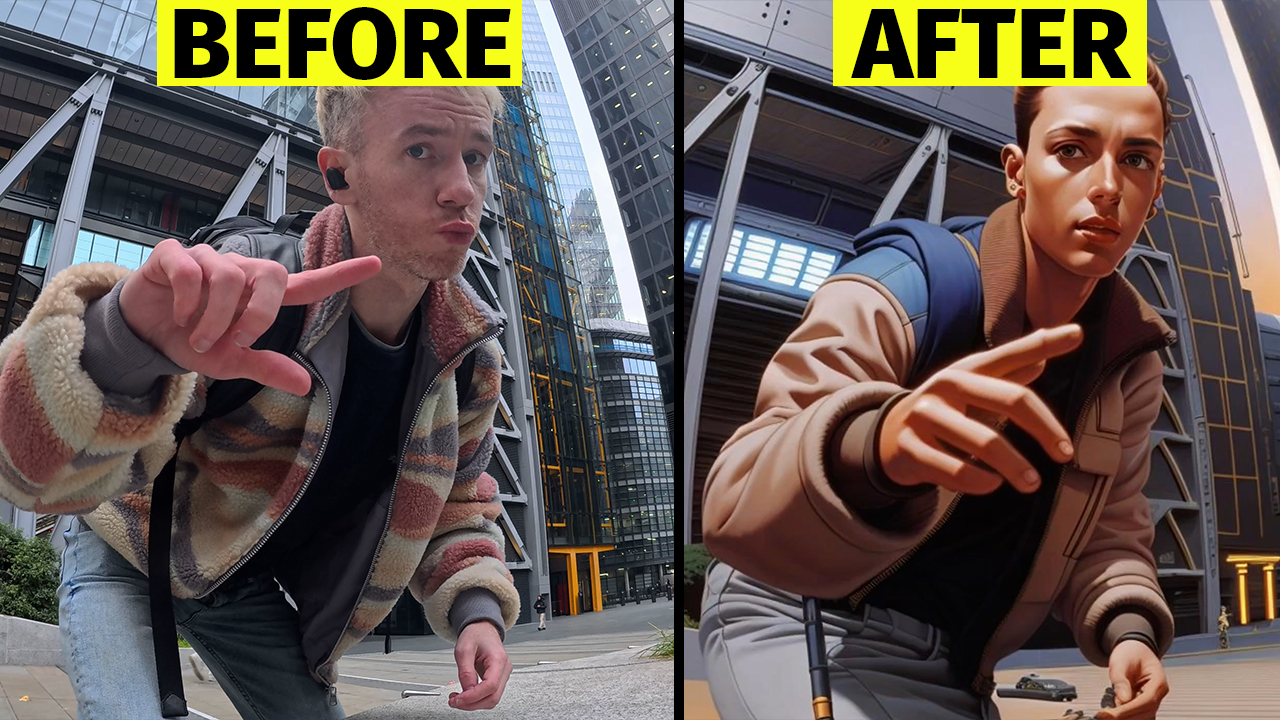
Another AI feature from the Ace Pro is AI Warp. This is an editing option in the Insta360 App which allows you to edit short clips using a prompt box similar to Chat-GPT.

At the moment you can only edit shot 4 second clips, but the results can be quite striking and the prompts do work. The results are quite stylised but this does feel like the future of video editing.
Software
It’s been the case for a long time that having good hardware just doesn’t cut it anymore, it needs to be backed up by software that allows for easy editing.
This is where Insta360 excels despite being a much younger company that only started making cameras in the last 6 years. The Insta360 App is mostly geared towards their 360 cameras, however there are also editing options for the Ace Pro. You can combine videos, colour correct, add text, music as well as use some automatic effects.
See Also: Insta360 Ace Pro vs Insta360 X3
One such effect is to remove a selfie stick from your shot if you choose to use one. This doesn’t always work but when it does it creates much more compelling content; no one likes seeing a selfie stick in their videos.
One big advantage of the Insta360 App is that you can download your footage from your camera in the background and continue using your phone while doing so. The GoPro App forces you to keep the App in the foreground and not activate any other app while transferring.
GoPro’s APp does also have some editing features, including an automatic vlog creator which takes the best parts of your shots and adds everything you need for a full length video. Unfortunately this feature is locked behind a subscription so is not free; otherwise the GoPro Quik app is sparse in comparison to the Insta360.
The GoPro subscription does offer other advantages, like free repairs, replacements and discounts on future cameras.
Insta360 Ace Pro vs GoPro Hero 12 & 11
The Ace Pro represents the biggest threat to GoPro in a long time. It’s hard to ignore the innovations that Insta360 has brought with their first full action camera. The AI features are actually useful and in some instances very compelling, the AI Warp could be the future of video editing even if it’s a bit limited right now. GoPro has absolutely no answer for this right now.
The Hero 12 is a very small upgrade compared to the Hero 11 and didn’t really add anything new, however when I look at side by side comparisons I do still prefer the colours that the GoPro cameras produce in daylight. The Ace Pro is far superior at night time, so if you think you’ll be doing any significant low light shooting then go for the Ace Pro.
So the GoPro’s in my opinion perform better in daylight, particularly when shooting 10-bit video, but that’s pretty much their only winning feature. When it comes to useful features, video modes, photography and software the Ace Pro storms ahead.
Where to Buy
You can get the Insta360 Ace Pro from the Insta360 website, which ships internationally. Using the link below will allow you to get Insa360 Care for 20% discount plus a free t-shirt.
Both the GoPro Hero 12 and 11 are available on Amazon as well as the GoPro website.