Insta360 X3 vs GoPro Hero 11: Hands On Comparison


The GoPro Hero 11 and the Insta360 X3 are both amazing cameras for creating content of all kinds, but they completely different strengths and weaknesses.
The Insta360 X3 is a 360 camera which comes with a lot of creative potential as well as some major drawbacks. The Hero 11 is the next in a long line of GoPro action cameras, but has the brand become stale?
I’ve been using the X3 and Hero 11 side by side to test out their capabilities, show you the difference in quality and see what special features they have. If you are trying to choose between the Hero 11 and X3 then read till the end and you should have everything you need to know.
Specs
[wpsm_comparison_table id=”106″ class=””]
Camera Design
Both the Hero 11 and the X3 are considered action cameras and are therefore small, light and compact. Let’s first take a closer look at the X3.
The Insta360 X3 is a candy bar shaped camera with a large touch screen, a shutter button, power button and quick menu button.

At the top of the camera you’ll find 2 fish eye lenses which protrude out from the camera body. This makes the lenses very vulnerable and if you drop the camera they will certainly be damaged, and I mean even the slightest knock to something solid. The lenses are not replaceable by the user and to send the camera for repair can be quite expensive.
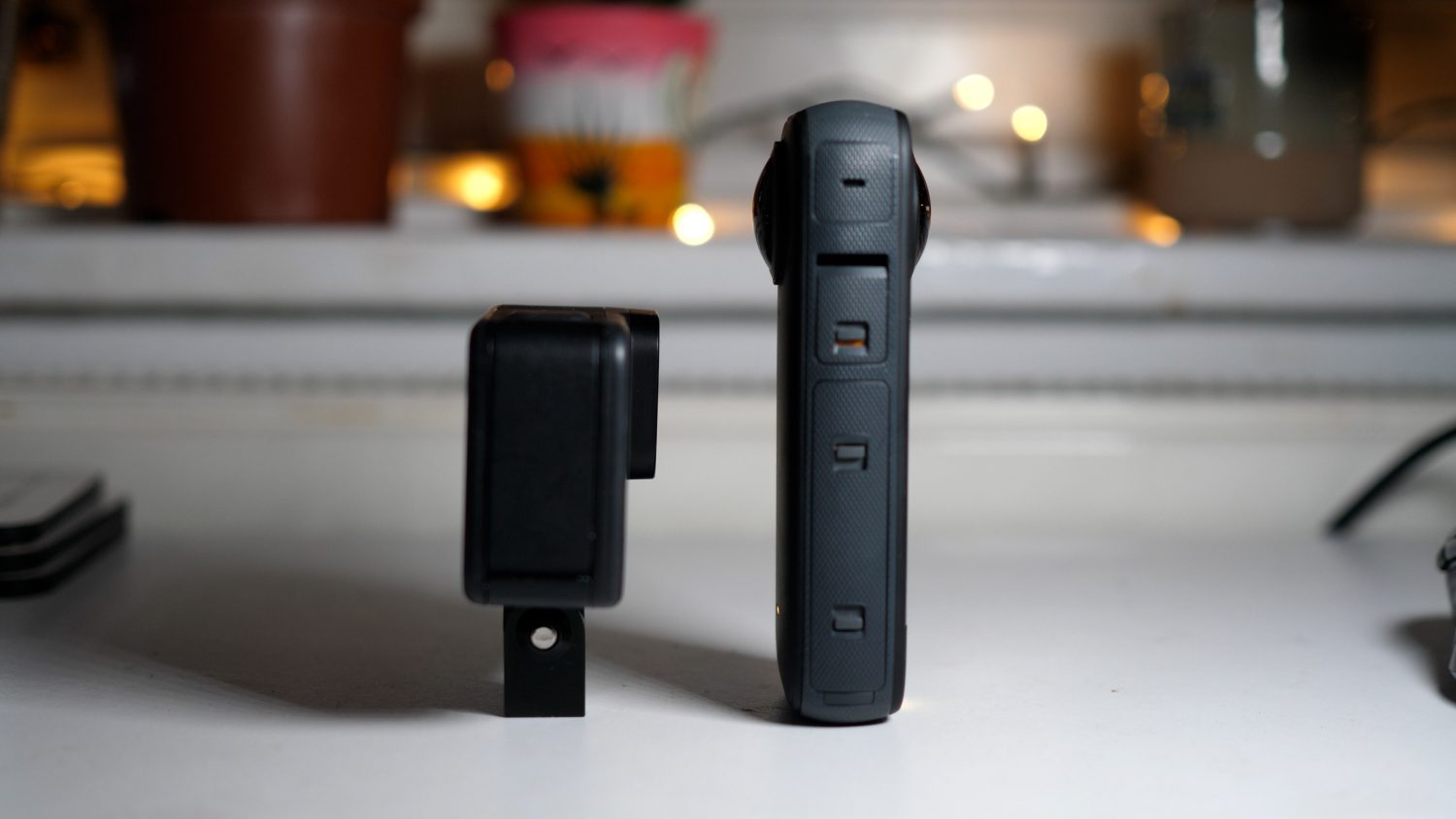
The body is covered in hardened plastic and a ribbed rubber coating which makes it easier to grip. The touch screen is large, responsive and makes the camera very easy to control.
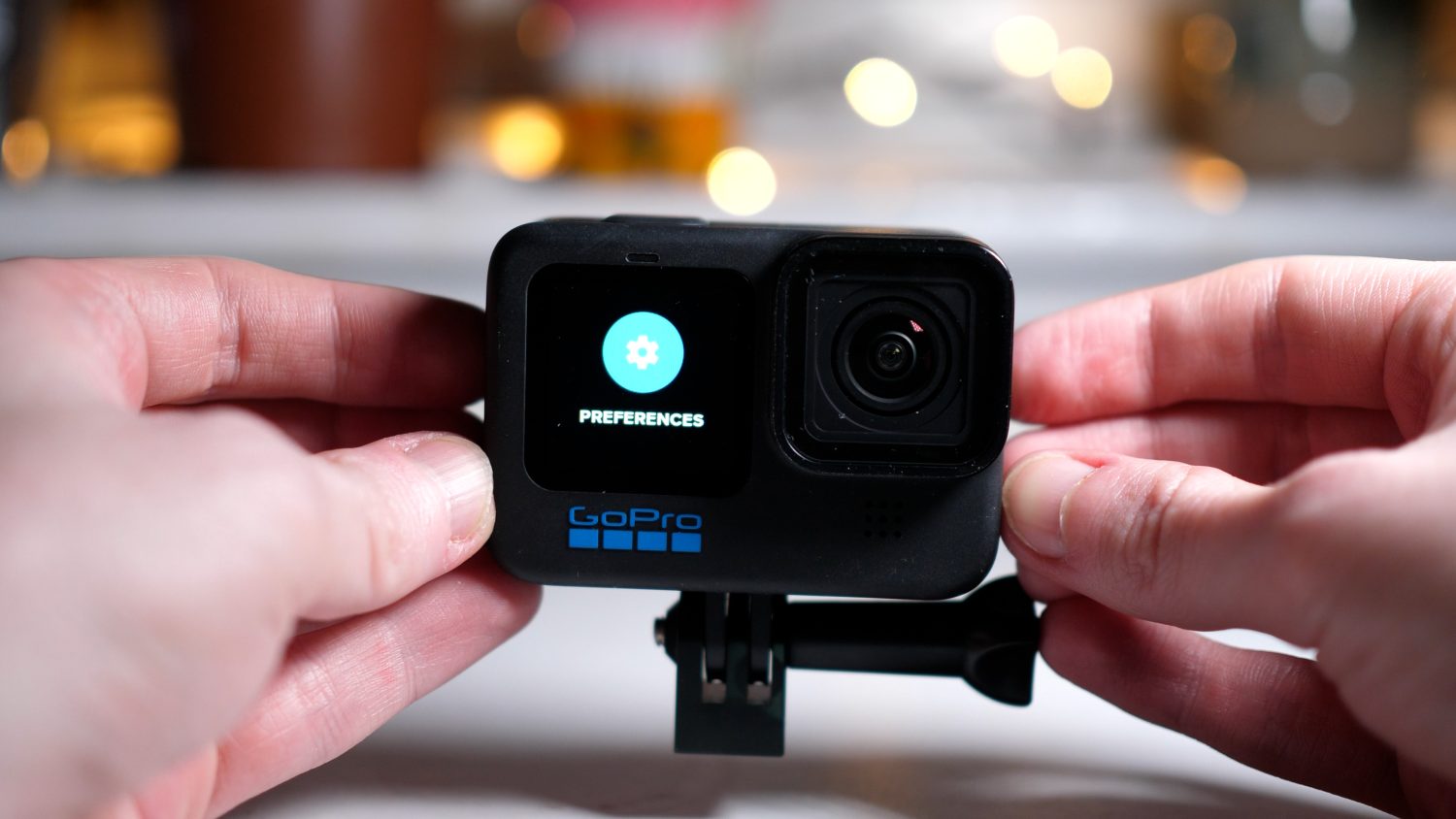
Moving onto the GoPro Hero 11, this is a very well build action camera & feels very much like the premium product it’s marketed as.
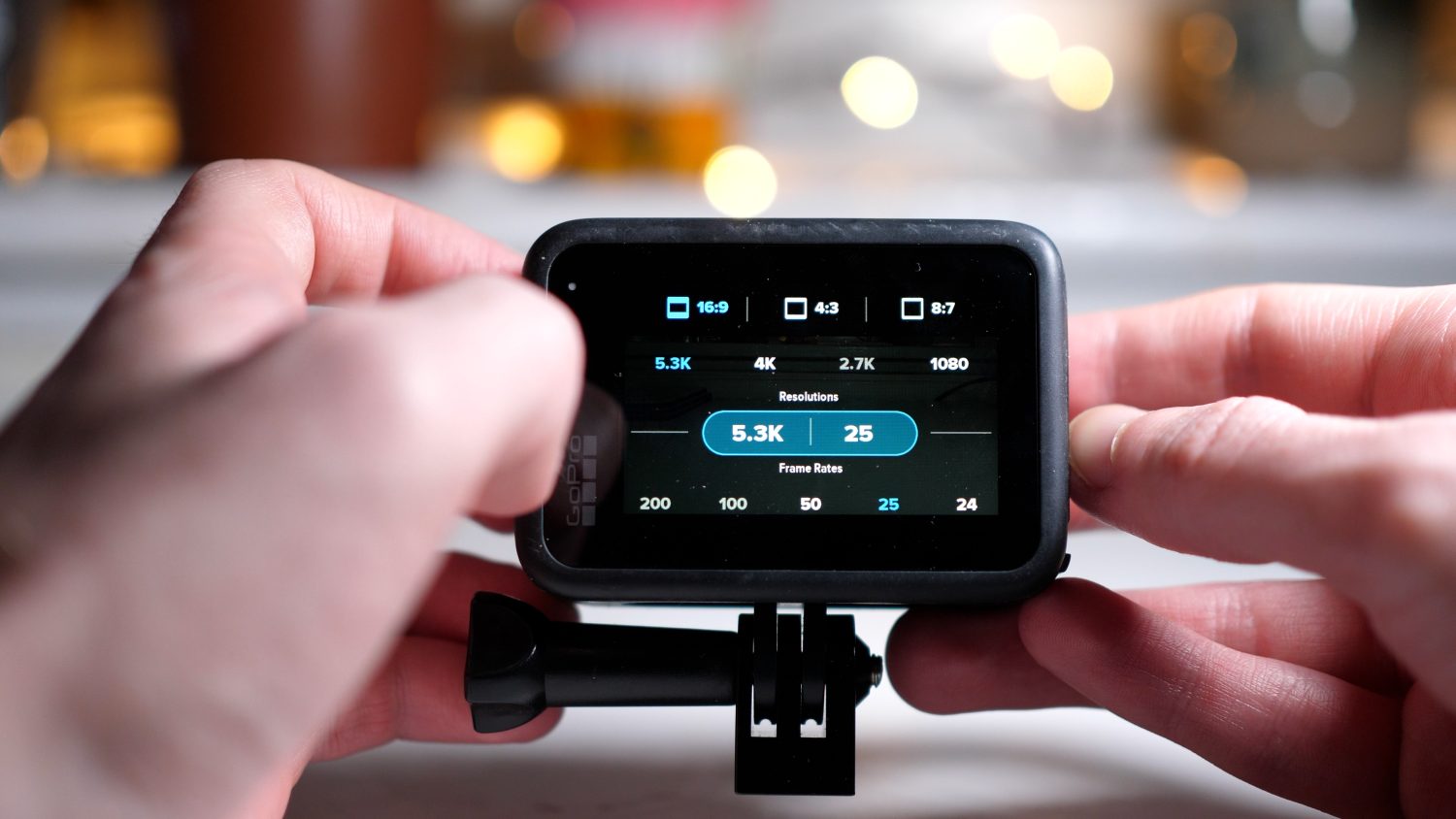
You’ll find a large touch screen on the rear and a smaller display at the front which allows you to more easily shoot selfie vlogs. The camera is rugged and can take a decent amount of falls, scrapes and scratches. The menu system is a bit clunky but the large touch screen makes changing settings pretty easy.
Overall the Hero 11 has a superior “action camera” design and is less vulnerable to fatal accidents. The X3 can certainly be used as an action camera, but you have to be extremely careful to not drop it.
Video Quality
Let’s take a look at some direct video comparisons between the X3 and Hero 11. I’ve been shooting in some pretty unique locations in Barcelona and London; below you will find screenshots of the video comparisons or you can watch the below video.
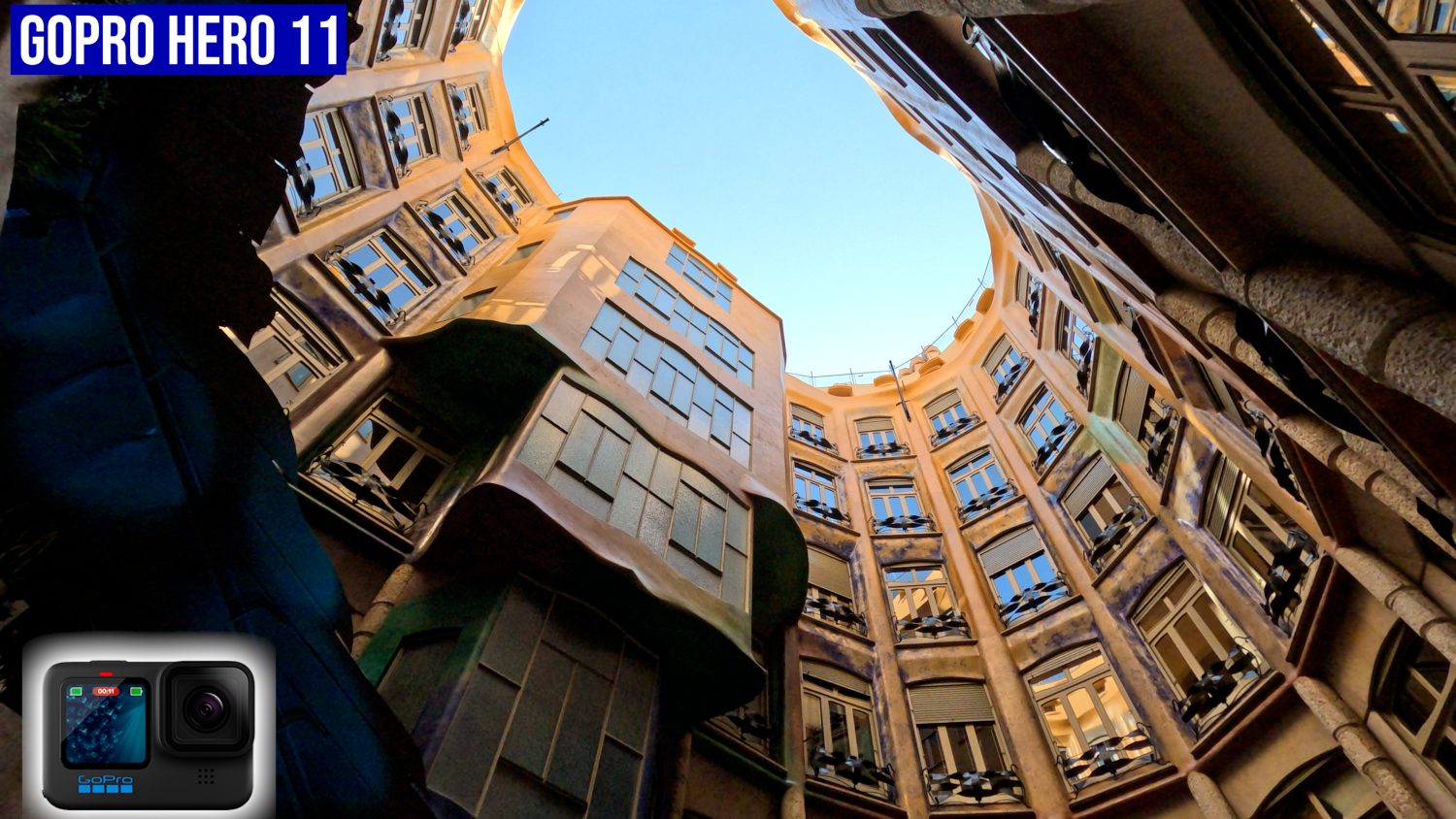
The Hero 11 can shoot 5.3K 60fps video with a bit rate up to 120MBPS. This is an impressively high resolution for such a small camera and the 60fps frame rate is great for shooting fast paced video. The Hero 11 comes with a new, larger sensor compared to its predecessors. This large sensors allows for higher quality video, new aspect ratios and a super-wide field of view.
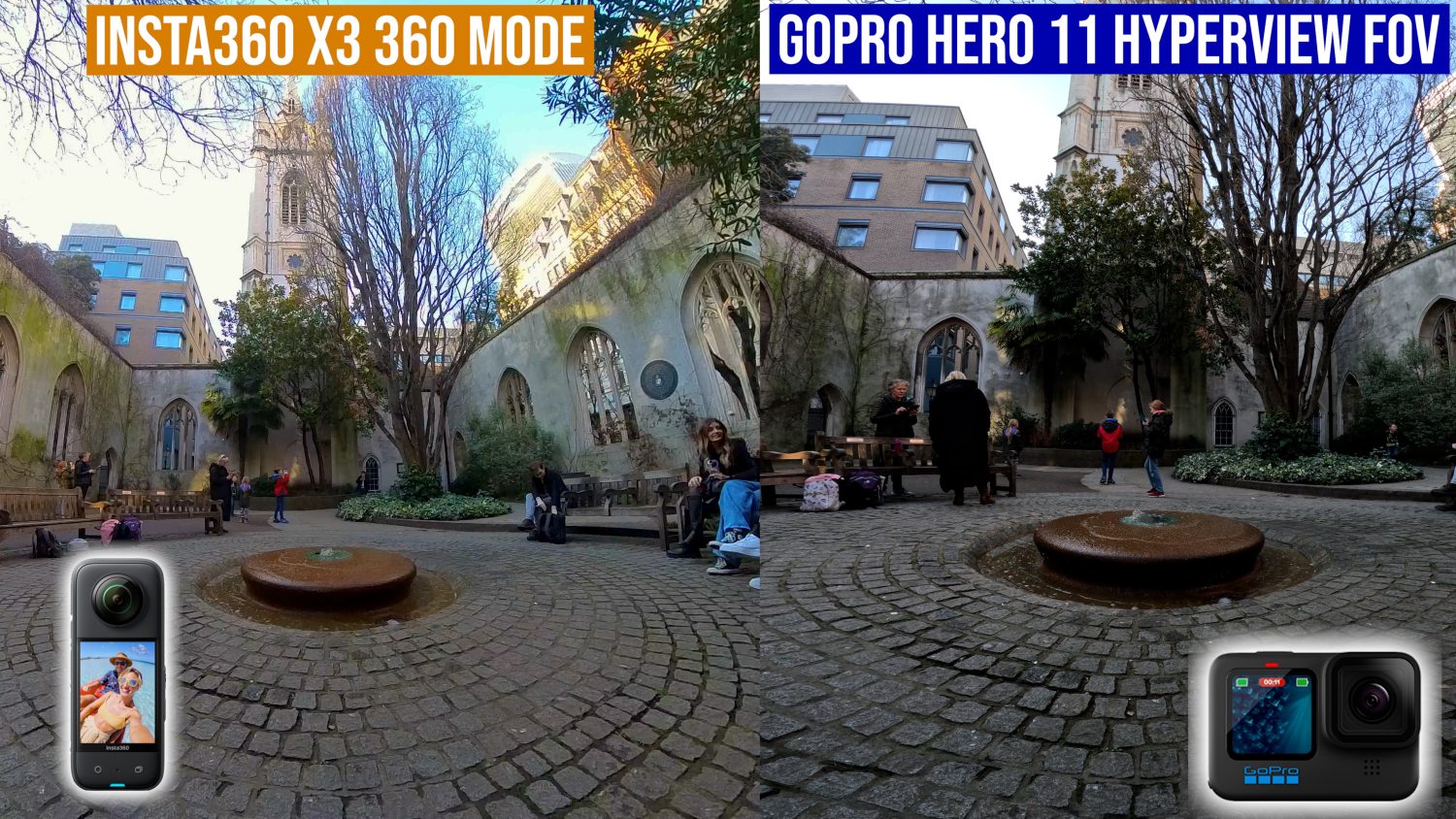
The Hero 11 also features a long sough after option; 10bit colour mode. This is an advanced setting which allows the camera to capture hundreds of millions more colours. To get the most out of this you will need to edit your video in a professional editor like Premiere Pro, but if you can learn to do it properly you can get some truly amazing shots with the Hero 11. I’ve been very impressive with the video shot with the Hero 11, sometimes it’s hard to believe this is just an action camera.
The Insta360 X3 (my top 360 camera of 2023) can shoot 360 video at 5.7K resolution up to 120MBPS. Even though the X3 can shoot higher resolution video it doesn’t look at sharp as the Hero 11 shots, this is because the 5.7K is spread over 360 degrees, whereas the Hero 11 pixels are spread over 120-180 degrees.

The pixels are more spread out, so the video, when viewed in segments like this, looks more like 1080p. The X3 does feature two 1/2 Inch sensors which is remarkable for a camera of this size. The larger sensors do allow the pretty good dynamic range for a 360 camera, but compared to the Hero 11 it can’t compete on quality.

So why would anyone get the X3 is the video quality is so much lower? For a start the ability to shoot 360 video allows you to create unique shots and perspectives that are not possible with the Hero 11.

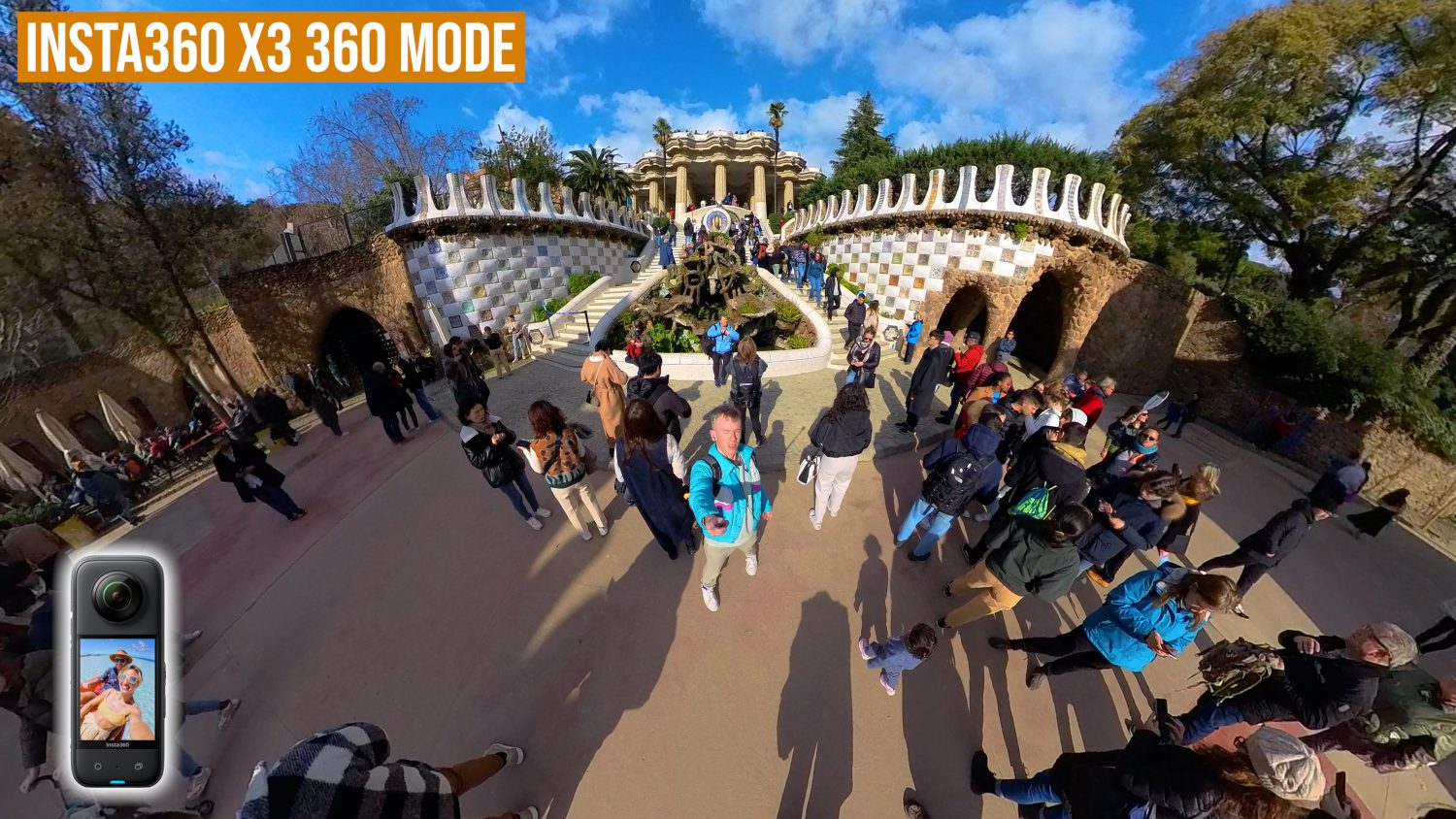
The floating camera effect has become a popular way for people to shoot themselves, or even to mimic a drone shot. There are so many creative things you can do that, in my opinion, more than makes up for the less attractive looking video.
Insta360 Single Lens Mode
With the X3 you have the choice of shooting in 360 mode using both lenses or selecting single lens mode, which allows you to shoot 4K “normal” video.


The 4K single lens mode is a great addition and makes the X3 two cameras in one. If you don’t fancy shooting in 360 mode, which requires a bit of editing, then you can just shoot some standard video and be ready to go. The quality of the 4K single lens video isn’t particularly impressive, but in the right situations it does a decent job. It’s certainly better quality than my midrange phone, but it probably won’t match up to the latest iPhone.

Insta360 X3


GoPro Hero 11

Action Camera Credentials
If you are looking for a camera primarily for fast moving action shots then both of these cameras are a great option. If you check the promotional videos for either you’ll see skiers, snowboarders, pilots, cyclists and many more shooting perfect action shots, but what’s the reality?
The Hero 11 features GoPro’s Hypersmooth 5.0 stabilization technology, which works exceptionally well in almost all situations. The Hero 11 has several stabilization options, with the most advanced being horizon lock. This setting keeps the horizon horizonal no matter how you move the camera and it’s pretty amazing.
While impressive, this setting will also reduce the quality of your video as it zooms into the image. With the standard stabilization settings you’ll find it hard to keep the camera perfectly steady while running, walking, or cycling over bumpy terrain, however it would be great for smoother motions like skiing.
The Insta360 X3 features similar software stabilization called Flowstate, which works near perfectly to stabilize your footage. The Insta360 features superior stabilization due to the fact it shoots 360 video, this give the camera more information to work with. You’ll also find a horizon lock feature which doesn’t reduce the quality of the video.
I’ve not seen any type of shot that the Insta360 can’t handle pretty much perfectly. Most of the time it looks like the camera is floating, or being stabilized with some type of gimbal, but it’s all done in the camera. 360 cameras definitely have the advantage when shooting action shots, but then again the X3 is more vulnerable to damage so take that into consideration.
Special Video Modes
Both the Insta360 X3 and Hero 11 have some special video modes which allow you to get some really unique content. While these may not all be useful for everyone, it’s what sets both of these cameras apart from the hoards of basic action cameras on the market.
On the Hero 11 you can access the special video modes by swiping left on the screen. Here you’ll find Timelapse, Timewarp, Vehicle Lights, Light Trails and Star Lapse.

You can create extremely high quality timelapse videos with the Hero 11. If you want to shoot a super long timelapse then you are able to connect the camera to an external power source and have it shoot all day/night.
Timewarp is a sort of moving timelapse which requires you to keep the camera steady while you move with the camera. This setting is best used when cycling/driving as when walking it’s almost impossible to keep the camera steady enough. I’ve tried using this mode a few times and I can never get it to look good.
The other special video moves are mostly focussed on night shooting. I’ll admit that I have not tested the Star Lapse mode as living in London doesn’t give me much opportunity to capture the stars.
The other night modes work well and are easy to set up; these modes really cement the Hero 11 as a very capable camera for shooting at night.
The Insta360 X3 has a timelapse mode which is boosted to 8K resolution thanks to a new sensor and processor. This high quality timelapse in 360 allows you to animate the timelapse, making it more dynamic than a standard timelapse. Out of the two I would prefer to shoot timelapses with the X3 as they truly do look awesome.
Timeshift is the Insta360 version of Timewarp, and it actually works far better due to the perfect stabilization the Insta360 is capable of. This is one of my favourite features of the X3 and you can create hyperlapse-like videos (which are usually extremely difficult) quickly and easily.
You’ll also find a unique feature on the X3 called “Me Mode”. Using this mode guarantees that you are always in the centre of the shot no matter how you move the camera. I’ve used this for travel vlogs with great success but the sharpness of the video isn’t great.
Slow Motion
The Hero 11 comes out on top with it’s far superior slow motion settings. You can shoot 4K video up to 100fps and 2.7K video at 200fps. This super slow motion video looks amazing in certain situations and you can get really creative by mixing normal speed and slow motion in the Quik App.
In comparison the X3 can only handle 4K@60fps, which is roughly half speed. The X3 does have a slow motion video mode called bullet time, which is supposed to mimic a sort of “Matrix” effect. It can look awesome but is a bit tricky to get right.
Photography
Both of these cameras are heavily focussed on video, but that’s not to say you can’t use them to shoot some decent photos should you not want to switch cameras all the time.
The Hero 11 can shoot 27MP photos with options such as RAW, Night Mode and Burst. If I’m honest the photography options in the Hero 11 is quite limited, but the image quality is pretty decent. You also have the options of shooting very wide angle images which may not be possible with your phone.
The Insta360 X3 can shoot 72MP 360 images. This is a very high resolution, however some of this is added via software, and remember that 360 always requires more pixels to look good.
The 360 images can be shot in RAW and there is an AI editor that automatically boost the quality of your shots with no added editing required. You will also find a HDR mode, Burst and interval mode.
With the X3 you can shoot interactive 360 photos which work well on Facebook, Google Maps or on a VR headset. This won’t be useful for everyone but is a pretty unique way to capture memories.
As far as quality goes, traditional photos look better when shot on the Hero 11 but once again the X3 provides a unique perfective and creative options.
Software
An often overlooked aspect of any camera is the software that backs it up. It’s important for modern cameras to have a solid mobile and desktop app to make utilising all these high quality videos as simple as possible.
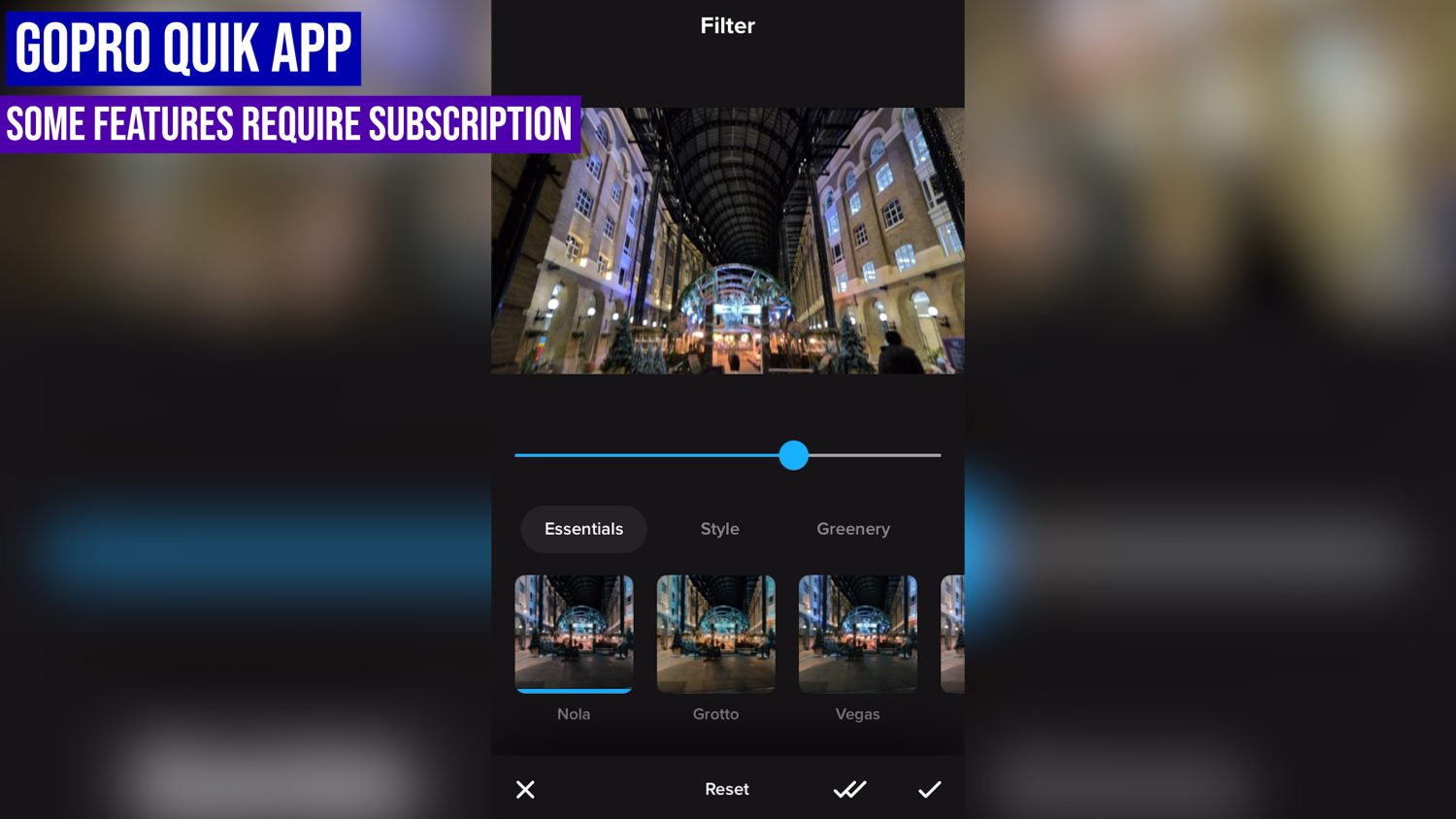
GoPro’s Quik App is what you’ll use for the Hero 11. Some of the features in this App require a subscription, for example the automatic cloud uploads and auto highlights.
These are probably the best features of the App so it’s a shame they require the $49 a year subscription. You do also get a discount on your camera and the ability to swap a broken Hero 11 for a brand new one, so overall the subscription is probably worth it.
The Quik App has a basic video editor where you can combine clips, add text, filters and music. You can create vlog like videos on the fly and it doesn’t take long to learn now, but overall the app is pretty limited
The Insta360 App is pretty much the opposite; so many features but they take time to learn and use.
When shooting with a 360 camera 80% of the creativity is in the editing process, so it’s no surprise that the Insta360 App is so large and comprehensive. You’ll find a full video editor with a unique “reframing centre”, this is where you decide where you camera is pointing using keyframes.
You’ll also find an AI editor which can do most of the work for you as well as features like tracking, colour correction, speed adjustment, music, text, transitions and other features which are usually only found on a desktop app.
Along with all of the above you’ll also find a selection of unique video shots in the “ShotLab”. Following the instructions in each effect and uploading your videos allows the app to automatically create these effects for you. Some of them are slightly gimmicky, but some are truly awesome and look great on social media.
So the Insta360 app is WAY ahead of the GoPro Quik app when it comes to features, but it certainly requires time to learn and you’ll need a pretty powerful phone for it to work smoothly.
Other Features
GPS: The Hero 11 features internal GPS which can track your height, speed, velocity etc. You can then add this to telemetry to your videos using the GoPro desktop app.
The Insta360 X3 has no internal GPS but the company offers a GPS accessory. Using this you can track the same telemetry and add it to your videos, but this is an extra expense.
Battery Life: Both the Insta360 X3 and Hero 11 can soot for around an hour of continuous video. Both cameras have removable batteries which you can buy spares for. The GoPro Hero 11 battery can be extended by turning off the front screen and GPS.
Water Resistance: Both cameras are fully waterproof without a case. The Insta360 in 360 Mode won’t work particularly well underwater due to how the water affects the two lenses. The Hero 11 is probably the better option for underwater shooting.
Summary
Phew, that was a lot of information to get through. Hopefully I’ve given you a good idea of the capabilities of both cameras as well as their limitations.
What it essentially comes down to is whether the care more about shooting high quality shots or capturing unique footage. The Hero 11 definitely shoots higher quality video in virtually all situations, but you can be so much more creative with the X3 and create shots that are just not possible with the Hero 11.
- New Large Sensor
- Super Slow Motion
- 10bit Video
- Rugged Waterproof Design
- Horizon Lock
- New Wide Angle HyperView
- Excellent Low Light Performance
- Subscription Required for All App Features
- Fewer Unique Video Modes

- 360 & Single Lens Mode
- 8K Timelapse
- Perfect Stabilization
- 72MP Photos
- Unique Video Modes
- Floating Camera Effect
- Comprehensive Free Editing App
- Lenses Vulnerable
- Doesn’t Work Well Underwater
- Overall Worse Image Quality
Where to Buy
You can get the Insta360 X3 from the official website internationally (use the link below to get a free invisible selfie stick). You can get the Hero 11 from Amazon or on GoPro’s official website.
Insta360 X3
 insta360.com
A creative powerhouse with a huge number of shooting modes and unique capabilities.
GoPro Hero 11
 amzn.to
The most advanced GoPro ever with amazing quality video, 10bit colour and super slow motion.