Insta360 Go 3 vs Go 2: Is it worth upgrading?


Should you upgrade your Insta360 Go 2 to the newer Insta360 Go 3? The newer version of the tiny action camera does indeed feature new hardware, new shooting modes and a bump in resolution; but is it enough to justify the extra cost of upgrading?
I’ve been using the Insta360 Go 3 and Go 2 side by side to see how they compare in reality. In this post I’ll go through every difference between the two cameras, including side by side comparisons, and discuss whether it’s really worth upgrading.
Insta360 Go 3 vs Go 2: Ultimate Comparison
Specs Comparison
[wpsm_comparison_table id=”110″ class=””]
Design Changes
Both versions of this camera essentially come in two pieces; the tiny camera and a larger dock. When looking at just the camera there isn’t a huge difference. Both are white, pill shaped devices with a small lens and a single physical button.
The Go 2 is slightly smaller, thinner and lighter than the Go 3, which has increased in size to accommodate better heat dissipation technology. The size difference is very small and won’t make any difference to how you mount the camera.

There’s much more of a big difference between the docks. The Go 2 features a more simple dock that opens and closes like an Airpod case. It features an LCD screen and two physical buttons to change some settings and start recording. You can also stand the dock upright with two folding legs so that it acts like a tripod for the Go 2.
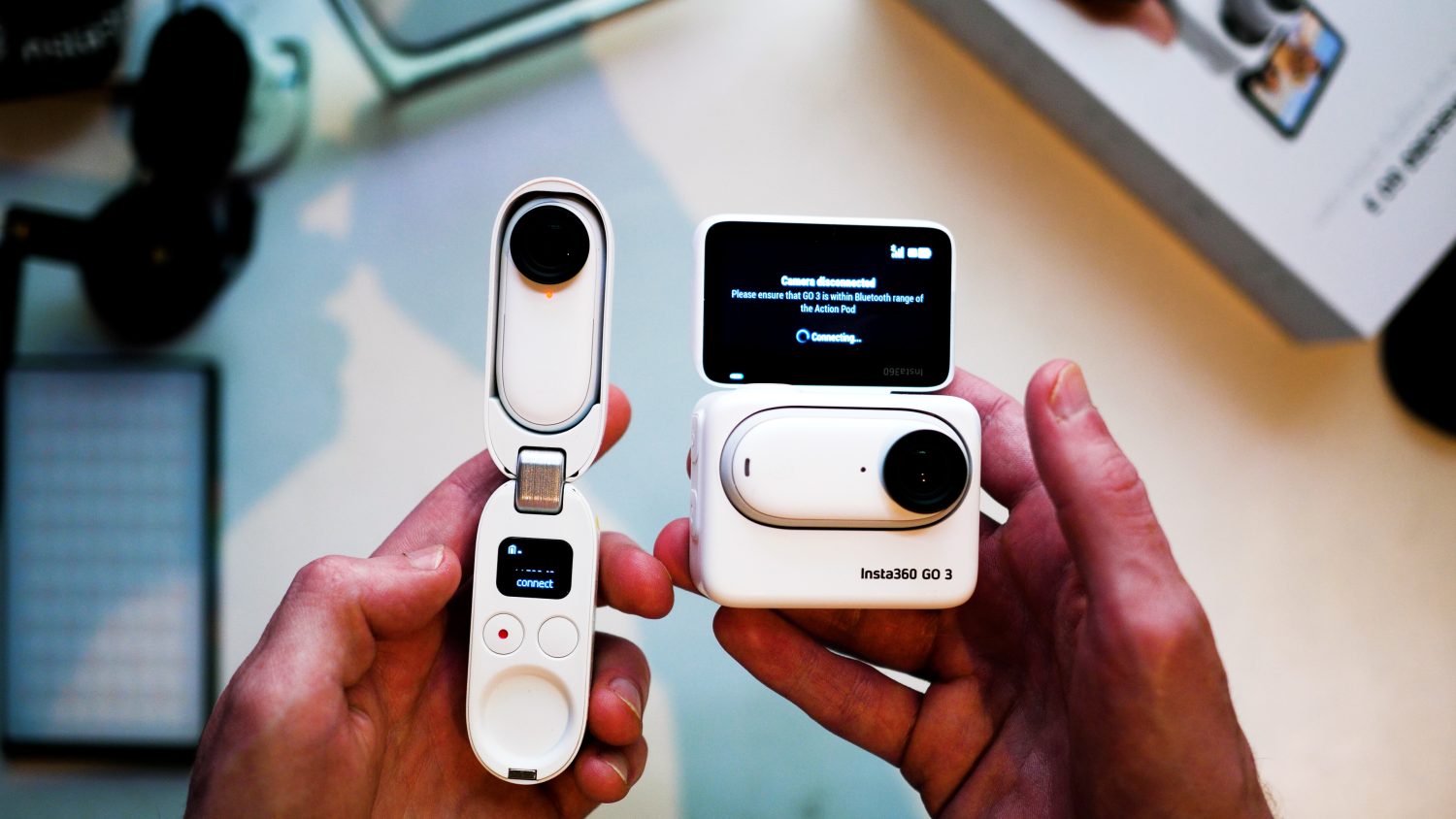
The Go 3 features a much more advanced dock, which Insta360 calls the Action Pod. The Action Pod is a square shape and can stand on its own. Most importantly the Action Pod features a full touch screen which allows you to completely control the camera settings as well as preview your shots.
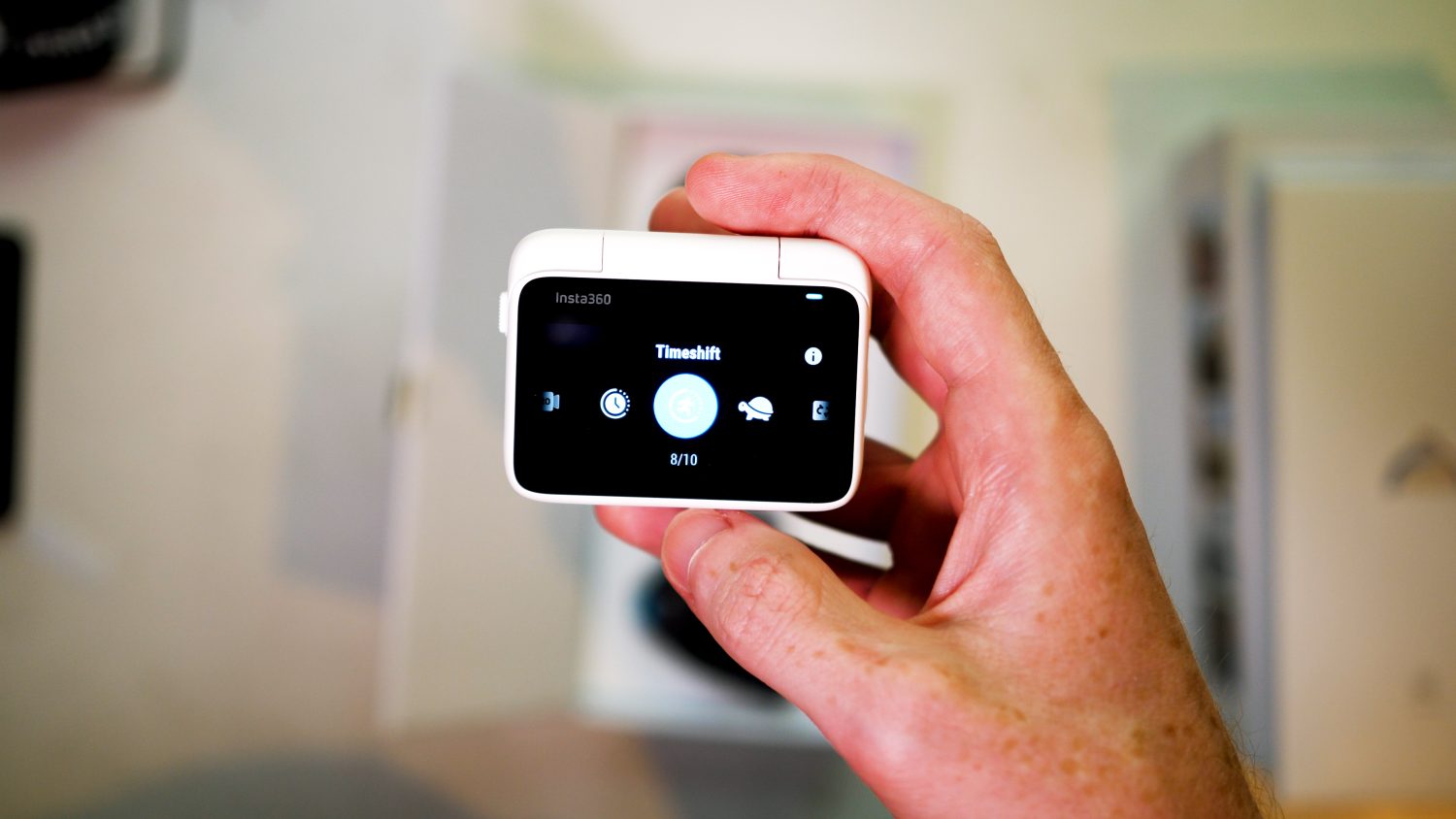
The new Action Pod makes using the Go 3 far more user friendly than the Go 2. With the Go 2 you had to guess whether you were getting the shot you wanted, unless you connected to your phone which drains battery quickly.
Each dock also allows you to recharge your Go camera several times over, with the Go 3 having a 40% longer battery life overall.
Video Quality Comparison
Let’s take a look at some direct video comparisons between the Insta360 Go 3 and Go 2.
The Go 3 can shoot a maximum 2.7K resolution video @ 30fps, however when using this video mode the bit rate is limited to 40MBPS and has limited stabilization. The Freeframe mode allows for 1440p video at 80MBPS as well more advanced stabilization, so even though the resolution in this mode is slightly lower, for moving videos it’s the best option to use.
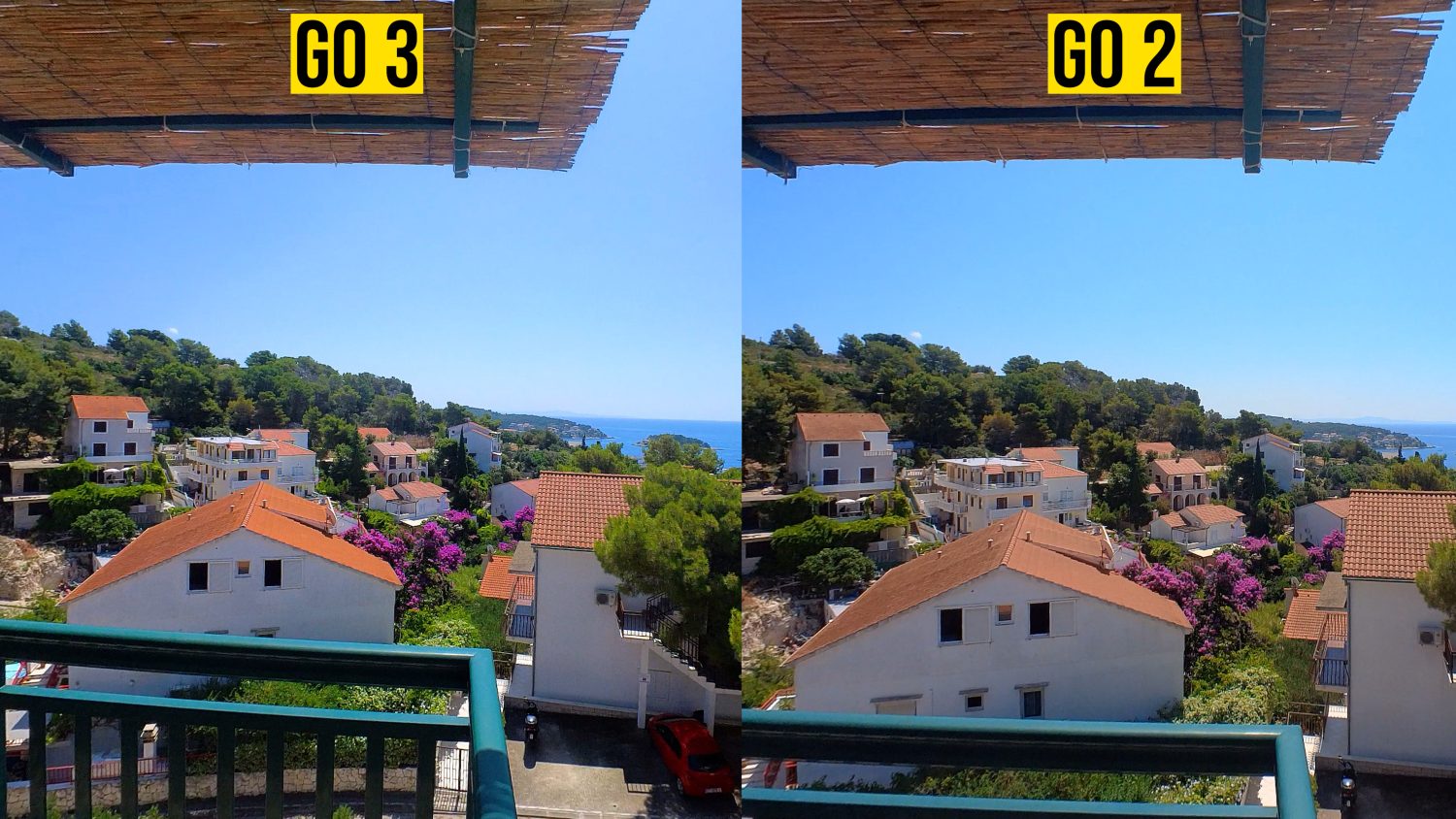
The Go 2 is limited to 1440p and has no 2.7K option. To be honest 2.7K doesn’t have significantly more pixels than 1440p which is why it’s hard to notice much of a difference when shooting with both cameras side by side.
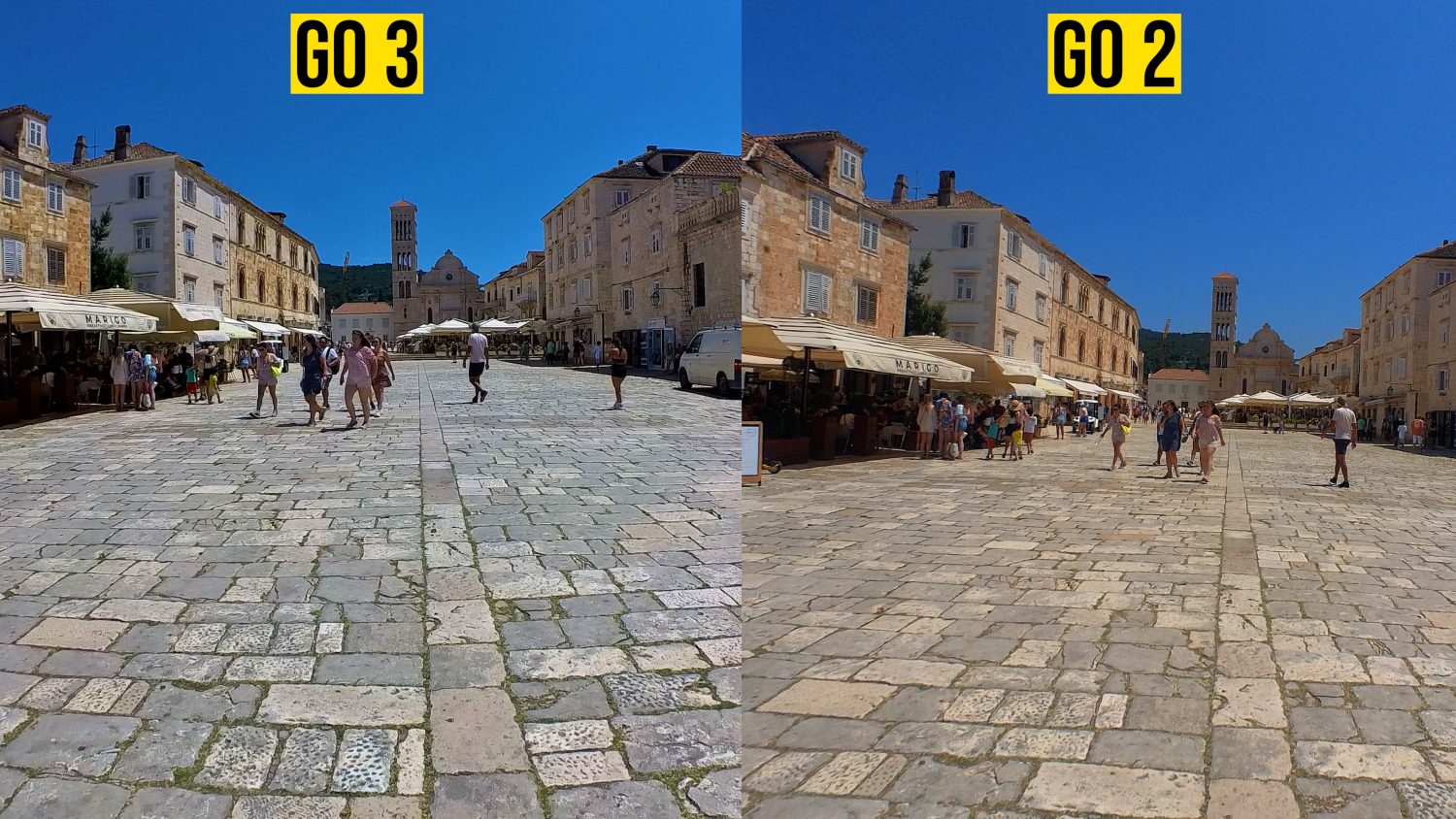
Looking at side by side comparisons it seems that the Go 3 has a more accurate colour profile, whereas the Go 2 can seem a bit oversaturated. Even when shooting at the same resolution the Go 3 video looks slightly higher quality, perhaps due to improvements in the processing or lens tech. Overall the difference isn’t massive but there I would say there’s a noticeable improvement.
The Go 2 features a normal and Pro video mode, with the Pro version offering the best stabilization with horizon lock. In both cases the “Pro” video mode in both cameras requires you to process your clips through the Insta360 Studio, but the result is worth it if you are shooting any kind of moving video.

The Insta360 Go 3 also features more video modes than the Go 3, including slow motion at 1080p, 120fps, loop recording and pre-recording. Loop recording could make the Go 3 an excellent small dashcam for your car or bike.
Photography
While both of these cameras can shoot photos there isn’t really much reason to use them primarily for this purpose, unless you want to get some unique shots in places that other cameras can’t reach.
The Go 3 is the clear winner here as it features more shooting modes and higher resolution images, you are also able to preview your images on the Action Pod screen rather than guess with the Go 2.
Shooting and Mounts
The selling point of both of these cameras is the fact that they are so small, easily mountable and can shoot it places that other cameras can’t.

Both feature magnetic mounts which can attach to any magnetic object and both come with three mounts in the box.
In both cases you’ll find a magnetic pendent which is designed so your Go camera is securely attached to your shirt. You’ll also find a clip mount for attaching to a cap or shirt.

The last mount, a sticky mount, features a slightly different design in the Go 3. This mount can be used with either the Go 3 on it’s own or with the camera inside the action pod.
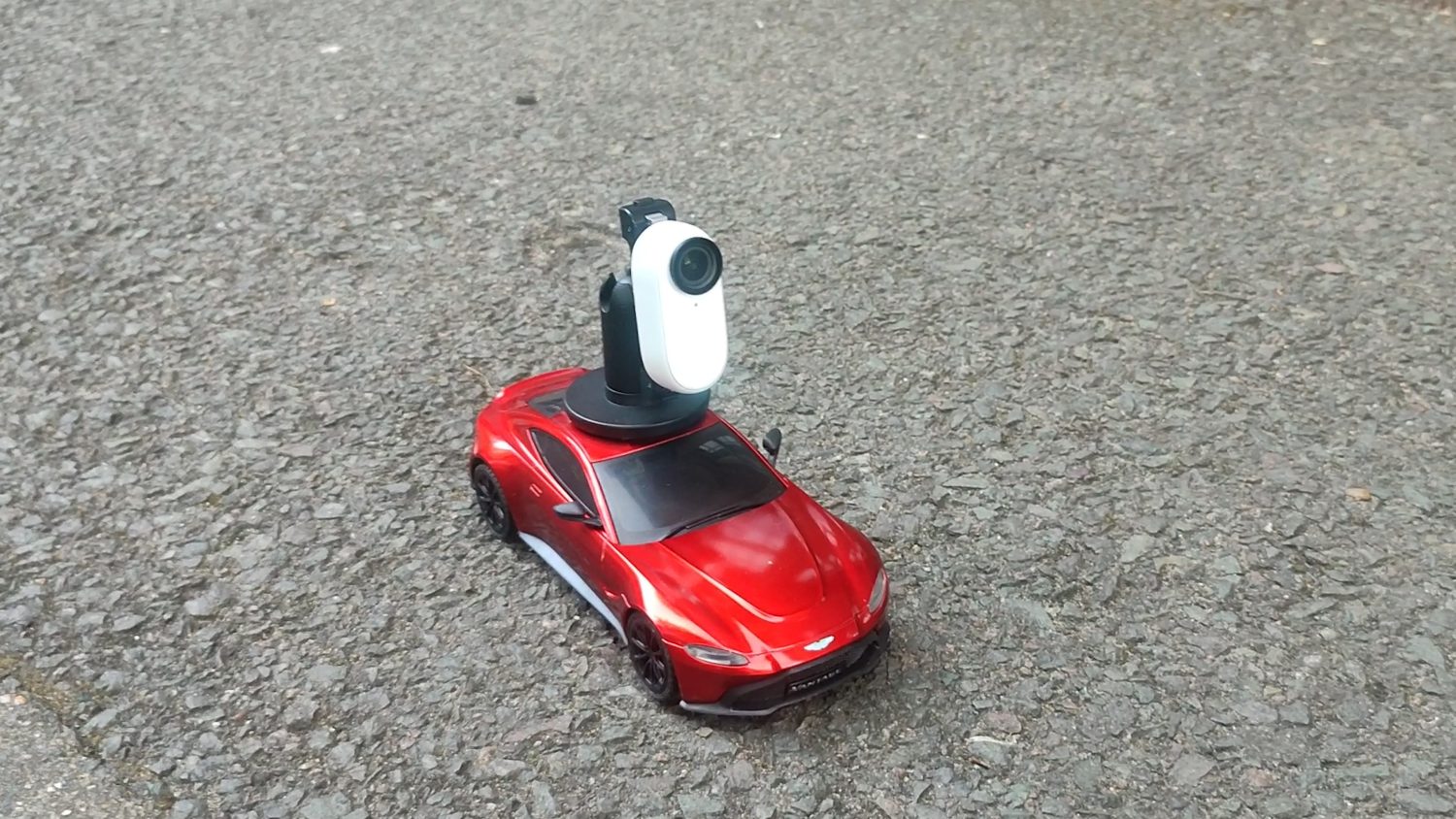
Due to the difference in size between the Go 3 and Go 2 you can’t interchange the mounts or other accessories. These cameras work in exactly the same way and there isn’t any difference between then when it comes to the kind of shots you can achieve.
Other Features
Shooting Times: The Insta360 Go 2 has limited shooting times per clip due to overheating issues. Here are the shooting limits:
- 30 minutes unstabilized
- 15 minutes basic stabilization
- 10 minutes flow state.
After this the camera will stop recording automatically. This is not the case with the GO 3 which does not limit recording times.
Water Resistance: The Go 3 is waterproof up to 5 metres and the Go 2 up to 4 metres. This is only for the cameras themselves not the docks.
Go 3 vs Go 2: The Verdict
Despite their lower than average video quality I really like the Go range of cameras, they offer a way to easily record hands-free video and mount your camera in unusual places. You can get awesome content from these little guys without much effort.
The Go 3 fixes a lot that was wrong with the Go 2 and is definitely the better option, but that’s to be expected. When it comes to video quality and the kind of shotts you can get, not much has changed.
What really sets the two apart is how much easier the Go 3 is to use and control, as well as the new video modes which expands what the Go 3 can do.
If you already have a Go 2 and can live with the more basic dock, poor batter life, limited recording and less video options then maybe the rather expensive Go 3 isn’t worth it. If you use your Go 2 reasonably frequently then I’d say the Go 3 is enough of an upgrade to justify the expense after two years.
Where to Buy
You can get the Insta360 Go 3 from the Insta360 website with three different memory options.
The Insta360 Go 2 is no longer available on the Insta360 website. You can probably find some good deals on other websites like Amazon or eBay for used versions.