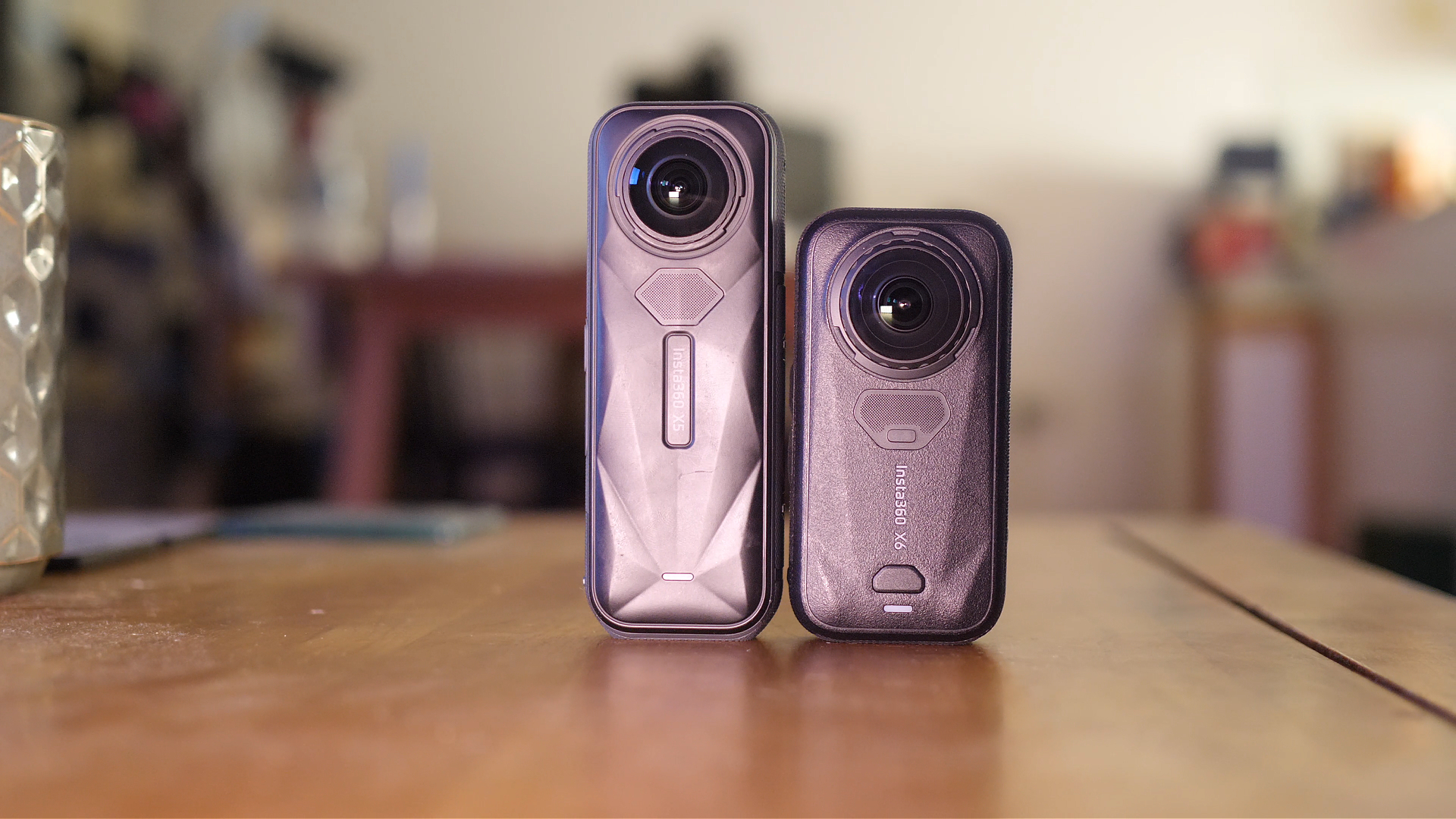
DJI Osmo 360 vs Insta360 X5: Ultimate Comparison

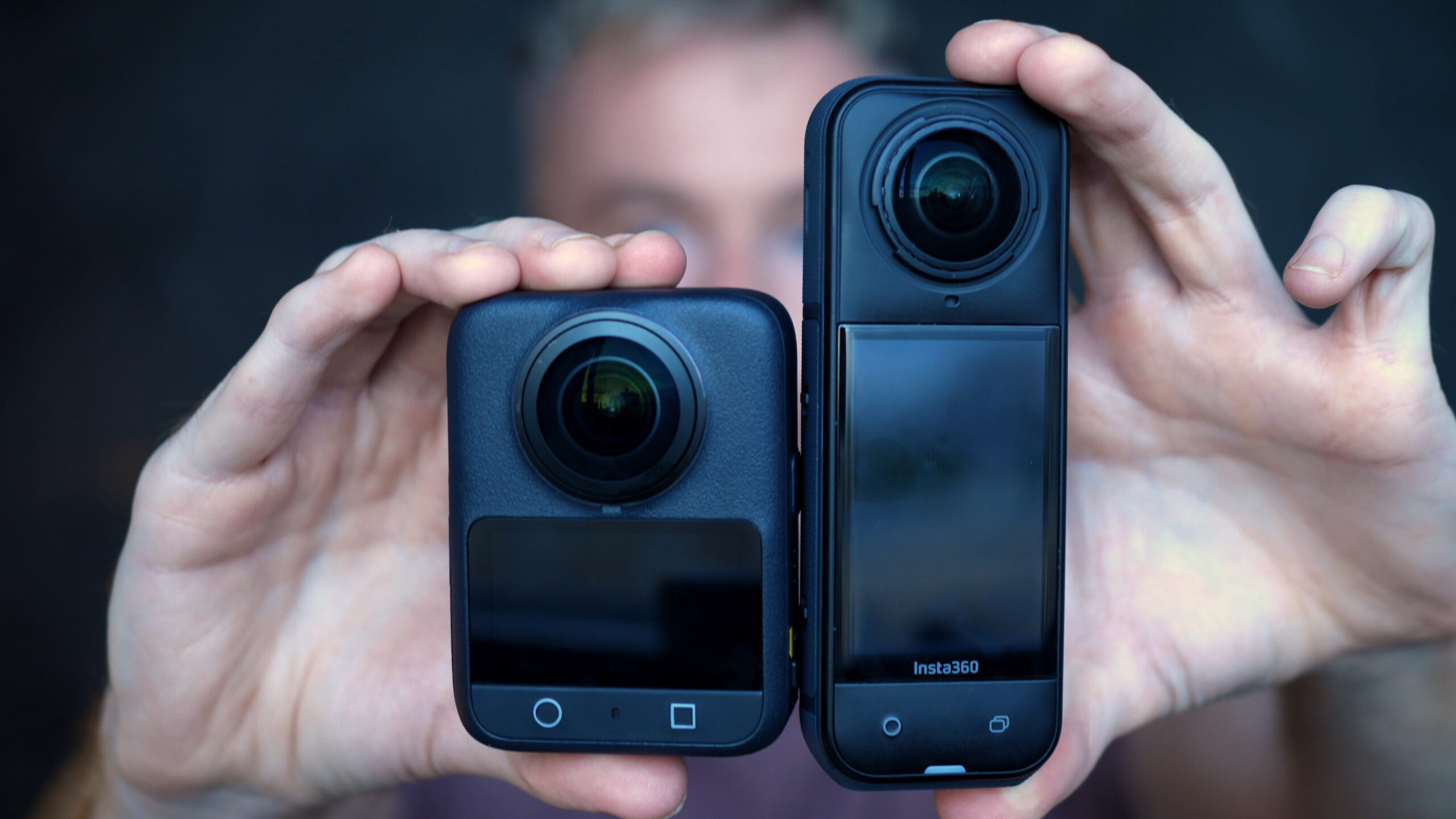
For years, Insta360 has dominated the consumer 360 camera space, but now DJI has finally entered the game with the DJI Osmo 360.
This is the first serious head-to-head that really matters: DJI Osmo 360 vs Insta360 X5. I’ve spent weeks shooting with both cameras across different environments – daylight, low light, action, underwater, VR – and in this review I’ll break down over 50 side by side tests so you can see which one truly deserves your money in 2025.
DJI Osmo 360 vs Insta360 X5: Specs Comparison
On paper, DJI comes out swinging. Dual 1-inch square sensors and 8K 50fps video are headline features we’ve never seen in a consumer 360 camera before. But Insta360 isn’t going down without a fight; the X5 offers swappable lenses, PureVideo night mode, and more advanced software.
Here’s a full side-by-side look:
| Category | DJI Osmo 360 | Insta360 X5 | Winner |
|---|---|---|---|
| Sensors | Dual 1″ square sensors | Dual 1/1.3″ 4:3 sensors | DJI |
| Max 360 Video | 8K @ 50fps (10-bit) | 8K @ 30fps (8-bit, Adaptive Tone option) | DJI |
| Colour / Bit Depth | 10-bit Normal + D-Log | 8-bit; Adaptive Tone processing | DJI (latitude) |
| Stabilisation & Stitching | RockSolid; seams can appear more often in hard motion | FlowState; fewer seam peeks, calmer micro-jitter | Insta360 |
| Slow Motion | 8K→½-speed; 4K @ 100fps | 4K @ 120fps (stronger slow-mo) | Insta360 (4K120) |
| Daylight Detail | Higher micro-detail; smoother highlight roll-off | Punchier look with Adaptive Tone | DJI (detail) |
| Low-Light (overall) | Super Night; slightly more shadow detail | PureVideo; cleaner highlights, nicer vibrancy, steadier walking | Insta360 (look & ease) |
| Timelapse | Up to 8K | Up to 11K | Insta360 |
| Hyperlapse / TimeShift | Clean but lacks native motion blur | Native motion blur + Shot Lab one-taps | Insta360 (aesthetics) |
| “No-Edit” Modes | Selfie Mode (locks to stick) | InstaFrame (selfie, face-track, rear, spins, effects) | Insta360 (versatility) |
| Photos | 120MP JPEG; sharp out of camera | 72MP RAW + HDR; more edit flexibility | Tie (use-case) |
| Underwater | Waterproof 10m; no dedicated 360 dive dome | Waterproof 10m + Invisible Dive Case (refraction fix) | Insta360 |
| Audio | 4 mics, ambisonic | 3 mics + effective windbreak | Tie (different strengths) |
| Storage | 103GB internal + microSD | microSD only | DJI (convenience) |
| Removable Lenses | No | Yes (cheap, user-replaceable) | Insta360 |
| Design & Handling | Squarer body; larger screen | Slimmer; lower centre of gravity; easier to mount | Insta360 (action use) |
| Mobile App | DJI Mimo: solid start, simpler | Insta360 App: more AI effects & templates | Insta360 |
| Desktop Software | DJI Studio: smoother keyframe transitions; built-in LUTs | Insta360 Studio: deeper feature set & project tools | Insta360 (features) |
| Price | Lower | Higher | DJI (value) |
| Best For | Sharp 8K/50 for VR & fast motion; 10-bit workflows; quick 120MP photos | Action & underwater; hyperlapse; social-ready looks; robust ecosystem | Depends on use-case |
| Legend: Yellow cell = category winner based on hands-on testing described in this review. | |||


How I Tested
In order to keep this test fair i set up both cameras in the following way:
Mounting & sync: Both cameras shot simultaneously side by side to remove environmental variance.
Framing/zoom: I matched D-warp on both (to straighten edges) and aligned zoom visually (the app scales don’t translate 1:1 across ecosystems).
Exports: Reframed to 4K, 90 Mbps for comparability.
Profiles used:
DJI: 10-bit Normal for most tests; D-Log included but I’m explicit that I don’t heavy grade Log for day to day content.
X5: Adaptive Tone on for the bulk of tests; sprinkled examples without it for balance.
Movement scenarios: Static daylight, walking, bike mounted, crowds/traffic, and low light.
Video Quality
If you only read one section, read this one. I spent most of my time testing the video quality between these two cameras as thats’ what most people are going to use them for.
Sharpness & Detail (Daylight)
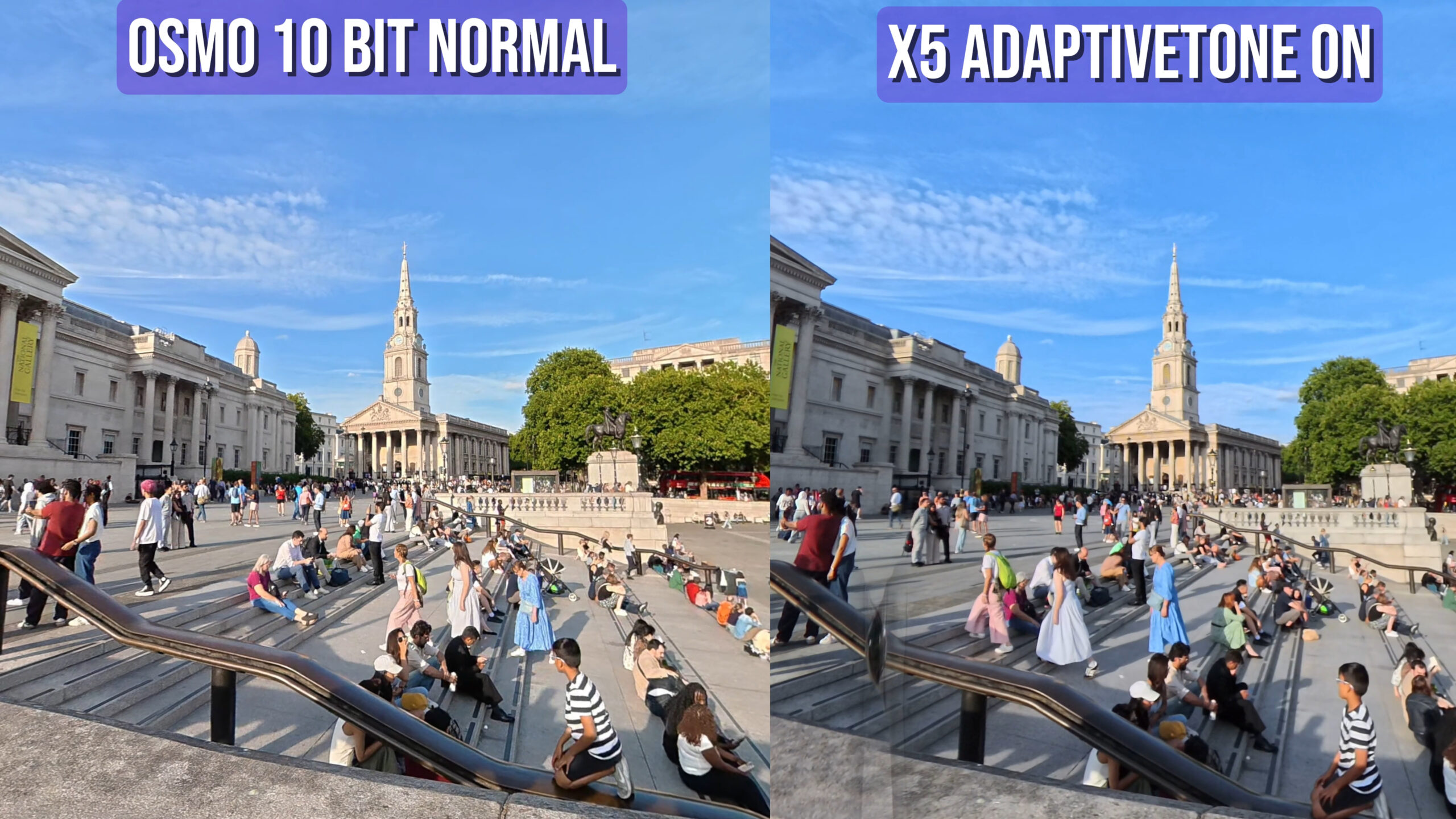
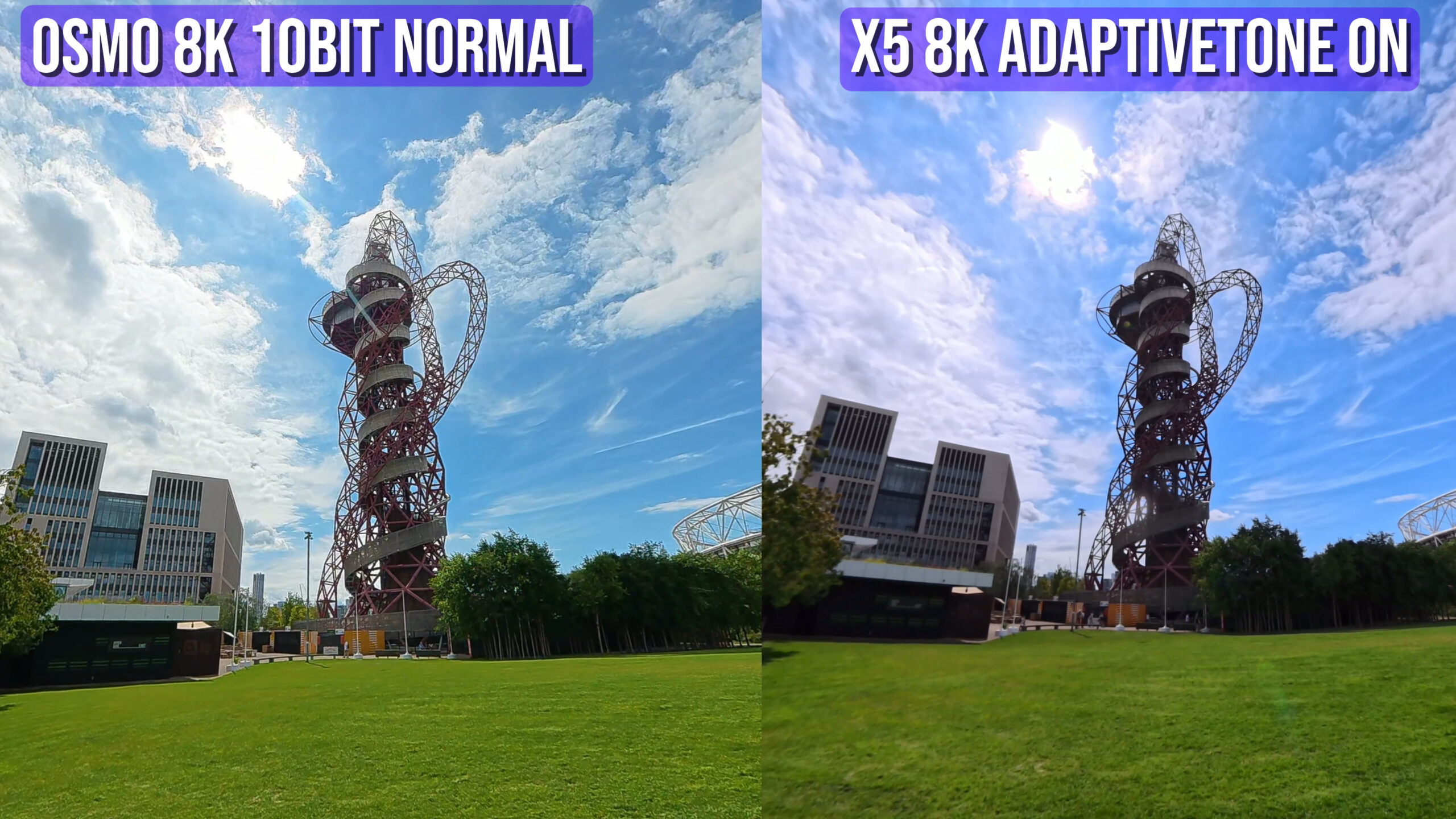
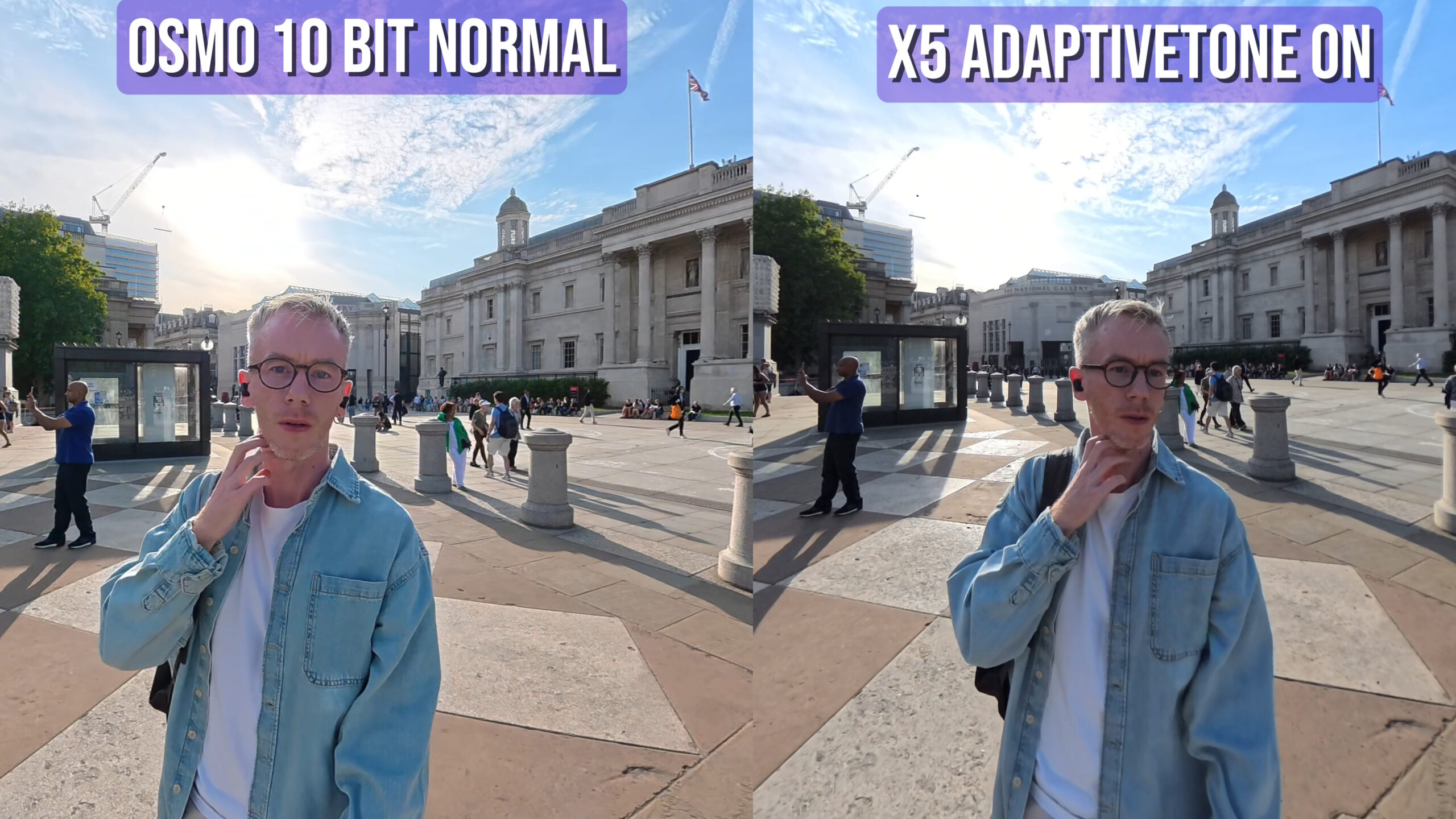
Both the X5 and Osmo 360 have a max resolution of 8K when shooting in the full 360 mode. After reframing (which involves zooming into the 360 image) the resulting video looks something like a 2K video from a normal camera. Any differences between the two cameras is likely to come from difference sensor technology and colour science.
What I saw:
The Osmo 360’s dual 1″ sensors consistently resolve finer textures. You can see this when looking at pavement grit, brick patterns, distant signage in the above images, particularly in wide reframes where 360 footage is stretched hardest.
X5 + Adaptive Tone brings punchy midtones and nicer roll off than stock 8-bit, but when you pause and pixel peek, DJI holds detail longer before breaking into softness.
Why it matters: If you’re reframing aggressive views for YouTube or plan to watch immersive 360 in a headset, DJI’s extra sensor power is visible.
2) Dynamic Range & Highlight Handling
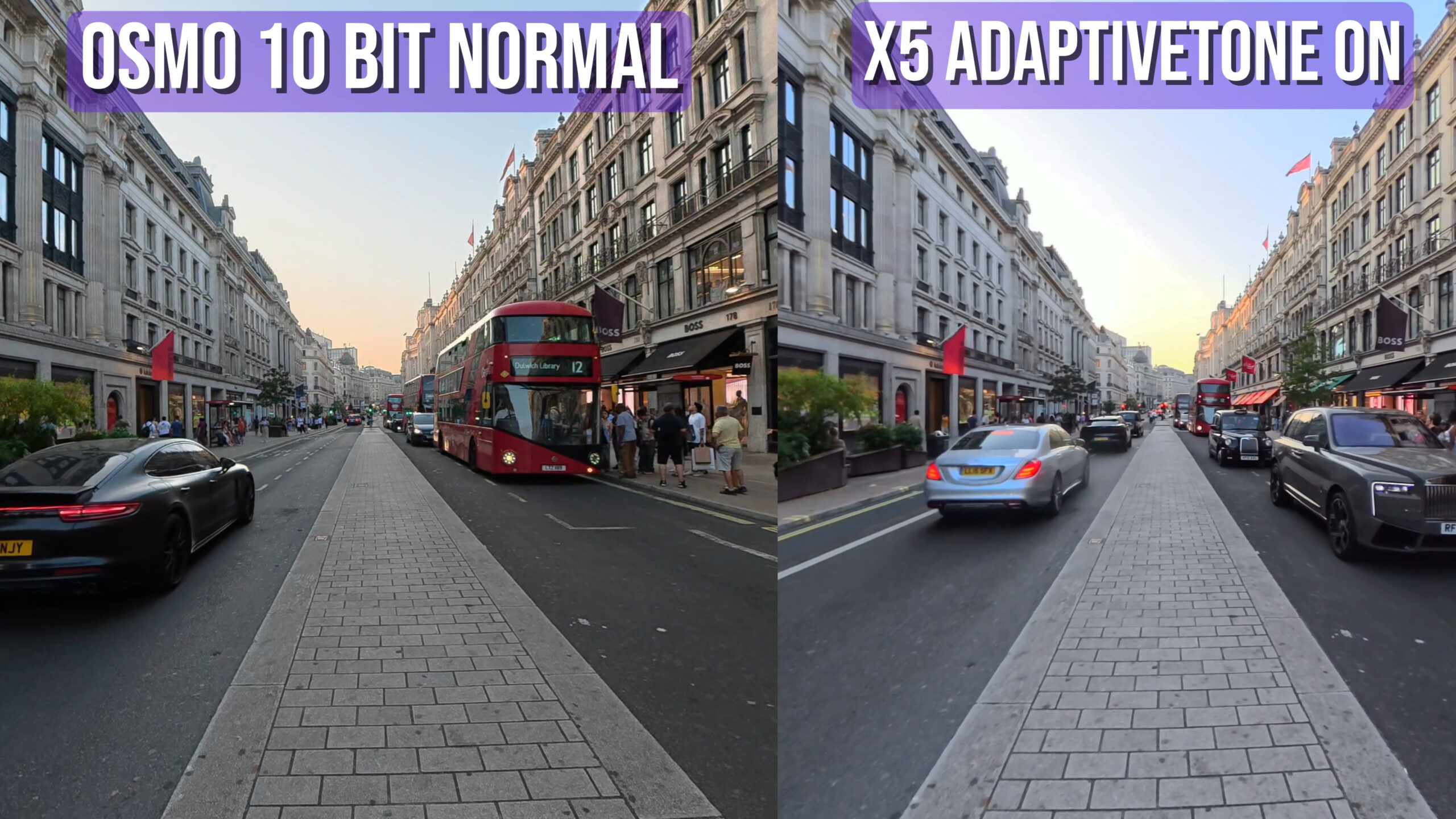
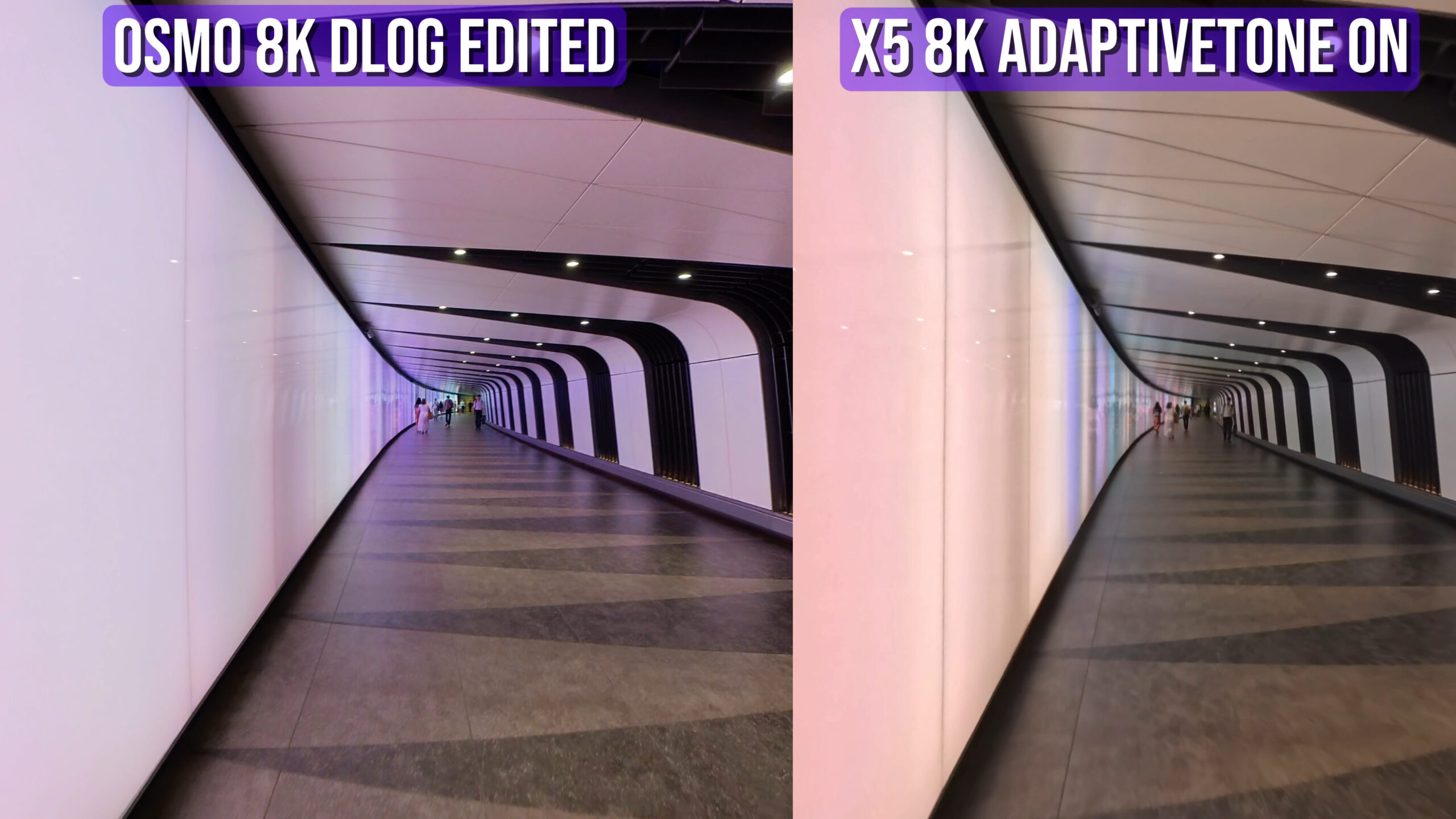
The DJI Osmo 360 has the advantage here thanks to its ability to shoot 10bit video, which allows for millions of extra colours compared to the X5’s 8bit. The X5 has a new shooting mode called adaptivetone which does improve the dynamic range and colour of its video.

Osmo 360 (10-bit Normal/D-Log):
Smoother gradients in skies and more consistent highlight roll-off on building edges and chrome.
D-Log keeps the most information, but you must grade it. Un-graded, it looks washed. If grading isn’t your thing, 10-bit Normal is a great “best of both worlds”.
X5 (Adaptive Tone):
Genuinely useful. It lifts shadows, reduces glare, and gives you a “finished” look without faffing in post.
Trade-off: sometimes a shadow/highlight seesaw, deeper shadows next to bright elements, giving a slightly more “contrast-y” vibe than DJI’s smoother transitions.
My take: If you want ready-to-post video, X5 with Adaptive Tone is brilliant. If you’re OK doing a little work (or you’re targeting VR), DJI’s 10-bit pipeline is more robust.
3) Frame Rate Reality: 8K 50fps vs 8K 30fps
Walking tests:
The jump from 30→50fps is subtle at normal walking pace. You do see cleaner motion in moving crowds and vehicle wheels, but it’s not night-and-day.
Bike-mounted tests (vibrations & speed):
This is where 50fps matters. Panning detail holds better, motion trails shorten, and subjects retain structure longer.
Who benefits: Action leaning creators (bike, board, ski, trail) and anyone aiming for 8K half-speed slow-mo. If your content is mostly travel vlogging, 8K 30fps on X5 is sufficient.
4) Stabilisation & Stitching
X5 (FlowState): Slightly calmer micro-jitters when mounted, and stitching seams pop up less often in tricky light.
Osmo 360: Great overall, but I caught seam peeks more often—usually in hard lateral motion with backlight. Firmware can improve this, but Insta360’s head start shows.
Bottom line: For aggressive motion and fewer seam surprises, I still trust X5.
5) Colour & “Out-of-Camera” Look
Osmo 360 (10-bit Normal): Natural, neutral colours—great skin without orange push, believable skies. A lovely base for creative grades.
X5 (Adaptive Tone): Poppier, more social-ready look. If you don’t want to grade, this wins. If you do grade, DJI gives you more latitude.
6) VR Headset Use
I regularly shoot true 360 playback. For headset viewing, sharpness + frame cadence matter more than Instagram pop. On that metric, Osmo 360 is my pick for immersive viewing (especially complex cityscapes) thanks to 1″ sensors + 50fps.
Low Light & Night Shots
I went into this expecting the Osmo 360 to walk away with it. Bigger sensors and utilising more of the sensor surface area – the maths says DJI should win. In practice, it’s closer.
1) Street-Lit City Scenes (neons, signage, reflective glass)
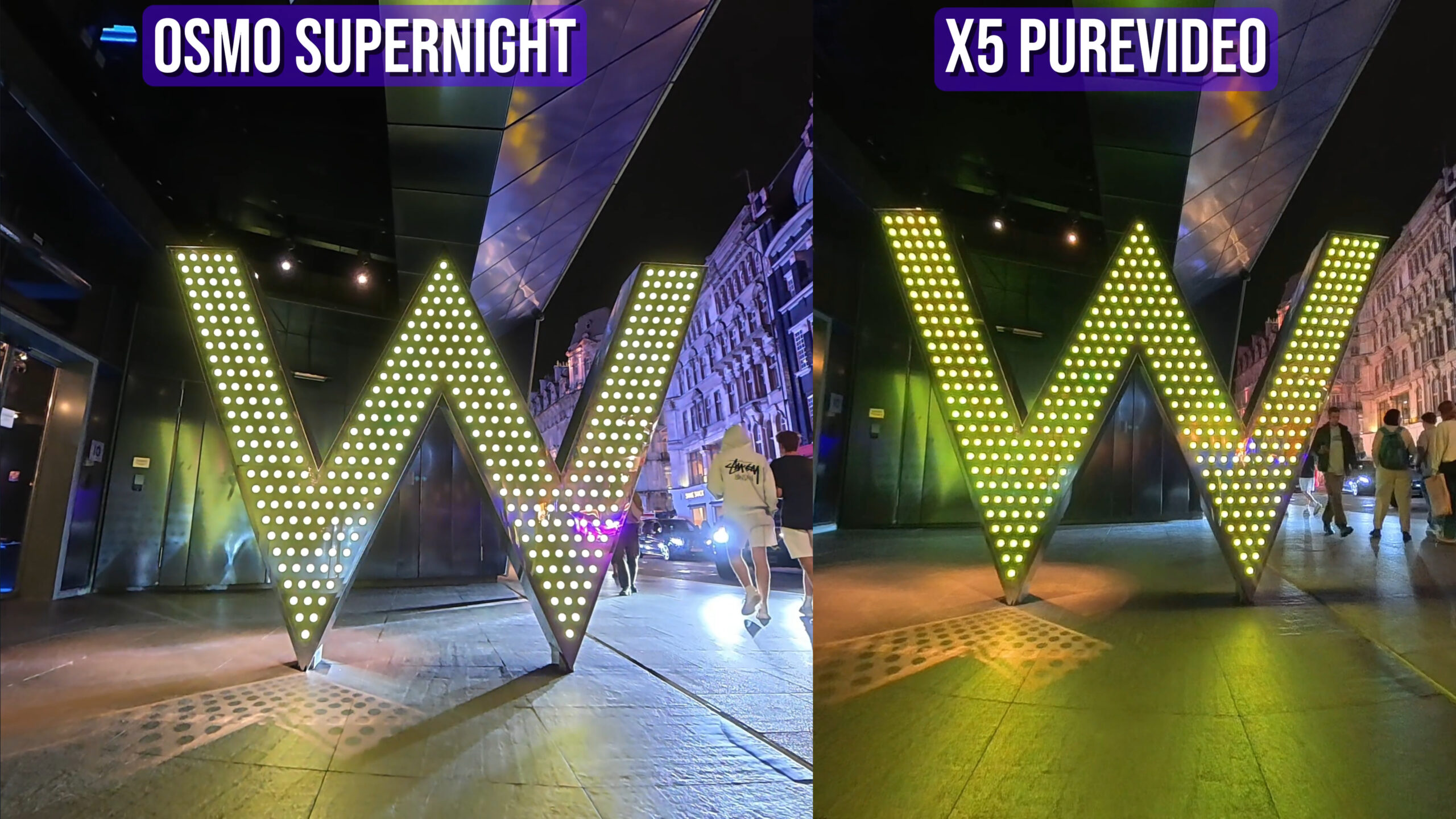
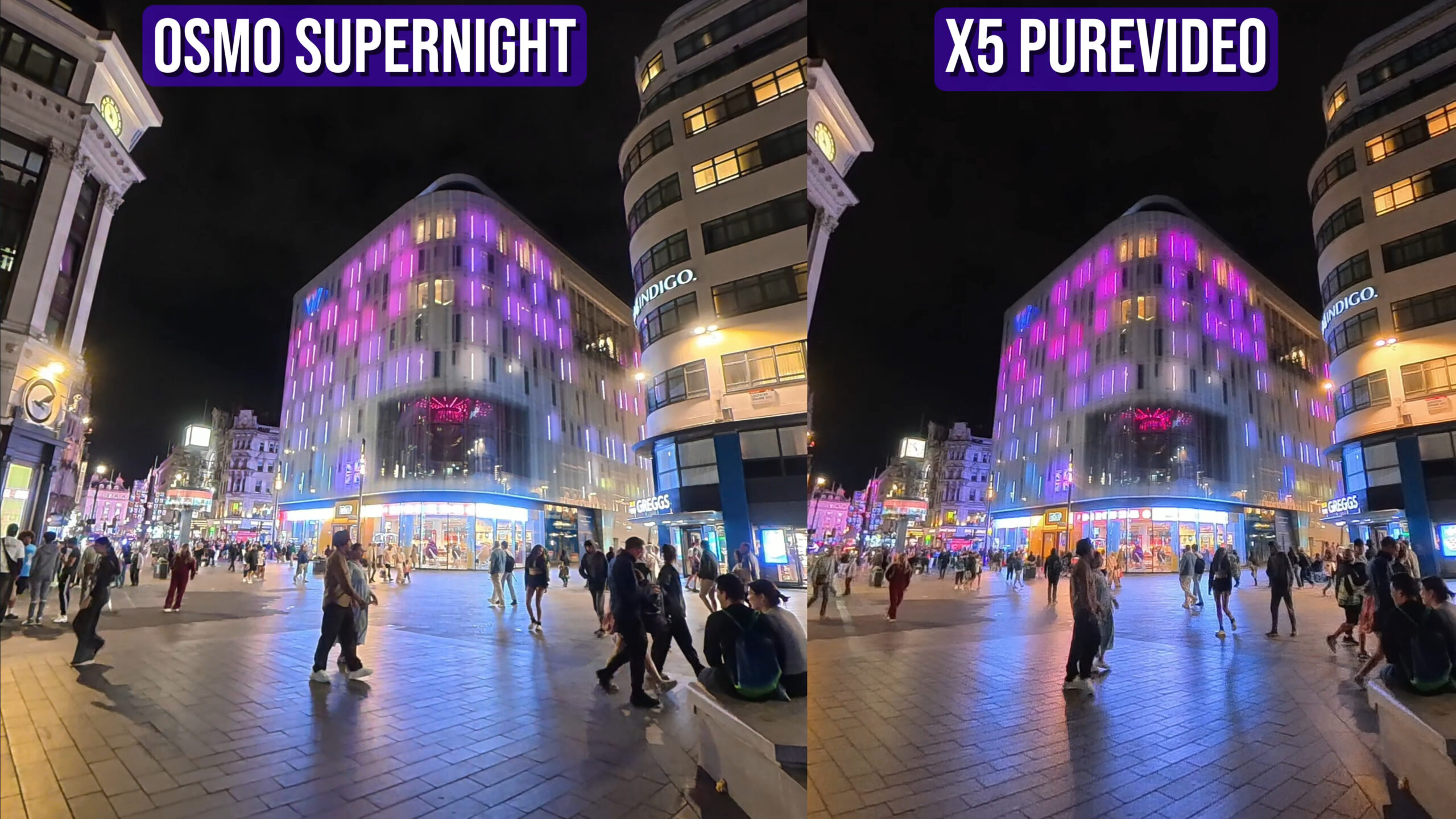
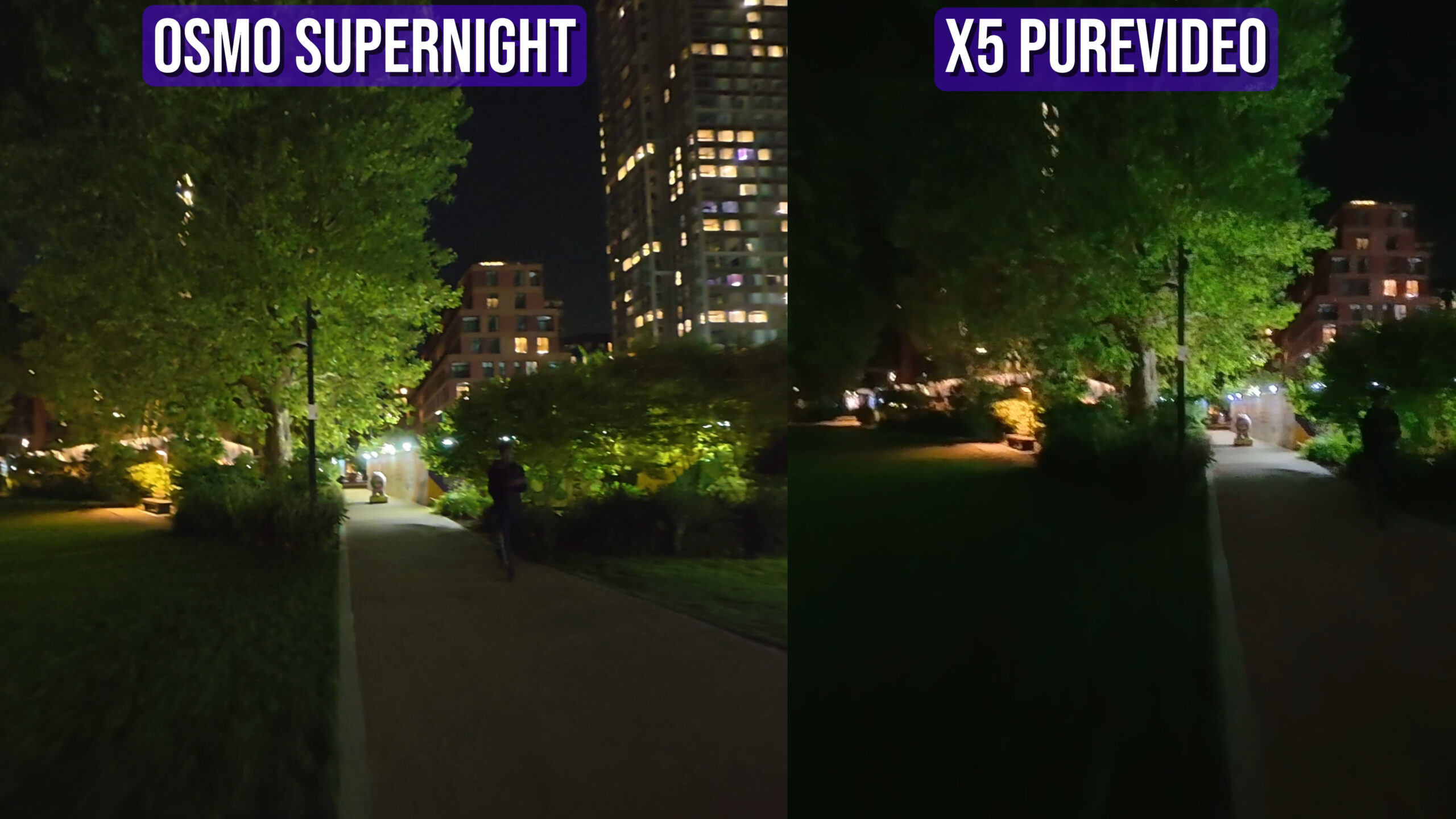
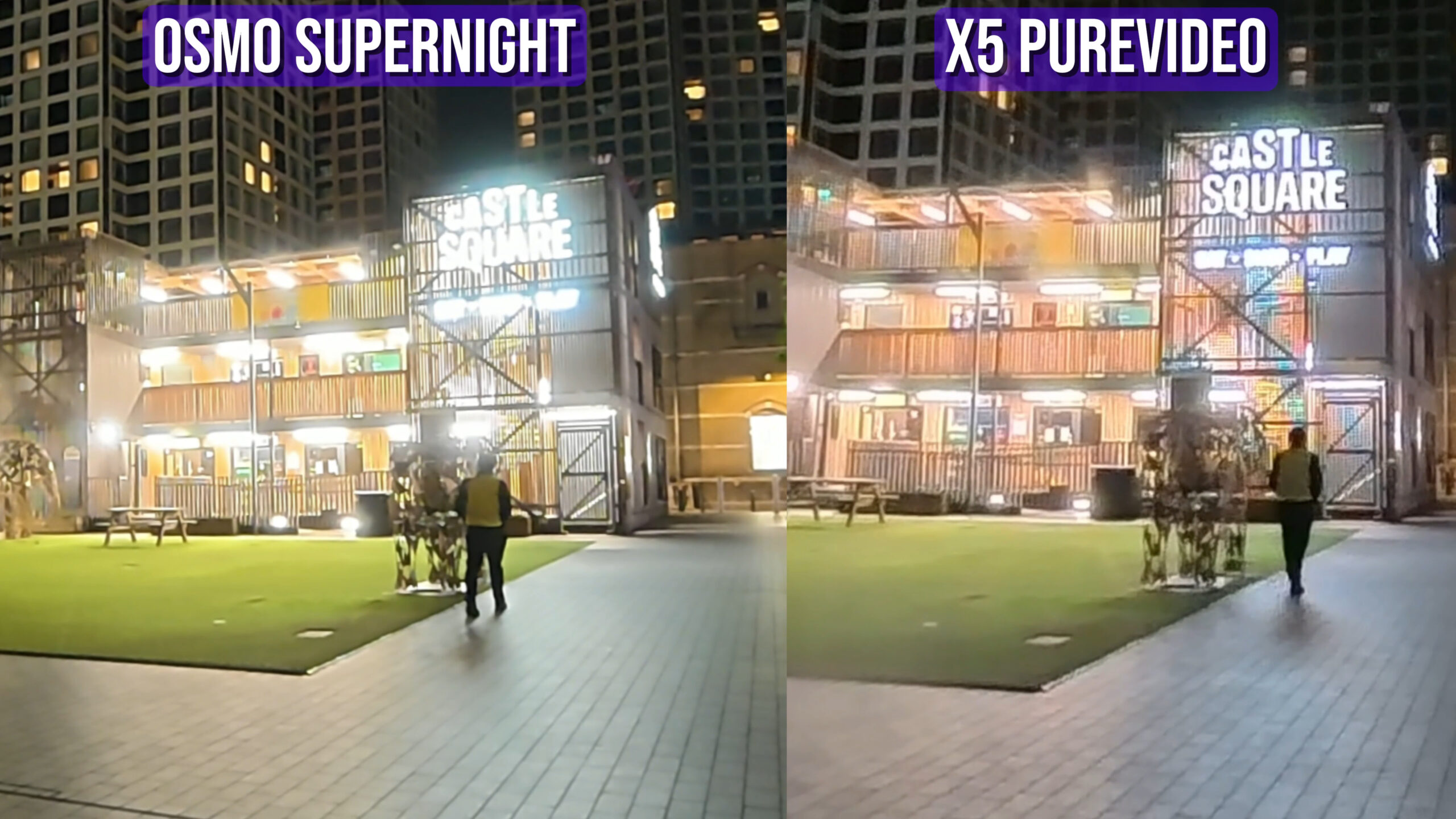
Osmo 360: Slight advantage in fine detail like brickwork and tree bark hold together a touch better. Shadows have more subtle tonality (10-bit helps).
X5 (PureVideo): Often delivers cleaner, less “hazy” highlights. Strong lamps and LED boards bloom less. Colour feels more alive.
My call: If your night scenes include lots of point light sources (shopfronts, traffic, glass), X5 PureVideo often looks cleaner and more pleasing straight out of camera.
2) Motion & Jitter in Low Light
Osmo 360: Slightly more vibration shimmer when walking in dim scenes which is likely a combination of stabilisation tuning and shutter behaviour.
X5: Felt steadier with fewer little jolts, particularly when shooting in conditions without much artificial light. For moving video in low light the X5 is definitely superior.
3) Auto vs Manual
All the showcase tests you saw are auto (so results reflect what most people will do). If you’re comfortable going manual at night:
Start around 1/60–1/100s shutter (to tame smear), ISO 400–1600 depending on scene, and accept a touch of noise over blur.
On DJI, if you shoot D-Log at night, plan on denoising + gentle contrast; it keeps highlight info but needs work.
4) Bottom Line on Night
Best detail retention: DJI Osmo 360
Best overall look (glare, colour, stability) with minimal effort: Insta360 X5 PureVideo
Neither replaces a fast-lens mirrorless; both are good enough for city-lit content.
Shooting Modes
Insta360 has had a lot longer to work out the best ways to utilise 360 footage to create unique content; this shows when comparing the video modes available in each camera. The X5 has more video modes which are more useful and easier to use than the Osmo 360.
1) Hyperlapse / TimeShift (My Favourite 360 Trick)
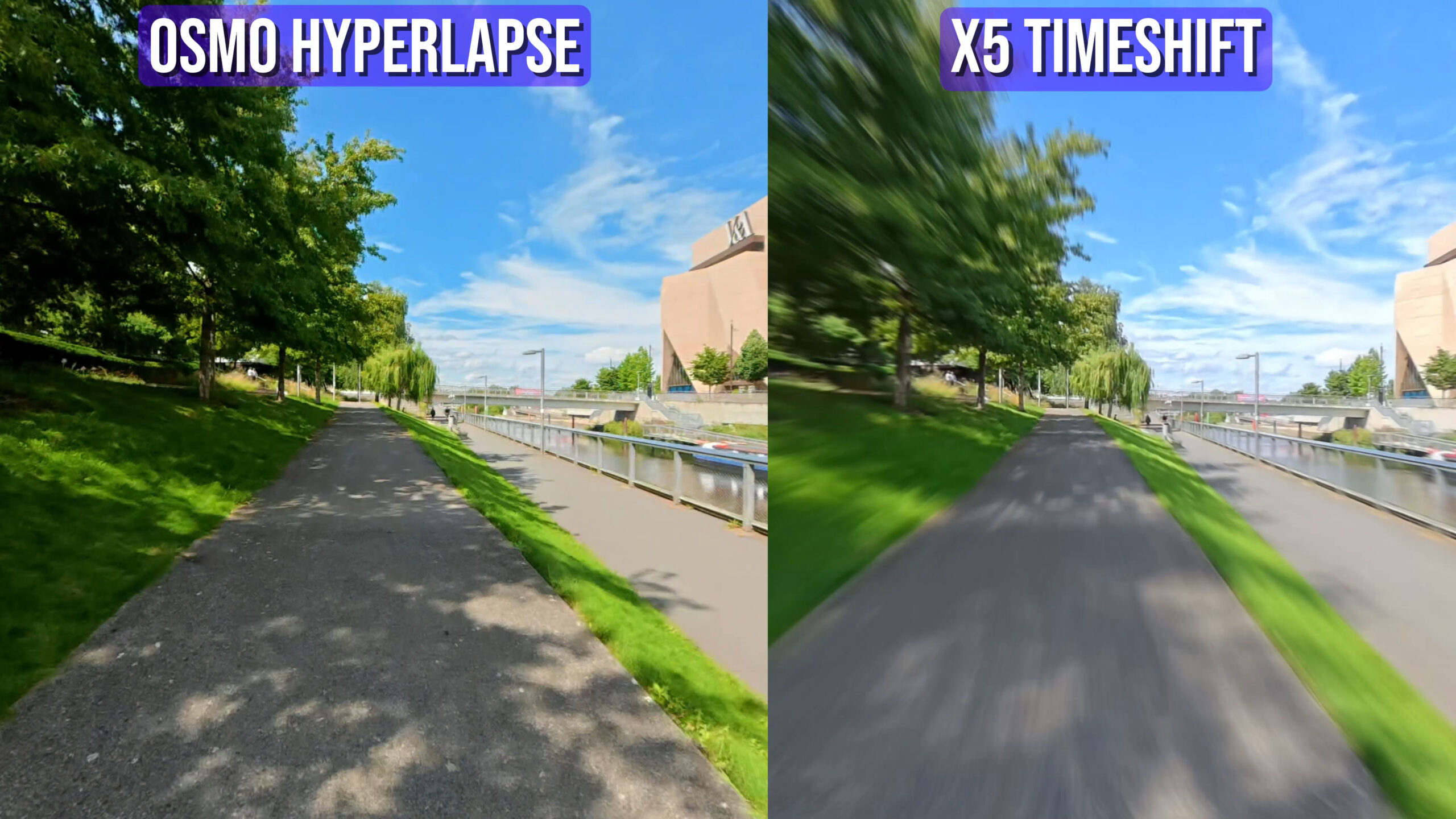
Insta360 X5:
Motion blur baked into the mode gives that cinematic whoosh your brain expects at high speed.
Shot Lab has one-tap hyperlapse presets that nail speed ramps + blur + directional reframing.
Result: “Woah, how did you film that?!” with minimal effort.
DJI Osmo 360:
Clean and sharp, but lacks motion blur in the native flow. The result looks too clinical and while you can simulate blur later, this would take a lot of time compared to the X5’s auto blur.
Winner: X5 by a mile for hyperlapse aesthetics and speed of getting a banger.
2) Timelapse
X5 hits 11K timelapse; Osmo caps at 8K.
If you like pan-across-the-city hero shots or parallax clouds with reframing, that extra resolution helps.
Winner: X5 (resolution & flexibility)
3) Slow Motion
Osmo 360: 8K 50fps → half-speed at 8K. Looks great for subtle slow-mo (waves, traffic, moving crowds).
X5: 4K 120fps is better for dramatic slow-mo sequences where you want to really stretch time. the Osmo is capped at 4k 100fps.
Pick based on style: Subtle cinematic slow-down (DJI) vs dramatic slow-mo (X5).
4) “No-Edit” Modes (Shoot → Publish)
Osmo Selfie Mode: Locks on the invisible stick position so you’re always framed. Simple and effective.
X5 InstaFrame: Goes way further and far more advanced. You can replicate the selfie mode but also face-track, rear-track, spin/rotate presets, and alternative perspectives.
If you want a daily vlog workflow with zero editing, InstaFrame gives more looks from the same capture.
Winner: X5
5) Underwater & Accessories
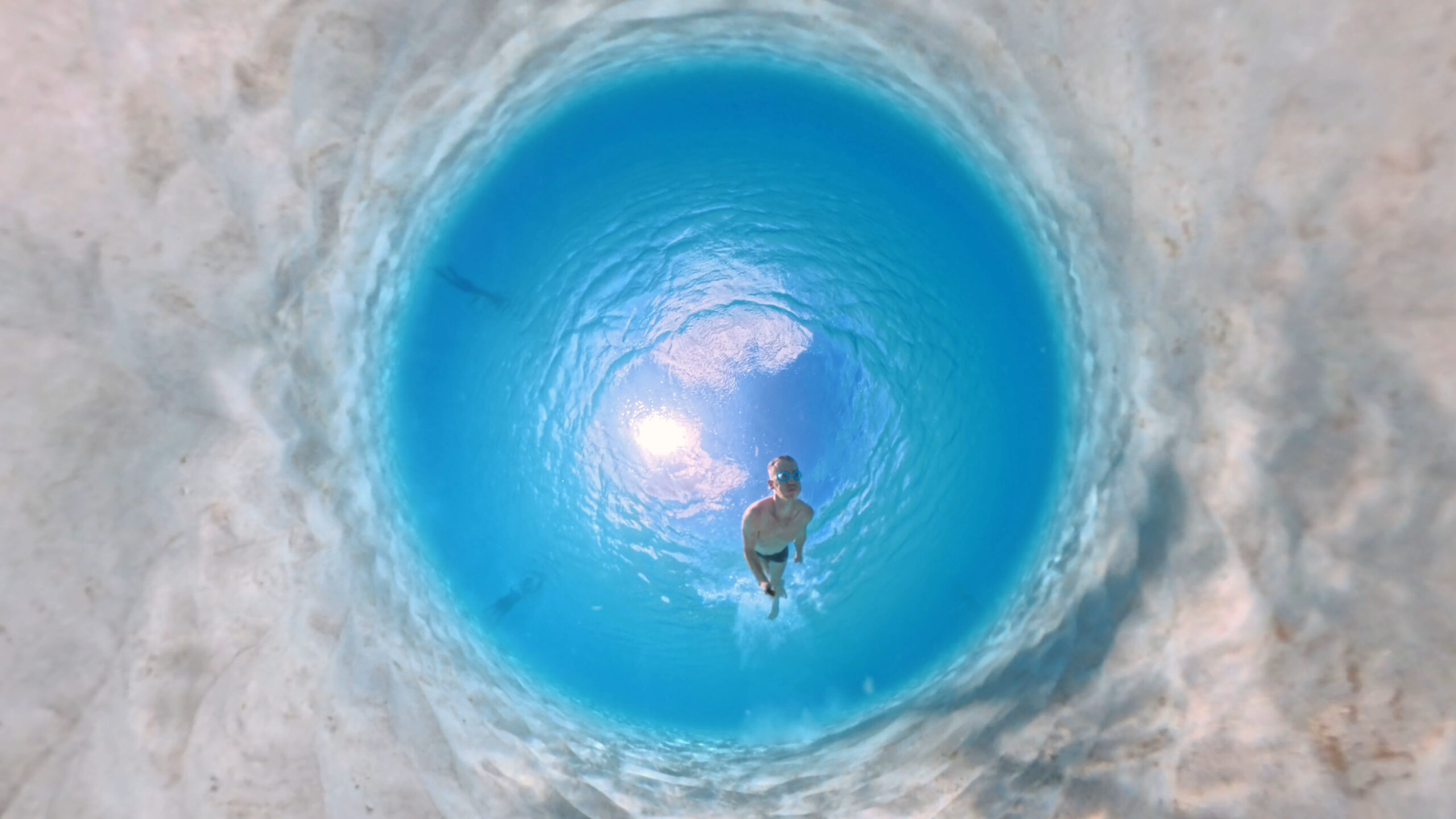
Both are waterproof to 10m, but refraction ruins 360 underwater unless you use a purpose-built dome.
Insta360’s Invisible Dive Case fixes that and produces seriously unique underwater shots (I’ve had people ask “how on earth did you film this?”).
DJI doesn’t have an equivalent yet.
Winner: X5 if underwater matters to you at all.
Photo Quality
DJI Osmo 360: 120MP photos look sharp and ready to use straight out of camera. Great for quick virtual tours.
Insta360 X5: RAW and HDR give more flexibility, but require editing.
Either of these cameras would be fine for casual 360 photos for Instagram etc, but for virtual tours I would go with the X5 for its RAW imaging.
Audio
Both are good for vlogging, but in different ways:
DJI’s 4 mics give ambisonic, immersive sound.
Insta360’s windbreak is a lifesaver for outdoor shooting.
Both support external mic accessories for pro setups.
Software & Editing
Hardware is only half the story with 360 cameras – the software is just as important.
Insta360 App & Studio:
The Insta360 App is significantly more advanced, with more effects, more templates. The AI “Shot Lab” is packed with one-tap effects that I’ve used to make some of my best Instagram and TikTok videos. The downside is that the app has become a little cluttered after recent updates.
DJI Mimo & Studio:
A very solid start. The Mimo app includes templates, some basic AI editing, and even a built-in video editor. It feels similar to where Insta360’s app was about a year ago – polished, but not quite as feature-rich. One thing I actually prefer is DJI Studio’s smoother keyframe transitions, which feel more natural than Insta360’s slightly robotic ones.
Design & Handling
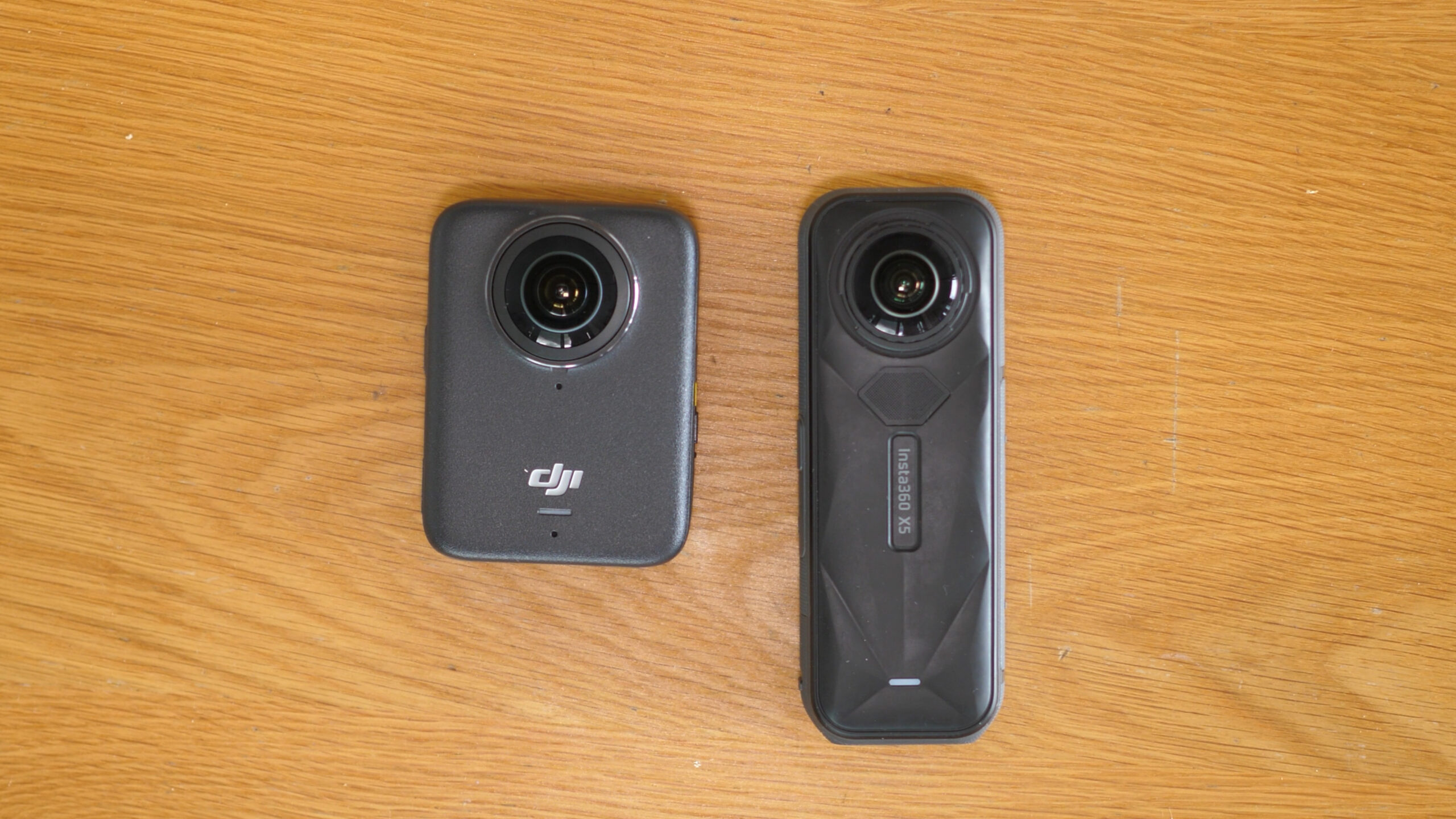
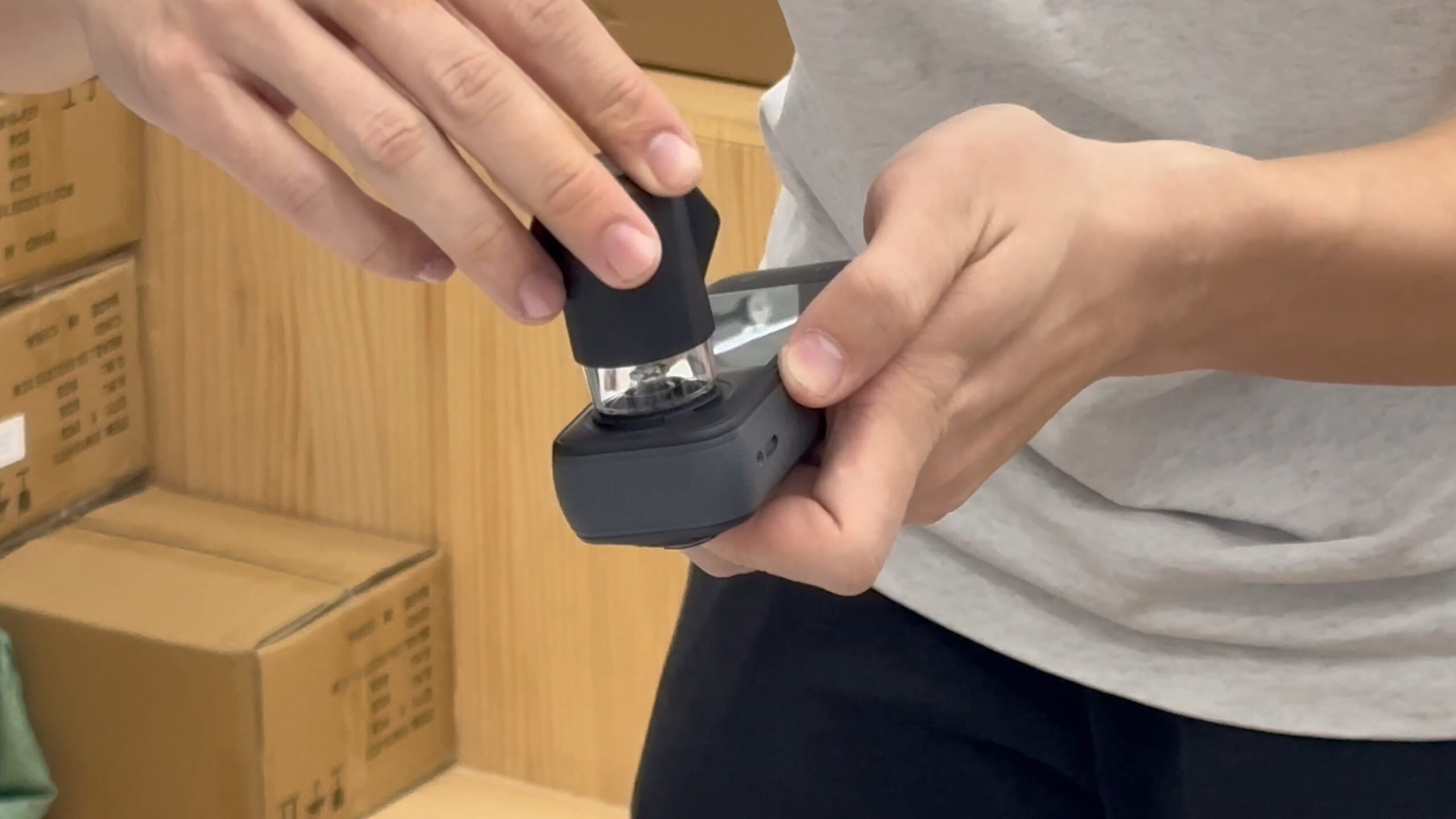
X5: Slimmer, easier to mount, and, crucially, removable lenses. If you shoot action, this saves money and panic when (not if) you scratch a dome. This is a huge advantage for the X5 and shouldn’t be dismissed.
Osmo 360: Squarer footprint with a larger screen; nice for preview and touch interaction. Fixed optics mean more caution in rough scenarios.
Price
DJI Osmo 360 comes in cheaper. Given the 1″ sensors and 8K 50fps, that’s wild value. If you need underwater or advanced creative modes, the X5’s ecosystem may justify its higher price.
Verdict: Which One Should You Buy?
Choose DJI Osmo 360 if you want:
The sharpest 360 across wide reframes and 8K 50fps cadence.
A 10-bit pipeline (Normal/D-Log) with room to grade.
120MP photos ready out of camera.
Lower initial cost without accessories.
Choose Insta360 X5 if you want:
Action & underwater confidence (removable lenses + Invisible Dive Case).
The best hyperlapse look (native motion blur) and overall creative modes.
PureVideo night footage that looks great without manual work.
The most mature app ecosystem for one-tap social effects.
How I’ll use them:
DJI Osmo 360 for immersive/VR and slower, cinematic city shots.
Insta360 X5 for underwater, hyperlapse, and mounted action where stabilisation and replaceable optics reduce stress.
FAQ-Style Quick Wins
Is 8K 50fps worth it? For fast motion and headset playback, yes. For standard travel vlogs, it’s nice-to-have.
Can I skip grading? X5 + Adaptive Tone / PureVideo: yes. DJI 10-bit D-Log: no, use 10-bit Normal if you don’t want to grade.
Virtual tours? DJI’s 120MP JPEGs are superb out of camera; X5 RAW wins if you’ll edit.