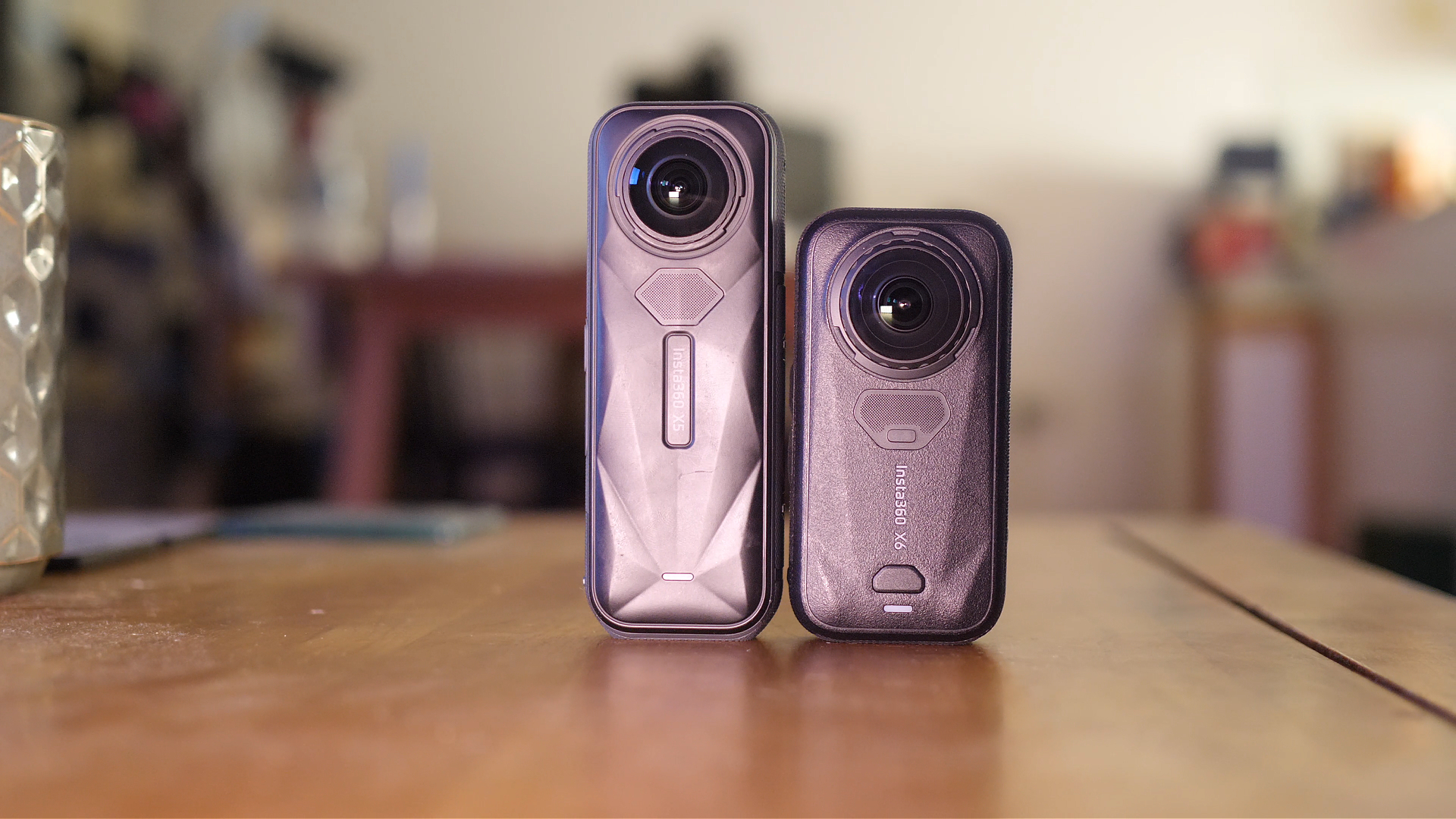


The Insta360 Studio has received an update which adds a highly anticipated feature. You’ll now be able to add motion blur to any video you shoot with an Insta360 camera which, when used correctly, can make your action videos look much more dynamic.
First load up the Insta360 Studio and make sure it’s updated to the latest version. Import your videos into the studio and on the right hand side you’ll see there are a few different tabs, you’ll need to select the “Media Processing Tab”. Under “Image Processing” you’ll notice there’s a new option called “Motion ND”.
If you want to use the new motion blur feature then turn Motion ND on. The effect is applied to the entirety of the video length so make sure you definitely want to to use it. Motion Blur works best with fast moving action shots like skiing, snowboarding, cycling, driving and the motion blur effect will be visible when the camera moves quickly. You’ll also see the effect when you move the camera with your mouse.

Play your video to see if you are happy with the intensity of the motion blur effect with the default setting applied. To change the strength of the motion blur effect you can alter the “speed” and “intensity” sliders. The speed slider changes how
You’ll now see two options for “Spread” and Intensity”. Changing the spread value will either increase or reduce how much of your video the blur effect will cover. At the maximum value the whole video will be blurred, and at a lower value only the edges will be blurred and the centre will remain clear.
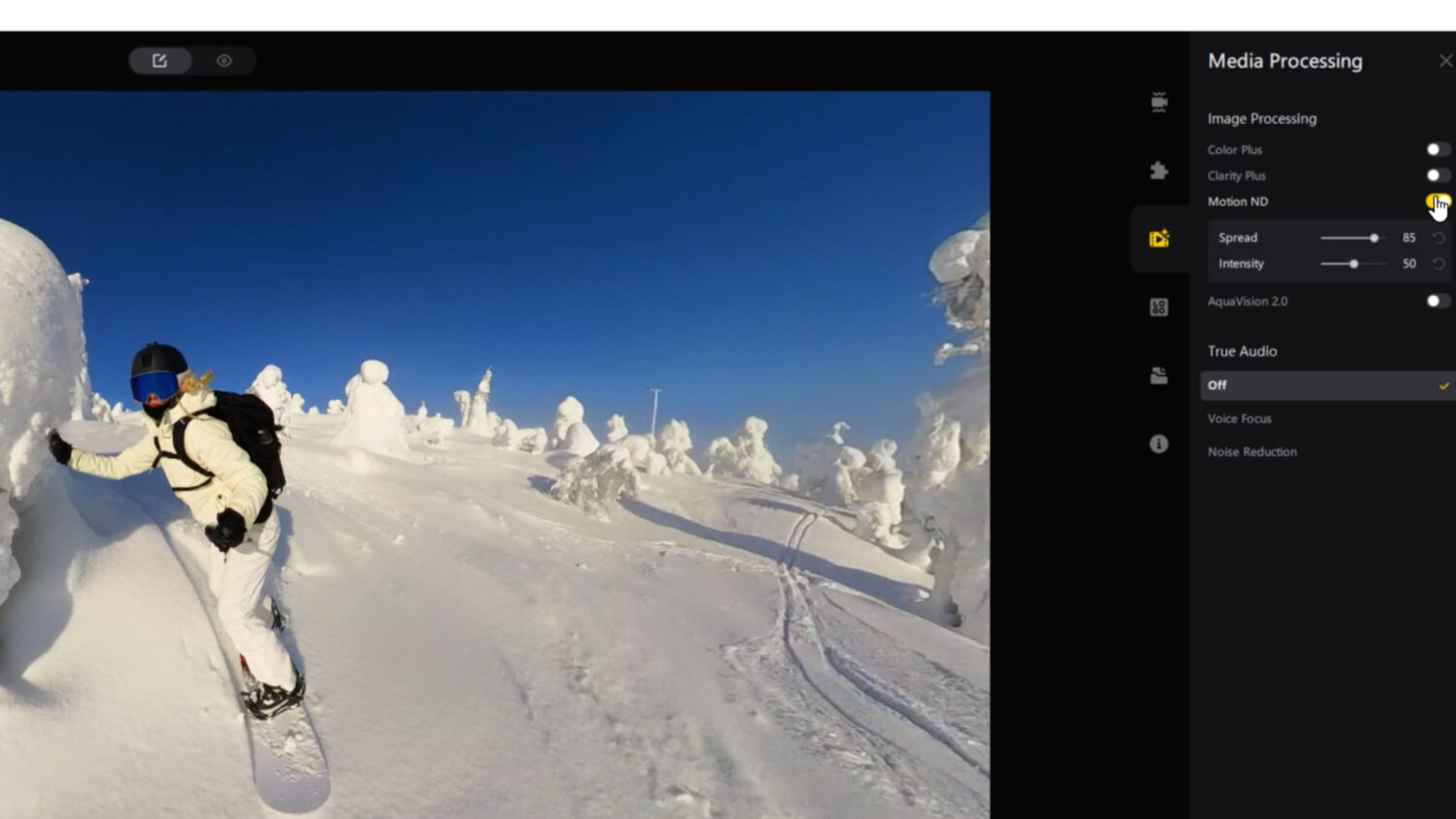
Changing the intensity value will change how intense the blur effect is, which seems pretty obvious, but what that means is that at the max value and movement will look almost completely blurred out with hardly any details visible. When at a lower value the blur will be quite subtle.
Using a high intensity value will make it seem like your video is moving faster than it actually was when you recorded it; this would be great for car or bike mounted videos as well as skiing and snow boarding.
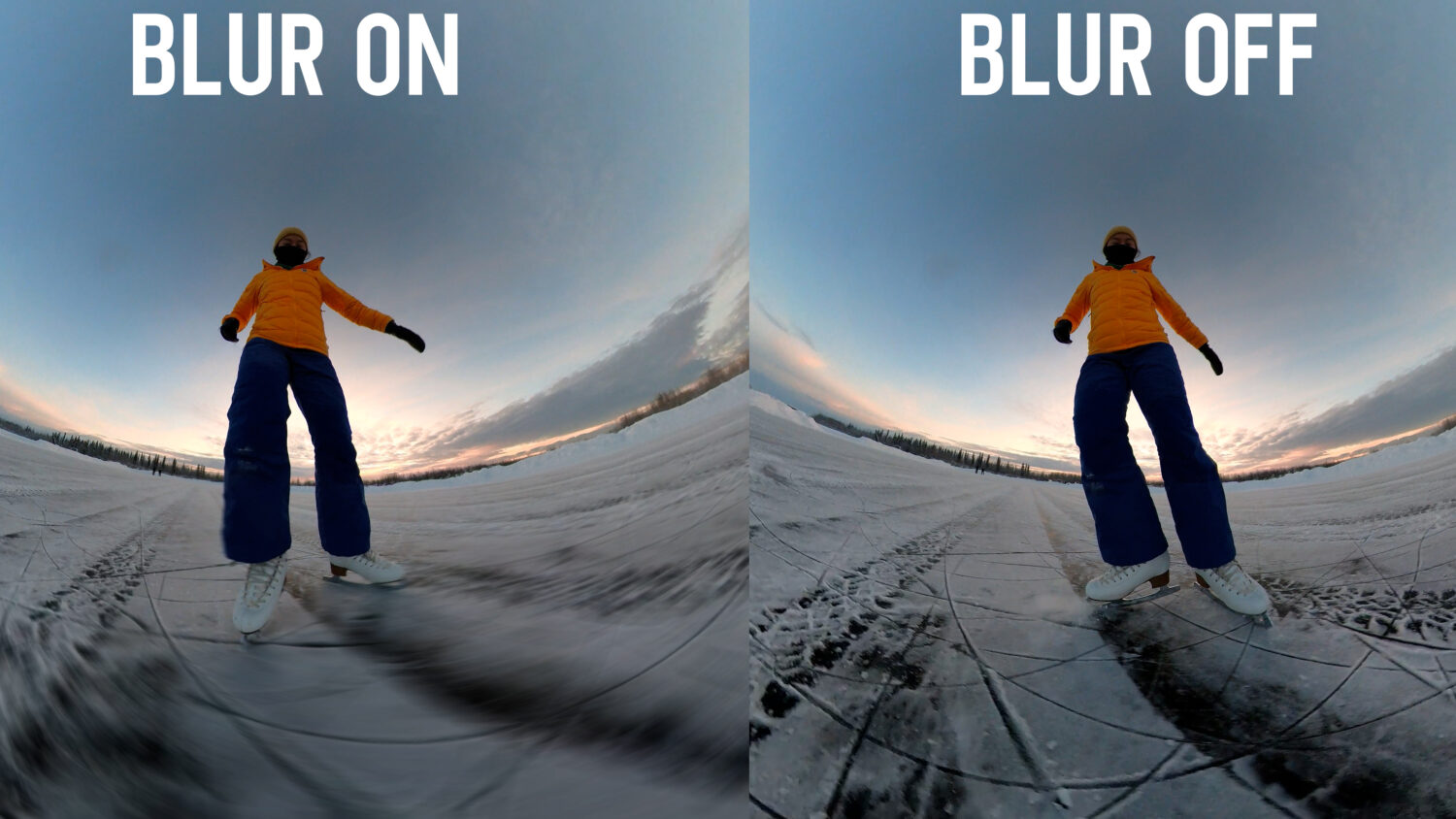
If you’re video features a central figure at the centre, one again like someone skiing, then I recommend adjusting the spread value so that they are not blurred but the envirnment around them is. This creates a nice contrast and is the best way to make use of this setting for action shots.